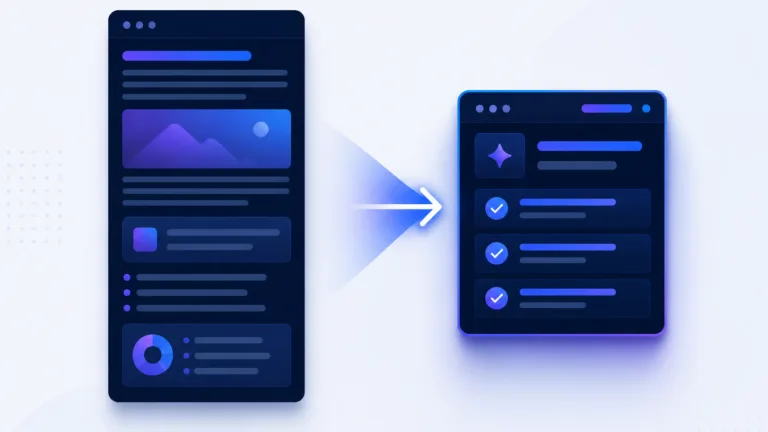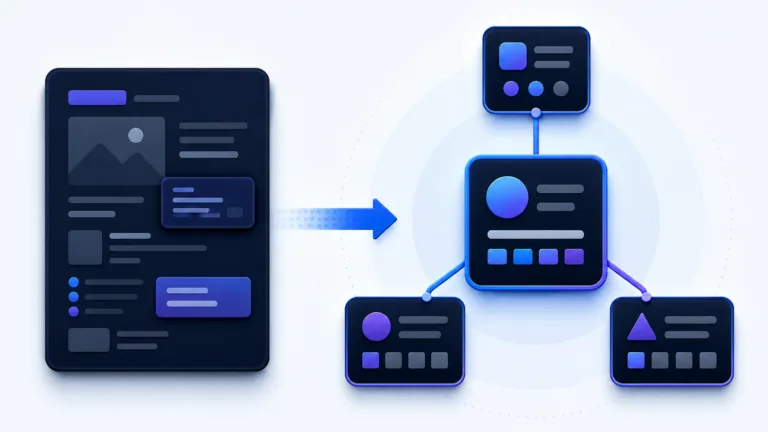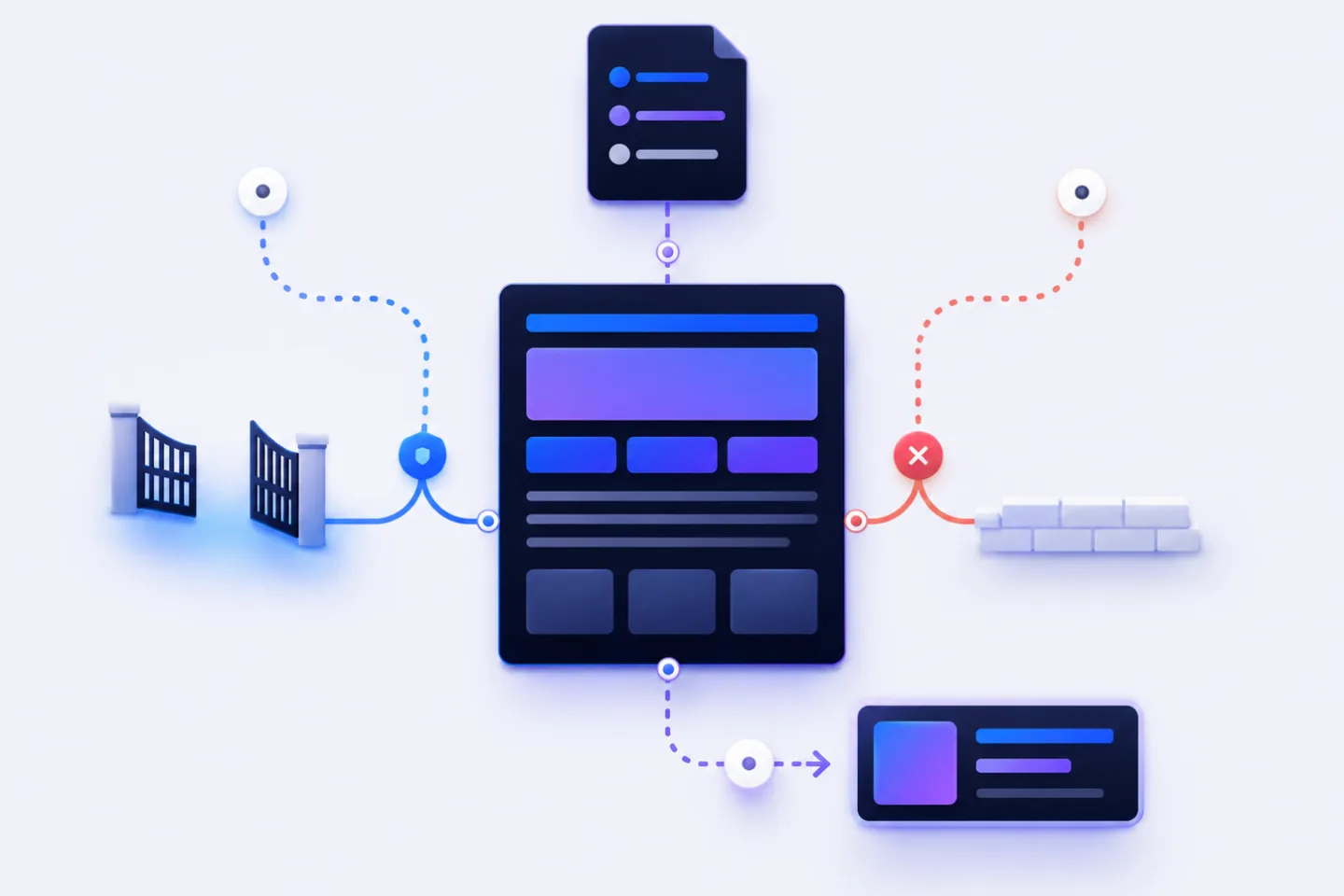
Your content can be technically strong, up to date and prepared for — and still barely appear in ChatGPT, Perplexity or other search systems powered by artificial intelligence (AI).
The reason is often not the content itself, but the technical setup: are blocked by robots.txt, firewalls, rules in a , a distributed server network for faster delivery, or bot management. Sometimes this is intentional. Often, however, it happens unintentionally.
That is exactly why the two RankScan insights “Blocked AI Crawlers” and “Missing llms.txt” are so important:
- “Blocked AI Crawlers” checks whether relevant AI crawlers can reach your website or important content.
- “Missing
llms.txt” indicates that no compact, voluntary orientation file for language models was found. This is an optional optimization opportunity, not a critical standards error.
The weighting matters:
Blocked AI crawlers are a critical technical issue. A missing llms.txt is more of a strategic optimization opportunity.
The best solution is therefore not “allow everything” or “block everything”, but a deliberate strategy: Which AI bots are allowed to ? Which should be blocked for training? Which should remain allowed for live retrieval and AI search? And which content should be especially easy for language models to understand?
- controls which crawlers may access which areas of your website.
- is a voluntary Markdown file that explains important website content to language models; it is not an official web standard like robots.txt.
- .txt is currently a proposal or de facto format, but not a binding official web standard.
- , and are different OpenAI user agents with different purposes.
- Anyone who blocks all AI crawlers across the board protects content from certain uses, but may lose .
- If you want to block training but allow live retrieval, you must control user agents separately.
- and must not be confused.
- robots.txt is not a security mechanism. Real blocking requires server, CDN, login or Web Application Firewall (WAF) rules.
- llms.txt replaces neither robots.txt nor the . It is an optional addition and should not be sold as a mandatory signal.
Why AI Crawlers Are a Website Health Topic #
AI search systems use web content in different ways: for training, search, summaries, source links or user-initiated retrieval. For companies, this creates a new technical dependency.
If a relevant crawler cannot reach your website, this can have several consequences:
- Content is not considered, or is considered less strongly, in AI search systems.
- Your brand is not mentioned in answers.
- Competitors appear as sources even though your content would be more authoritative.
- Product, service or guide pages are not classified correctly by AI systems.
- Monitoring and optimization become harder because it is unclear where the blockage occurs.
The problem is often invisible. A page can be in Google and still be unreachable for specific AI crawlers.
Typical causes include:
- restrictive
robots.txt, - Web Application Firewall,
- Cloudflare or CDN bot management,
- rate limiting,
- blocked user agents,
- blocked IP ranges,
- staging rules that accidentally remained live,
- security plugins with broad bot blocks.
That is why “Blocked AI Crawlers” should be classified as critical: this is not a cosmetic SEO optimization, but a question of technical accessibility.
What Are AI Crawlers? #
AI crawlers are automated bots that fetch web pages. They are used by AI providers to find content, make it available for search features, retrieve it for answers or — depending on provider and bot — use it for model training.
OpenAI distinguishes several user agents in its own documentation, including GPTBot, OAI-SearchBot and ChatGPT-User. They serve different purposes and can be controlled separately via robots.txt.
Source: OpenAI Platform – Overview of OpenAI Crawlers
For website owners, this distinction is essential. Anyone who blocks all OpenAI bots across the board does not only block training, but may also block search and retrieval functions that are relevant for visibility in ChatGPT.
Training, AI Search and User Retrieval: The Critical Difference #
Not every AI bot does the same thing. For a meaningful robots.txt strategy, you need to distinguish between three use cases.
1. Model Training #
During training, content is used to improve future AI models. Crawlers such as GPTBot or, depending on the provider, other training crawlers are used for this purpose.
If you do not want your content to be used for training, you can block these crawlers in robots.txt.
Example:
User-agent: GPTBot
Disallow: /
This can make sense for legal, strategic or publishing-related reasons.
2. AI Search and Source Retrieval #
Some crawlers are used to find and index content for AI search features or to provide it as a source in answers. Examples include OpenAI’s OAI-SearchBot or Perplexity’s .
OpenAI notes that public websites can appear in ChatGPT Search and that website owners should ensure they do not block OAI-SearchBot if they want content to appear in ChatGPT summaries, and sources.
Source: OpenAI Help – Publishers and Developers FAQ
Perplexity describes its own PerplexityBot as a crawler intended to make websites visible and linkable in Perplexity search results. According to Perplexity, this bot is not used to train foundation models.
Source: Perplexity Docs – Perplexity Crawlers
3. User-Initiated Retrieval #
Some bots fetch pages when users enter a specific URL or request. For OpenAI, ChatGPT-User is relevant for this.
This distinction matters because a user may enter your URL in ChatGPT and expect a summary. If retrieval is blocked, ChatGPT cannot directly read the page.
robots.txt: What It Can Do — and What It Cannot Do #
The robots.txt file is located in the root directory of your website:
https://example.ch/robots.txtIt gives crawlers instructions on which areas they may access and which they may not. Google describes robots.txt as a tool for controlling crawler traffic, not as a method for reliably keeping web pages out of Google or the web.
Source: Google Search Central – robots.txt Introduction and Guide
A simple example:
User-agent: *
Disallow: /internal/

Sitemap: https://example.ch/sitemap.xml
This means: cooperative crawlers should not fetch /internal/. The sitemap also shows where important indexable URLs can be found.
Important:
- robots.txt is based on cooperation.
- Reputable crawlers usually respect it.
- Not all bots reliably follow it.
- Confidential content must not be protected only via robots.txt.
- Server, login, CDN and WAF rules are more important for real protection.
A 2025 study examined robots.txt compliance among different scrapers and concluded that not all bot categories reliably respect robots.txt. Especially in AI and scraping contexts, robots.txt should therefore not be understood as the only protection mechanism.
Source: arXiv – Scrapers selectively respect robots.txt directives
The Most Important AI Crawlers and User Agents #
These user agents are important when controlling AI crawlers:
| User-Agent | Provider | Typical purpose | Recommendation |
|---|---|---|---|
GPTBot | OpenAI | Model training | Allow or block depending on data strategy |
OAI-SearchBot | OpenAI | ChatGPT Search / search retrieval | Usually allow for ChatGPT visibility |
ChatGPT-User | OpenAI | User-initiated retrieval | Usually allow for direct URL retrieval |
ClaudeBot | Anthropic | Crawling by Anthropic | Review depending on data strategy |
PerplexityBot | Perplexity | Perplexity search and source links | Usually allow for visibility in Perplexity |
Google-Extended | Control of certain AI uses by Google | Do not confuse with Googlebot | |
Googlebot | Classic Google Search | Do not block if should be preserved |
Anthropic also describes the option for website owners to block access via robots.txt.
Source: Anthropic Support – Does Anthropic crawl data from the web?
Googlebot vs. Google-Extended: The Most Common Mistake #
A particularly important point is the distinction between Googlebot and Google-Extended.
- Googlebot is relevant for classic Google Search.
- Google-Extended is a control token for certain AI uses by Google.
Google explains that Google-Extended is not a separate user agent of the (HTTP). Crawling happens through existing Google user agents; Google-Extended is used in robots.txt as a product token.
Source: Google Crawling Infrastructure – Google-Extended
Example:
User-agent: Google-Extended
Disallow: /
This rule is different from:
User-agent: Googlebot
Disallow: /
The second rule would endanger your classic Google visibility. Therefore:
If you want to restrict Google AI usage, do not accidentally block Googlebot.
GPTBot robots.txt: How to Control OpenAI Correctly #
OpenAI crawlers should be handled in a differentiated way.
Block GPTBot #
If you do not want GPTBot to crawl your content:
User-agent: GPTBot
Disallow: /
Allow OAI-SearchBot #
If you want your content to remain accessible for ChatGPT Search:
User-agent: OAI-SearchBot
Allow: /
Allow ChatGPT-User #
If users should be able to retrieve your pages in ChatGPT:
User-agent: ChatGPT-User
Allow: /
Combined Strategy #
Many companies want to restrict training but preserve visibility in AI search:
User-agent: GPTBot
Disallow: /

User-agent: OAI-SearchBot
Allow: /

User-agent: ChatGPT-User
Allow: /
This is often more sensible than a blanket block of all OpenAI crawlers.
Three Strategies for robots.txt and AI Crawlers #
There is no universally correct setting. The right strategy depends on how openly your content may be used.
Strategy A: Maximum AI Visibility #
This strategy is suitable for websites that want to be as open as possible to AI search systems.
User-agent: GPTBot
Allow: /

User-agent: OAI-SearchBot
Allow: /

User-agent: ChatGPT-User
Allow: /

User-agent: ClaudeBot
Allow: /

User-agent: PerplexityBot
Allow: /

User-agent: Google-Extended
Allow: /

Sitemap: https://example.ch/sitemap.xml
Suitable for:
- guide portals,
- SaaS websites,
- public documentation,
- companies with a strong thought leadership focus,
- brands that want maximum discoverability.
Risk: Depending on the provider, content may also be used for purposes you do not control.
Strategy B: Block Training, Allow AI Search #
This strategy is suitable for companies that do not want to release content for model training but still want to remain visible in AI search systems.
User-agent: GPTBot
Disallow: /

User-agent: ClaudeBot
Disallow: /

User-agent: Google-Extended
Disallow: /

User-agent: OAI-SearchBot
Allow: /

User-agent: ChatGPT-User
Allow: /

User-agent: PerplexityBot
Allow: /

Sitemap: https://example.ch/sitemap.xml
Suitable for:
- B2B companies,
- publishers with a differentiated data strategy,
- brands with ,
- companies that want to use AI search but limit training.
Risk: The exact separation between training, search and retrieval depends on the respective provider and may change.
Strategy C: Protect Sensitive Areas #
This strategy is suitable for websites where public content should remain visible, but specific areas must not be crawled.
User-agent: *
Disallow: /internal/
Disallow: /staging/
Disallow: /downloads/confidential/

User-agent: OAI-SearchBot
Allow: /

User-agent: PerplexityBot
Allow: /

Sitemap: https://example.ch/sitemap.xml
Important: Confidential content must not be protected only via robots.txt. If content is truly private, it needs login protection, server-side rules or WAF configurations.
What Is an llms.txt? #
The llms.txt is a Markdown file in the root directory of a website:
https://example.ch/llms.txtIt is intended to give language models a compact overview of important content. The idea was proposed in 2024 by Jeremy Howard and Answer.AI. The file is designed as human- and machine-readable Markdown and is intended to help large language models (LLMs) understand relevant website content more quickly.
Sources: llms.txt – The /llms.txt file, Answer.AI – /llms.txt proposal
The realistic classification is important:
llms.txt is currently a proposal or voluntary de facto format. It is not a binding official web standard and not a guarantee of better rankings or AI citations.
Nevertheless, an llms.txt can be useful because it explains complex websites to LLMs in a more structured way.
llms.txt vs. robots.txt: The Difference #
| Feature | robots.txt | llms.txt |
|---|---|---|
| Purpose | Control access | Explain content |
| Question | May a bot crawl? | Which content is important? |
| Format | Text directives | Markdown |
| Status | Established standard | Voluntary proposal |
| Security effect | Limited, cooperation-based | No protective effect |
| Typical use | Allow or block crawlers | Give LLMs orientation |
| Location | /robots.txt | /llms.txt |
In short:
- robots.txt decides whether cooperative bots may crawl.
- llms.txt explains which content is important.
Why a Missing llms.txt Is an Optimization Opportunity #
The “Missing llms.txt” insight does not mean that your website is technically broken. Classic search engines do not need an llms.txt to crawl your website.
Still, a missing llms.txt can be a disadvantage if your website has many important pieces of content that should be classified cleanly by language models.
An llms.txt is particularly useful for:
- SaaS websites,
- documentation,
- guide portals,
- shops with complex categories,
- universities and institutions,
- B2B companies with services that require explanation,
- websites with many similar content areas.
A good llms.txt can highlight important pages:
- central service pages,
- product and feature pages,
- guides,
- documentation,
- pricing and contact pages,
- about pages,
- author or expert profiles,
- documentation,
- important help pages.
Create llms.txt: Structure and Example #
An llms.txt should not be a full sitemap. It is a curated orientation aid.
A useful structure:
- Website name
- short description
- most important topics
- central pages
- documentation or guides
- optional: classification notes
Example:
# Example AG

> Example AG is a Swiss provider of B2B software for project planning, resource management and forecasting.

## Important Pages

- [Homepage](https://example.ch/) - Overview of offering and target audiences.
- [Features](https://example.ch/features) - Description of the most important product features.
- [Pricing](https://example.ch/pricing) - Current packages and conditions.
- [Contact](https://example.ch/contact) - Inquiry and consultation.

## Guides

- [Improve project planning](https://example.ch/blog/project-planning) - Basics and best practices.
- [Resource planning in teams](https://example.ch/blog/resource-planning) - Tips for agencies and service providers.

## Notes

This website is aimed at Swiss SMEs, agencies and service companies. Please preferably use the linked pages as sources for current information.
Best Practices for a Good llms.txt #
1. Curate Instead of Linking Everything #
The llms.txt is not a second sitemap. Link only to pages that are important for understanding, authority or conversion.
2. Briefly Explain Every URL #
Every link should include a short description. This helps language models understand why the page is relevant.
3. Use Public and Current Content #
Only link content that is publicly accessible, current and intentionally machine-readable.
4. Do Not Mention Confidential Information #
The llms.txt is publicly accessible. It must not contain internal notes, private URLs or sensitive information.
5. Align It With robots.txt and the Sitemap #
The llms.txt should not point to pages that are blocked in robots.txt, excluded via [noindex](/blog/indexing-noindex-robots-txt) or non-canonical.
6. Maintain It Regularly #
An outdated llms.txt can send misleading signals. It should be part of normal website maintenance.
What a Good AI Crawler Check Looks At #
This topic is not only a content topic, but also a technical website health check.
A good check includes:
- Is
/robots.txtaccessible? - Is
/llms.txtpresent? - Are there blanket blocks for all bots?
- Are known AI crawlers explicitly blocked?
- Is
Googlebotaccidentally affected by AI rules? - Is
Google-Extendedused correctly? - Are
GPTBot,OAI-SearchBotandChatGPT-Usercontrolled separately? - Is the sitemap referenced in robots.txt?
- Does the
llms.txtcontain only public, important and current URLs? - Does the
llms.txtlink to URLs that are blocked or ? - Are there signs of 401, 403, 429 or 5xx issues for AI crawlers?
- Does a firewall block relevant bots despite permissive robots.txt rules?
This makes the point clear: “Missing llms.txt” is only one part of the problem. What matters is the combination of crawler access, technical accessibility and structured orientation.
How to Check Whether AI Crawlers Are Blocked #
1. Open robots.txt Directly #
Open this in the browser:
https://your-domain.ch/robots.txtLook for rules such as:
User-agent: GPTBot
Disallow: /
or:
User-agent: *
Disallow: /
Such rules can restrict or completely block AI crawlers.
2. Check Server Logs #
Server logs show which bots visit your website and which status codes they receive.
Important status codes:
| Status code | Meaning |
|---|---|
| 200 | Access successful |
| 301/302 | |
| 401 | Authentication required |
| 403 | Access forbidden |
| 404 | URL not found |
| 429 | Too many requests |
| 5xx | Server error |
If OAI-SearchBot, PerplexityBot or other relevant crawlers repeatedly receive 403 responses, this is a clear warning signal.
3. Check Firewall, CDN and Bot Management #
Many blocks do not originate in robots.txt, but at infrastructure level.
Typical systems:
- Cloudflare,
- Akamai,
- Fastly,
- WordPress security plugins,
- bot management rules,
- rate limiting,
- country blocks or blocks based on Autonomous System Number (ASN), the identifier of a network range.
In connection with bot management and Managed robots.txt, Cloudflare also points out that AI crawlers are now used for training, search answers and other purposes, and that website owners increasingly need technical control options.
Source: Cloudflare Docs – Managed robots.txt
Common Mistakes With robots.txt, AI Crawlers and llms.txt #
Mistake 1: Blocking All Bots #
User-agent: *
Disallow: /
This rule makes sense for staging websites. On a live website, it can prevent classic and AI visibility.
Mistake 2: Blocking Googlebot Instead of Google-Extended #
Anyone who blocks Googlebot endangers classic Google Search. Anyone who wants to control certain Google AI uses must understand and correctly apply Google-Extended.
Mistake 3: Checking Only GPTBot #
Many teams check only GPTBot. But OAI-SearchBot and ChatGPT-User are also relevant for ChatGPT visibility.
Mistake 4: Treating robots.txt as a Security System #
robots.txt is not protection for confidential content. Anyone who wants to protect sensitive data needs server-side access control.
Mistake 5: Selling llms.txt as a Ranking Lever #
An llms.txt is useful for orientation, but it is not a guarantee of better rankings or mentions in AI answers.
Mistake 6: Linking Blocked Pages in llms.txt #
If an llms.txt points to pages that are blocked, not indexable or outdated, contradictory signals are created.
Mistake 7: Skipping Log File Checks #
A robots.txt can look correct while a WAF still blocks access. Without server logs, the problem often remains invisible.
Example: When the Firewall Prevents AI Visibility #
A B2B company ranks well in Google, but is barely mentioned as a source in ChatGPT and Perplexity.
The robots.txt looks clean:
User-agent: OAI-SearchBot
Allow: /

User-agent: PerplexityBot
Allow: /
Nevertheless, the server logs show:
OAI-SearchBot    403 Forbidden
PerplexityBot    403 Forbidden
The cause is not in robots.txt, but in the Web Application Firewall. It automatically blocks unknown bots.
The solution:
- Identify relevant AI crawlers.
- Check the providers’ official documentation.
- Adjust WAF rules.
- Test bot access again.
- Set up monitoring.
- Add
llms.txtto make central content easier to discover.
The example shows: AI visibility is not only content optimization. It starts with technical accessibility.
Checklist: Control AI Crawlers Deliberately #
Check your website:
- Is
/robots.txtaccessible? - Is
/llms.txtpresent? - Is the sitemap linked in robots.txt?
- Is there a blanket block via
User-agent: *? - Is the regular
Googlebotblocked? - Is
Google-Extendedused deliberately? - Are OpenAI crawlers controlled separately?
- Is
OAI-SearchBotallowed if ChatGPT visibility is desired? - Is
PerplexityBotallowed if Perplexity visibility is desired? - Are there WAF, CDN or security rules that block AI bots?
- Do relevant bots receive 200 status codes?
- Are there 401, 403, 429 or 5xx issues?
- Does the
llms.txtpoint only to public, current pages? - Are
robots.txt,llms.txt, sitemap, canonicals and noindex rules aligned?
In addition, the AI Readiness Score and JavaScript SEO help narrow down the cause cleanly and prioritize the next SEO actions.
Frequently Asked Questions (FAQ) About llms.txt, robots.txt and AI Crawlers #
What is an llms.txt?
An llms.txt is a Markdown file in the root directory of a website. It is intended to give language models a short overview of important content, topics and links.
Is llms.txt an official standard?
No. llms.txt is currently a voluntary proposal or de facto format. It can be useful, but it is not a guarantee of better AI visibility.
What is the difference between robots.txt and llms.txt?
robots.txt controls crawler access. llms.txt explains to language models which content is important. One file controls, the other provides orientation.
Can I block AI crawlers with robots.txt?
Yes, cooperative crawlers can be blocked via robots.txt. For real access security, however, robots.txt rules are not enough.
Should I block GPTBot?
That depends on your strategy. If you want to prevent training, you can block GPTBot. If you want maximum openness, you allow it. The important thing is not to confuse GPTBot with OAI-SearchBot or ChatGPT-User.
Will I lose Google rankings if I block Google-Extended?
Not automatically. Google-Extended is not the same as Googlebot. Googlebot remains relevant for classic Google Search. That is why you must not accidentally block Googlebot if you only want to control Google AI usage.
Does every website need an llms.txt?
Technically, no. But for websites with lots of content, guide sections, documentation or a strategic interest in AI visibility, an llms.txt is useful.
How do I find out whether AI crawlers visit my website?
The most reliable source is server logs. They show user agent, URL, time and status code.
What does “Blocked AI Crawlers” mean?
The insight means that relevant AI crawlers cannot fetch your website or important areas. This can happen because of robots.txt, firewalls, server rules or CDN bot management.
What does “Missing llms.txt” mean?
The insight means that no /llms.txt was found. This is not a classic SEO error, but a sign of unused potential for AI-readable content structure.
Is an llms.txt enough for ChatGPT SEO?
No. For ChatGPT SEO or AI visibility, you primarily need good, accessible, current and trustworthy content. The llms.txt can additionally help make important pages visible in a structured way.
Conclusion: Control AI Crawlers Deliberately Instead of Blocking Them by Accident #
AI visibility does not come only from good content. It requires AI systems to be able to reach and classify your content technically.
The most important first step is therefore the technical check:
- Can relevant AI crawlers fetch your website?
- Are they blocked by robots.txt?
- Are they blocked by firewall, CDN or bot management?
- Are training, AI search and user retrieval separated cleanly?
- Is there an
llms.txtthat summarizes central content clearly?
robots.txt is the access control.
llms.txt is the orientation aid.
Server logs and WAF rules show what actually happens.
For many companies, the best strategy is differentiated control:
- deliberately allow or block training,
- enable live retrieval and AI search where possible,
- protect sensitive areas technically,
- provide
llms.txtas an orientation aid, - regularly check server logs and WAF rules.
This prevents your website from unintentionally becoming invisible to AI systems — and creates better conditions for being considered in AI answers, AI searches and modern search experiences.
Sources and Further Reading #
- OpenAI Platform – Overview of OpenAI Crawlers
- OpenAI Help – Publishers and Developers FAQ
- Google Search Central – robots.txt Introduction and Guide
- Google Crawling Infrastructure – Google-Extended
- Anthropic Support – Does Anthropic crawl data from the web?
- Perplexity Docs – Perplexity Crawlers
- Cloudflare Docs – Managed robots.txt
- llms.txt – The /llms.txt file
- Answer.AI – /llms.txt proposal
- arXiv – Scrapers selectively respect robots.txt directives