RankScan detects brands in AI answers automatically. Sometimes the same brand appears in several spellings. Sometimes RankScan detects an association or a technical term as a brand. In the “Brands” tab you decide which brands count.
Answer open questions #
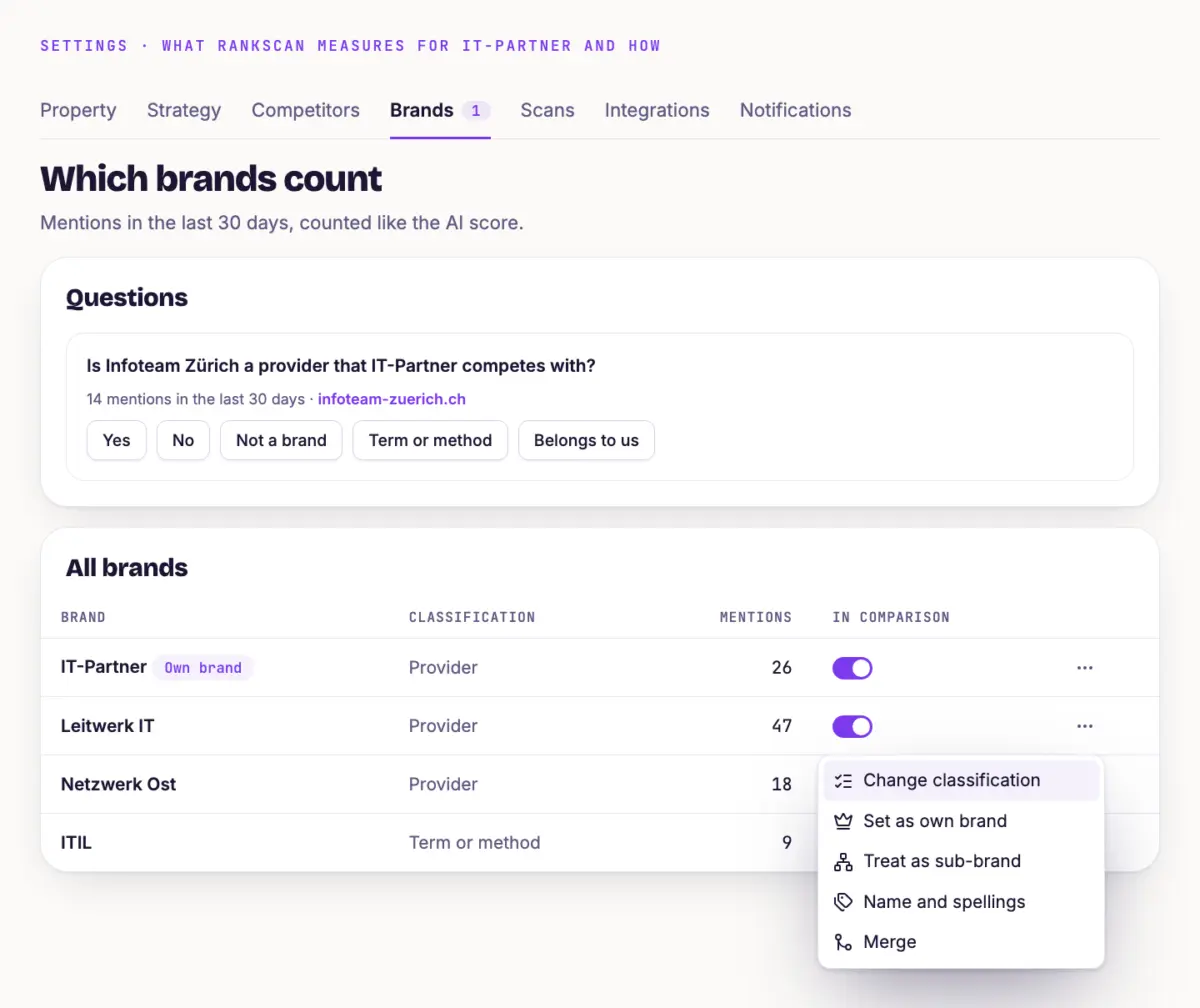
Open “Settings” and the “Brands” tab. The number on the tab shows the open questions.
The “Questions” card asks for each brand: “Is [brand] a provider you compete with?”
Answer “Yes”, “No”, “Not a brand”, “Term or method” or “Belongs to us”.
Clean up brands #
The “All brands” card lists every detected brand with classification and mentions. The menu of a row offers these actions:
- Merge Moves all mentions into another brand. The duplicate is deleted afterwards.
- Confirm as distinct Appears for brands marked “Check”. The brand then counts separately.
- Set as own brand Makes the brand the own brand of the property. RankScan recalculates the whole history.
- Treat as sub-brand The brand counts as a mention of your own brand, also in the past.
- Name and spellings Adds spellings. They apply to future scans only.
- Change classification For example from “Provider” to “Term or method”.
The “In comparison” switch removes a brand from the comparison. Your own brand always stays in the comparison.
Tip #
After larger scans, take a quick look at the “Brands” tab when the number on the tab rises. A few minutes of care keep the comparison with your competitors reliable.
Next step #
With clean brands, the comparison in Read the Competitor Comparison in AI Answers becomes more reliable.