RankScan for your clients
You set up RankScan for your clients, prove your work with data from Google and AI assistants, and earn 10% commission on every subscription you refer.
What you get as an agency

Sell onboarding as a service
You set up topics, keywords, prompts and competitors for your client and invoice it as your own service. You set the price.

Advise with confidence
RankScan measures visibility in Google and in AI assistants. With the data you advise your client on solid ground and show what your work has changed.

AI visibility as a service
How your client shows up in ChatGPT, Gemini and other AI assistants matters more and more. With RankScan you offer the topic professionally and keep your agency fit for the future.
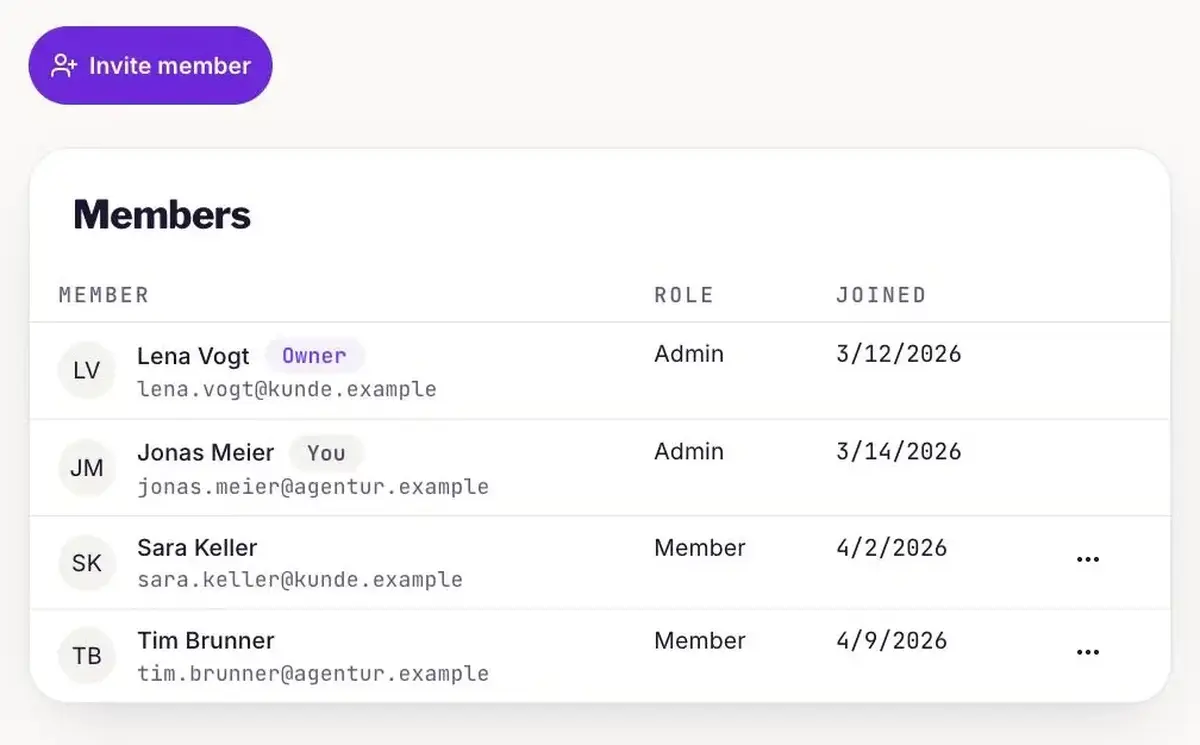
How you work in your client's account
You create the RankScan account for your client and then invite them. With the ownership the account belongs to your client, and they pay for the subscription. You keep working in the same properties. For the API, MCP and the settings your role must be admin.
- Team and roles: you invite your client to the account. After the handover they set the roles.
- Multiple properties: every website in one country and one language is a separate property.
- Reports for clients: you pass on the current status as a report.
- API and Looker Studio: you pull the measurements into your own reporting.
- AI assistant (MCP): from the Pro plan, you work with RankScan from your AI assistant.
Optional: set up and carry out with your AI agent
You can set up clients and carry out measures by hand in RankScan. If you like, your AI agent takes on part of this work, and you approve it. There are two skills for Claude:
- “Set up customers”: Claude sets up a client with account, property, topics, keywords, prompts and competitors. It stops after each step and waits for your OK.
- “Carry out measures”: Claude reads a client's measures through RankScan's MCP server and carries them out with the tool that fits the measure.
| Where the fix belongs | Examples | How your agent writes |
|---|---|---|
| CMS field | page title, meta description, alt text | through the CMS's MCP server, as a draft |
| Content | answers to questions, summary, internal links, new topic page | through the CMS's MCP server, as a draft |
| Template | structured data, author and date in the markup, load time | in the Git repository, as a pull request |
| Server | redirects, robots.txt, sitemap | in the Git repository or in a CMS setting, otherwise at the host |
You approve the draft or the pull request. Once the change is live, the agent reports the measure as done. The next scan sets it to “Fixed” or “Not fixed yet”. RankScan never writes to your client's website.
Entries outside the website stay with you, for example Wikidata, map listings and backlinks.
You download both skills in your agency overview.
How the partnership works
Five steps from the first contact to your commission.
-
01
You get in touch
Send us the form below. We get back to you and agree on how we work together.
-
02
You receive your partner link
The link assigns new accounts to your agency.
-
03
You create the account
You register through your partner link and create the account for your client. The trial is free of charge.
-
04
You set up RankScan and invite your client
You set up topics, keywords, prompts and competitors. Then you invite your client to the account and hand the ownership over to them. You invoice your onboarding yourself.
-
05
You receive your report and your commission
Every month you get a report with the paid invoices of your clients and your commission.
How we calculate the commission
- You receive 10% of every paid subscription invoice of your client. The basis is the amount without VAT.
- The commission runs for 12 months, starting with your client's first paid invoice.
- A commission becomes due 30 days after your client's payment.
- If we refund a payment to a client, we deduct the commission on it again.
- The monthly report lists the account, the plan, the date, the net amount and the commission for each payment.
We settle the payout in the partner agreement. RankScan is provided by Klarplan AG.
Now I see the visibility in Google and in the major AI systems for each topic, in one place and over time. RankScan makes my work much easier and has reduced the effort for optimising and monitoring our visibility.

Frequently asked questions
Who is behind RankScan?
RankScan is provided by Klarplan AG. You also enter into the partnership with Klarplan AG.
What does the partnership cost?
Nothing. You only pay if you use RankScan for your own website.
How much do I earn per client?
An example: your client chooses the Pro plan for $189 per month. You receive 10%, which is $18.90 per month. Over 12 months that adds up to $226.80.
Who pays for the subscription?
Your client. They have their own account and choose the plan themselves.
Can I see my client's data?
Yes, as long as you are a member of the account. As the owner, your client can remove you at any time. As a partner alone you receive the monthly commission report and no access to the account.
What if my client does not come through my link?
The link only remembers your agency if the visitor accepts marketing cookies. Tell us about the client and we assign the account by hand.
Can I look after several clients?
Yes. Every client has their own account, and you can be a member of several accounts.
Can an AI agent carry out the measures for my clients?
Yes, if you want that. It is an option, not a requirement. Through the agency connection your agent sets up clients and reads the measures of every client. It writes fields and content through the CMS's MCP server, and template and server changes in the Git repository. You approve every change.
Become a partner
Send us the form. We get back to you and agree on how we work together.
Then you receive your partner link. The link assigns new accounts to your agency.