When someone asks ChatGPT, Perplexity or Gemini for a provider, the assistant often searches the web first. It reads other people's pages and builds its answer from them. If your brand is not on these pages, it is often missing from the answer too.
In RankScan, the matching measure is called «Relevant sources without your brand». Per topic, it lists the external pages that AI assistants use for the topic's prompts and that do not name your brand. Your work is then listings and outreach: portal, directory, association or editorial team.
A mention on these pages raises the chance of a mention in the AI answer. It is no guarantee.
- The RankScan measure «Relevant sources without your brand» applies per topic. It lists external pages that AI assistants use for the topic's prompts and that do not name your brand.
- Classification in RankScan: severity medium · effort medium · work type editorial.
- Each page carries a signal: cited, read or found in search. A search result does not mean that the assistant read the page.
- RankScan checks the pages for your brand every night. The measure appears when at least 3 checked pages do not name your brand.
- Pages that RankScan has not checked yet are listed as «not checked yet». The progress shows how many sources already name you.
- The steps follow the kind of source: portal or directory, neutral source.
- If a source names your business instead of your brand, add it under «Brands» as a sub-brand. The check then counts it too.
- How it is checked: mark the measure as done and it counts as fixed. RankScan does not confirm the effect by measurement. If at least 3 new sources without your brand appear, RankScan opens a new measure.
Why other people's pages shape AI answers #
AI assistants with web search do not answer many questions from their training alone. They search, read pages and summarise. According to OpenAI's help, ChatGPT answers with web search may include citations that lead to the source. Google also describes links to pages on the web for its AI features in Search.
This leads to a simple rule: AI answers repeat what their sources say. If a comparison article names three providers and not you, the answer is more likely to name those three. If your brand is on the page, the assistant at least has the opportunity to pick it up.
Which pages an assistant uses for your topic cannot be seen from outside. That is exactly what RankScan measures: it puts your topic's prompts to the assistants and records which pages they use.
What does «Relevant sources without your brand» mean? #
Classification in RankScan: severity medium · effort medium · work type editorial.
RankScan bundles all matching pages of a topic into one measure. So you do not get a flood of single tasks, but one list per topic.
The title names the goal, for example «Get mentioned on 5 sources». The measure links to the page AI › Sources, section «Missing sources», filtered by the topic.
The three signals #
Each page in the list carries the strongest signal RankScan measured for it:
- cited: the assistant names the page as a source in its answer.
- read: the assistant opened or consulted the page during its research. A citation also counts as read.
- found in search: the page was among the assistant's search results. This does not say whether it read the page.
A page enters the list when it shows up often enough in the topic's measurement window. Cited in at least 3 answers, read in at least 2 answers, or found in search in at least 3 answers across 2 prompts. The measure shows up to 20 pages, cited pages first. It gives further pages as a number.
When the measure appears #
RankScan checks the pages for your brand every night. The measure appears when at least 3 checked pages do not name your brand.
Pages that have not been checked yet are listed with the status «not checked yet». They do not count for opening. Pages that already name you sit at the end of the list. The progress reads, for example, «2 of 7 sources name you».
A mention counts your brand with its spellings and your sub-brands. If a page only names your hotel or your shop, that does not count. Add the business in RankScan under «Brands» as a sub-brand. The check then counts it too.
What is not in the list #
The list only shows pages where a mention is realistic. RankScan leaves out these pages:
- Competitors' pages: these have their own measure, «A competitor page is cited instead of yours». The article on AI citations of competitor pages explains how it works.
- Large platforms and directories such as Booking.com, Tripadvisor, YouTube or local.ch. Smaller portals and comparison portals stay on the list.
- Home pages, because they are no concrete address for a request.
- Big media, corporations and authorities, because they do not add a mention on request.
- Files such as PDF documents, and pages your brand does not fit, for example a list for a different offer.
How to work through the list #
Step 1: Start at the top #
Work through the list from the top: cited pages first, then the pages read. A cited page appears right in the answer that readers see. That is where the work pays off first.
Open each page and read what it is about. Note which providers it names and in which context.
Step 2: Portals and directories #
For portals and directories, these steps apply:
- Check your listing on each portal: profile, offer, images and reviews.
- If the listing is missing, clarify the terms: fee, partner programme or registration.
Some portals list every provider for free. Others charge a fee or only list partners. Decide for each portal whether the listing is worth it for you. A listing you do not maintain helps little.
Step 3: Neutral sources #
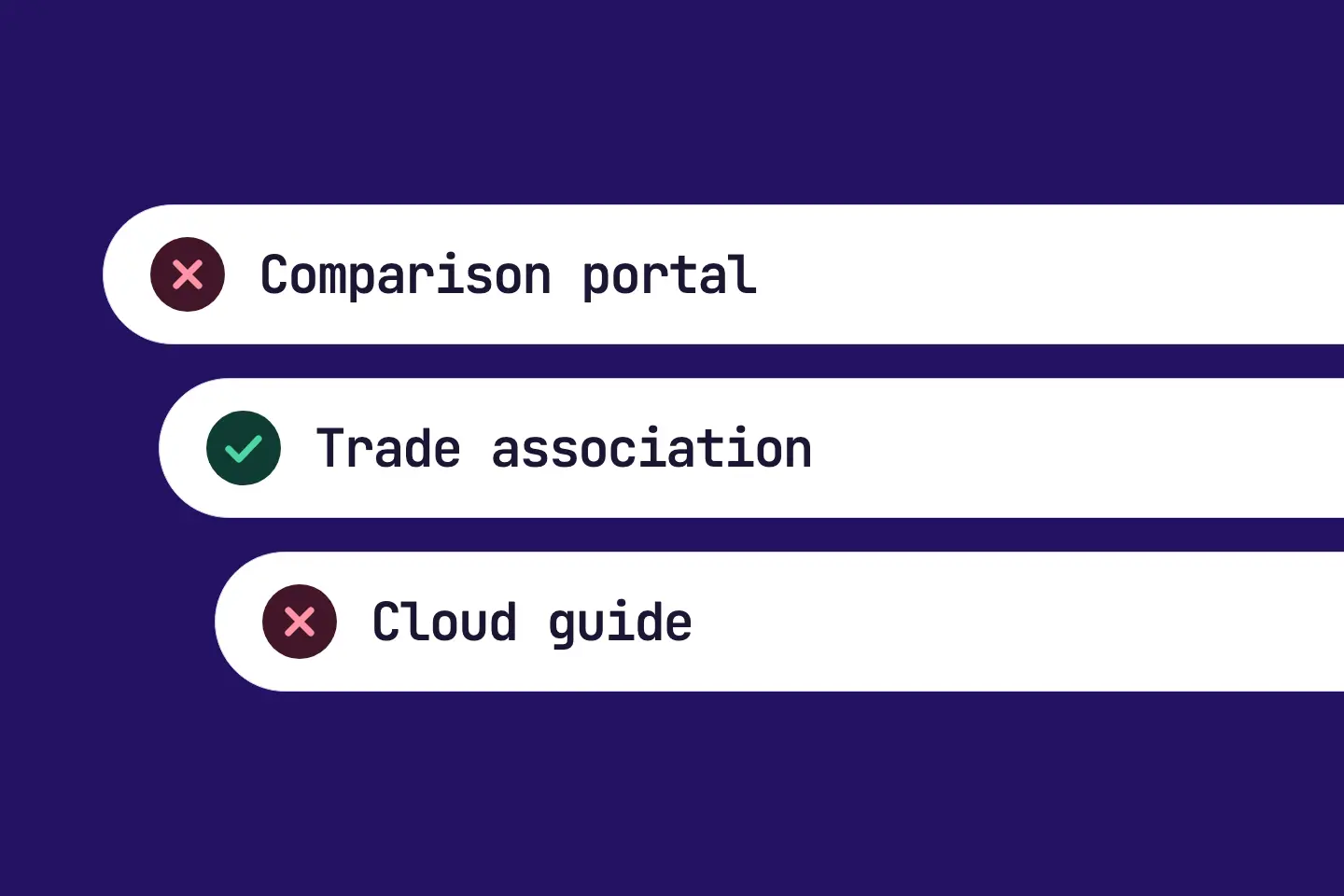
For neutral sources such as guides, specialist articles, associations or blogs, these steps apply:
- Write to the operators and suggest a mention with a concrete occasion: project, study or award.
- If the page is the blog of a provider, ask for a partnership rather than a guest post.
A request without an occasion usually ends up in the bin. Give a reason why your brand fits exactly this page. Offer something that helps the page: a reference, figures from a project or an expert addition.
A company rarely features another provider on its own blog. A partnership fits better there, for example a joint offer or a pointer to complementary services.
Step 4: Add a business as a sub-brand #
If a source names your business instead of your brand, add it under «Brands» as a sub-brand. This concerns, for example, a hotel of a group or a location with its own name. The nightly check then counts the page too.
Step 5: Mark the measure as done #
Mark the measure as done once you have worked through the list.
How it is checked: the report closes the measure as fixed. RankScan does not confirm the effect by measurement. The list lives on in AI › Sources. There you see which sources name you by now.
If new sources without your brand appear, RankScan opens a new measure. It is called «New relevant sources without your brand». It only opens when at least 3 checked sources without your brand are new, that is, they were not in the reported list. Its list shows all current sources again.
Common mistakes #
Mistake 1: Starting with the search results #
The assistant may never have read a page «found in search». Cited pages appear in the answer itself. Start there.
Mistake 2: Mass emails without an occasion #
A general request for a mention rarely convinces. Write to each page on its own and give a concrete occasion.
Mistake 3: Asking a provider's blog for a guest post #
A provider's blog promotes its own services. Ask for a partnership there, not for a guest post.
Mistake 4: Not adding the business as a sub-brand #
If a page names your hotel but not your group, RankScan does not count it as a mention. Add the business under «Brands» as a sub-brand.
Mistake 5: Expecting a sure effect #
A mention on a source raises the chance of a mention in the AI answer. How an assistant answers is up to the assistant.
Checklist: relevant sources without your brand #
- list worked through from the top: cited pages first, then pages read,
- for portals and directories: listing checked, terms clarified if the listing is missing,
- for neutral sources: operators contacted with a concrete occasion,
- for a provider's blog: asked for a partnership,
- businesses with their own name added under «Brands» as sub-brands,
- measure marked as done in RankScan.
FAQ About relevant sources without your brand #
How does RankScan know which pages the AI uses?
RankScan puts your topic's prompts to the AI assistants, for example ChatGPT, Claude, Gemini, Perplexity and Copilot. In doing so, RankScan records which pages the assistants cite, read or find in search.
What is the difference between «cited», «read» and «found in search»?
The assistant names a cited page as a source in its answer. A read page is one it opened during its research. A page «found in search» was among its search results. This does not say whether it read the page.
Why are pages listed as «not checked yet»?
RankScan checks the pages for your brand every night, but not all at once. Unchecked pages are already in the list so that you see them. They do not count for opening the measure.
A page names my business. Why does it not count?
The check counts your brand, its spellings and your sub-brands. Add the business under «Brands» as a sub-brand. The check then counts it too.
Does RankScan close the measure itself?
In one case, yes. If all checked sources of the topic name your brand before you report it, RankScan closes the measure itself as «Fixed». Otherwise your report closes it: mark the measure as done once you have worked through the list. If at least 3 new sources without your brand appear afterwards, RankScan opens a new measure.
Will I surely be named in AI answers afterwards?
No. A mention on the sources raises the chance that the assistant picks you up. How it answers is up to the assistant.
Conclusion: be where the AI looks things up #
AI assistants base many answers on other people's pages. RankScan shows you, per topic, which of these pages do not name your brand. Work through the list from the top and choose the steps by the kind of source. A mention on these pages raises the chance of a mention in the answer; it is no guarantee.