This article is for two kinds of businesses. Some have a location that customers visit: a shop, a practice, a restaurant or an office with a reception. Others work on site at their customers, for example in the trades. If neither applies, the topic hardly concerns you.
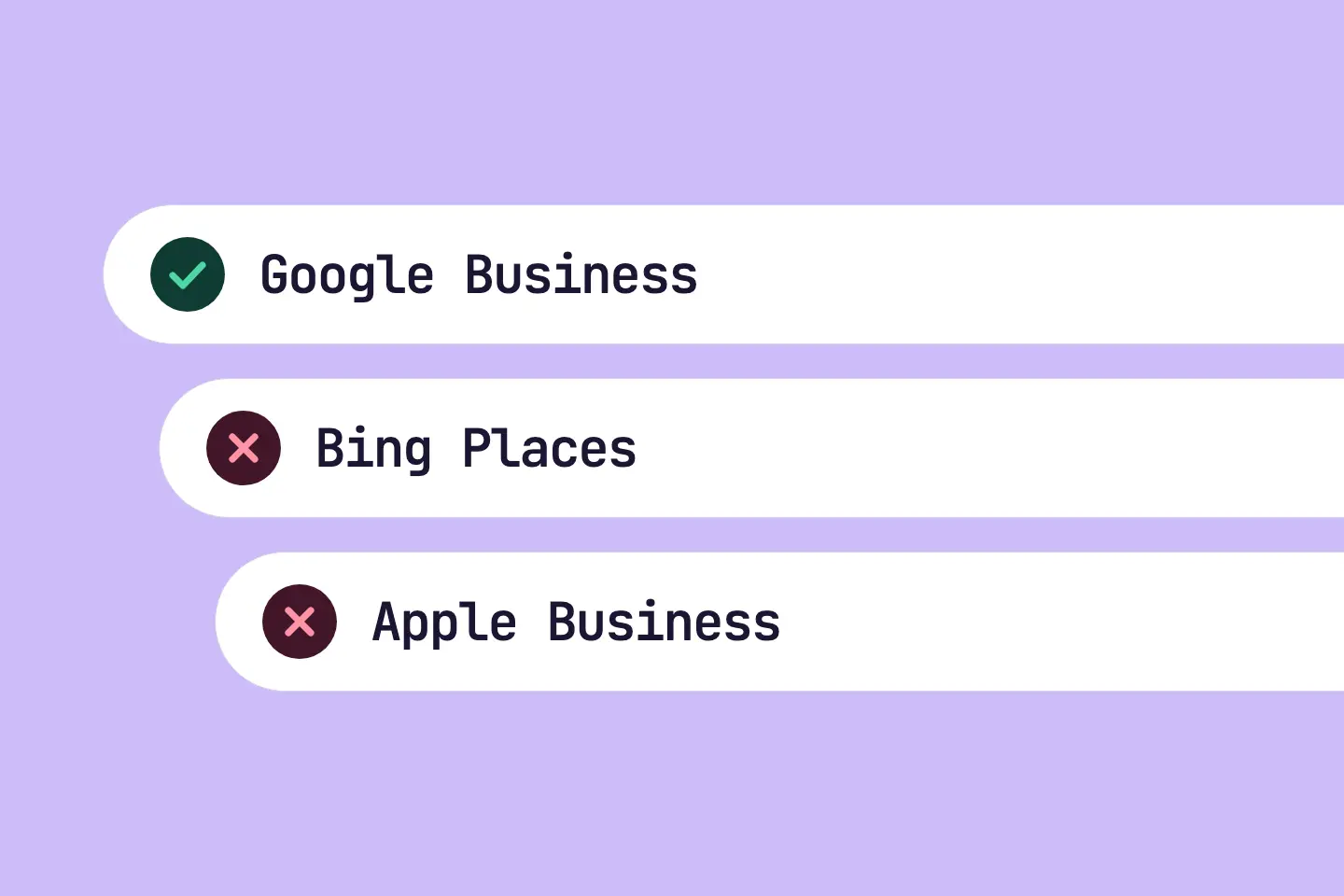
Search engines and map apps show business listings for local searches. Three services keep these listings separately: Google, Bing and Apple. Each service has its own tool for businesses.
In RankScan, the matching measure is called «Check your business listings in map services». It appears when your AI Visibility describes whether and how visible a brand, website or person is in AI-generated answers. It measures mention, position, description and source linking across multiple platforms and prompts.Open glossary entry → is low. RankScan cannot see whether you already have listings. So the measure is a check, not a finding.
Gemini and local Google Search use data from Google Maps. That business listings raise your mentions in ChatGPT or Copilot is not proven.
- The measure applies if you have a location that customers visit or you work on site at your customers. If neither applies, you ignore it with the reason «Not relevant for us».
- The RankScan measure «Check your business listings in map services» appears when your property's AI score is below 50.
- Classification in RankScan: severity low · effort low · work type editorial.
- The measure covers three services: Google Business Profile, Bing Places and Apple Business.
- For Gemini and local Google Search, the Google profile matters most: Gemini uses public information from Google Maps.
- If you only work at your customers, you hide the address in the Google profile and add your service area.
- You can import a Bing Places listing from the Google profile.
- You only check the place card in Apple Business if you have a location that customers visit.
- Keep name, address, phone, opening hours and website the same in all services you use.
- How it is checked: mark the measure as done and it counts as fixed. RankScan cannot see your listings on Google, Bing and Apple.
Where AI assistants get place data #
When someone asks an assistant for a business nearby, the assistant needs place data. Where this data comes from differs from assistant to assistant.
- Gemini uses public information from Google Maps, according to Google's help. With it, Gemini finds places and gives address, website, reviews and opening hours. According to the same help, some features require questions in English.
- Developers can connect Gemini to Google Maps data through the Gemini An application programming interface (API) is an interface through which software systems communicate and exchange data. It defines how requests are made and answered.Open glossary entry →. Google cites data on more than 250 million places for this.
- Local Google Search relies on the Google Business Profile. Google names relevance, distance and prominence as the main factors for local ranking.
- Bing Places feeds Bing search and Bing Maps. Microsoft names a closer link with Copilot as a plan, not as an existing feature.
- Apple Business controls how your business appears in Apple Maps.
- ChatGPT can share your location with third-party providers, according to OpenAI's help. These providers supply local information, such as nearby business listings. OpenAI does not name them.
So: for Gemini and local Google Search, the Google profile matters. For ChatGPT and Copilot, it is open whether the listings have any effect. A pointer to a map service is no proof of an effect.
What does «Check your business listings in map services» mean? #
Classification in RankScan: severity low · effort low · work type editorial.
RankScan suggests the measure when the latest AI score of your property is below 50. That is the only condition.
The measure concerns the whole website, not individual pages.
What RankScan cannot see #
RankScan does not detect whether you run a local business. RankScan also cannot see whether your listings on Google, Bing and Apple exist. This cannot be measured from the website.
That is why the measure starts with a condition: a location that customers visit, or work on site at your customers. If neither applies, ignore the measure with the reason «Not relevant for us». It then no longer counts.
One measure for three services #
Google Business Profile, Bing Places and Apple Business sit in a single measure. The work is similar in all three services, and it concerns the same details. Apple Business only concerns businesses with a location that customers visit.
How it differs from Bing Webmaster Tools #
RankScan also has the measure «Website not in Bing Webmaster Tools». It concerns the search Indexing is the step in which a search engine processes crawled content and decides whether a URL is added to the search index. Only indexed pages can appear in search results.Open glossary entry →: which pages of your website does Bing know? Bing Places, by contrast, concerns the business listing: where is your location, and when is it open?
The two measures are separate. More in the article on Bing Webmaster Tools.
How to check your business listings #
Step 1: Check the condition #
First check whether the measure applies to you. It applies with a location that customers visit, or with work on site at your customers.
If neither applies, ignore the measure in RankScan with the reason «Not relevant for us». The other steps then do not apply.
Step 2: Look up or create your Google Business Profile #
Search for your business in Google Maps by name and town.
- Profile found, but not verified: in Google Maps, choose «Claim this business». Then choose a verification option and follow the instructions.
- No profile found: open business.google.com/add and enter your business details. Then choose a verification option.
Verification tells Google that you may represent the business. According to Google, verified businesses are more likely to show up in search results.
Step 3: Add your service area if you only work at your customers #
This step only applies if you do not serve customers at your location. According to Google, such businesses state that they are a service-area business and hide their address.
- In Google Search or Google Maps, open «Edit profile».
- At the business location, turn off «Show business address to customers». The profile then only shows the service area.
- Add your service area with towns, postcodes or regions. Google allows up to 20 service areas.
Google recommends that the service area does not extend farther than 2 hours driving time from the business location.
Step 4: Complete the Google profile #
Complete the Google Business Profile:
- Category: choose the category that fits your business.
- Opening hours: enter the regular hours, plus special hours such as public holidays.
- Services: describe what you offer.
- Photos: show what you offer.
- Website: link the matching page of your website.
Google recommends complete and accurate details. Complete details help Google match your profile to fitting searches. According to Google, you cannot request or pay for a better local ranking.
Enter the name you also use on your sign and website. Google's guidelines do not allow extras such as slogans or services in the name.
Step 5: Check your listing in Bing Places #
Sign in to Bing Places for Business. Since October 2025, the tool lives at bing.com/forbusiness.
Check whether your business has a listing there. If it is missing, import it from the Google profile. According to Microsoft, the import takes over name, opening hours and contact details. After the import, check all details in the listing.
Step 6: Check your place card in Apple Business #
Until April 2026, Apple Business was called Apple Business Connect. According to Apple, brand and location management («Brand and Location Management») is available in Switzerland.
This step only applies with a location that customers visit. Apple asks for the address where customers can get goods or services during open hours. Without a location that customers visit, this step does not apply.
Check whether your business has a place card in Apple Maps. If it is missing, create and verify it:
- Add the location and check that the map pin sits on the right building.
- Enter display name, primary category, phone, opening hours and website.
- Verify the location. Apple verifies your organisation for this. If the location is already on Apple Maps, verification by phone call is also possible.
Step 7: Keep the details the same #
Keep name, address, phone, opening hours and website the same in all services you use. Compare your listings field by field. An address hidden on Google does not count as a difference.
If a detail changes, change it in all services on the same day. Then check all listings.
Step 8: Mark the measure as done #
Mark the measure as done in RankScan.
How it is checked: the report closes the measure as fixed. RankScan cannot see your listings on Google, Bing and Apple, so it does not check them. RankScan does not reopen a measure closed this way.
If your property's AI score rises to 50 or more, RankScan closes an open measure as «No longer checked». That says nothing about whether your listings are complete.
Common mistakes #
Mistake 1: Looking after Google only #
For Gemini and local Google Search, the Google profile matters most. But Bing and Apple feed their own maps. An outdated listing there shows wrong opening hours.
Mistake 2: Details that differ #
An old phone number on Apple or a different spelling of the name on Bing confuses customers. Compare your listings after every change.
Mistake 3: Forgetting special opening hours #
Public holidays and company holidays belong in the profile. Google names special hours explicitly as part of complete details.
Mistake 4: Expecting an effect on all assistants #
For Gemini and local Google Search, the Google profile matters. Whether the listings raise mentions in ChatGPT or Copilot is not proven. What helps with mentions in AI answers is covered in the article on Generative Engine Optimization.
Checklist: business listings in map services #
- location that customers visit or work on site at your customers, otherwise measure ignored with «Not relevant for us»,
- Google Business Profile found or created, and verified,
- only work at your customers: address hidden in the Google profile, service area added,
- Google profile complete: category, opening hours, services, photos and website,
- Bing Places listing checked, imported from the Google profile if needed,
- with a location that customers visit: Apple Business place card checked, created and verified if needed,
- name, address, phone, opening hours and website the same in all services you use,
- measure marked as done in RankScan.
FAQ About business listings in map services #
I have no location that customers visit. What do I do?
If you work on site at your customers, the measure still applies. Keep your Google profile with a hidden address and a service area, and check Bing Places. The place card in Apple Business does not apply.
If neither applies, ignore the measure in RankScan with the reason «Not relevant for us». It then no longer counts.
Why does RankScan show the measure although my listings are complete?
RankScan cannot see your listings on Google, Bing and Apple. The measure appears only because of the AI score. Mark the measure as done and it counts as fixed.
Do I need all three services?
The measure covers all three, but Apple Business only with a location that customers visit. The Google profile matters most for Gemini and local Google Search. Bing Places and Apple Business control how your business appears in Bing Maps and Apple Maps.
Is Bing Places the same as Bing Webmaster Tools?
No. Bing Webmaster Tools concern the search index of your website. Bing Places concerns the business listing with location and opening hours. RankScan has two separate measures for them.
Do the listings raise my AI Visibility?
That is not proven. For Gemini and local Google Search, the Google profile is a data source. Many factors move the AI score; a change does not prove an effect of the listings.
Conclusion: your business on the maps #
If you have a location that customers visit or you work at your customers, checking your listings takes little time. For Gemini and local Google Search, the Google profile matters most, because both use Google Maps data. Bing and Apple feed their own maps, which you keep the same with little effort. The listings are no guarantee of more AI mentions.
Sources and further reading #
- Source: Google Business Profile Help: Add or claim your Business Profile
- Source: Google Business Profile Help: How to improve your local ranking on Google
- Source: Google Business Profile Help: Guidelines for representing your business on Google
- Source: Google Business Profile Help: Sign up for Business Profile (hide address, service area)
- Source: Gemini Apps Help: Find places & get directions in Gemini Apps
- Source: Google Blog: Grounding with Google Maps, now available in the Gemini API
- Source: Bing Blog: Introducing the New Bing Places for Business
- Source: Apple Business: Add a single location
- Source: Apple Business: Configure location attributes (address)
- Source: Apple Business: Feature availability
- Source: Apple Support: Apple Business Connect is now Apple Business
- Source: Apple Newsroom: Introducing Apple Business (March 2026, launch April 2026)
- Source: OpenAI Help: Searching the web with ChatGPT, location and third-party providers