Your brand appears in AI answers. Whether this leads to enquiries is often invisible in your analytics tool. Many people read about a business in ChatGPT, open their browser later and search for the name on Google. For the analytics tool, this visit then comes from Google.
The simplest cross-check is a question in your contact form: «How did you hear about us?» The answer comes from the customer, not from a click path.
In RankScan, the matching hint is called «Ask in your contact form how customers found you». It appears as soon as AI assistants mention your brand or cite your website.
The source question does not replace your analytics tool. It shows what the tool cannot see.
- GA4 assigns a visit to the last source. Someone who reads about you in ChatGPT and later googles you counts as a Google visit.
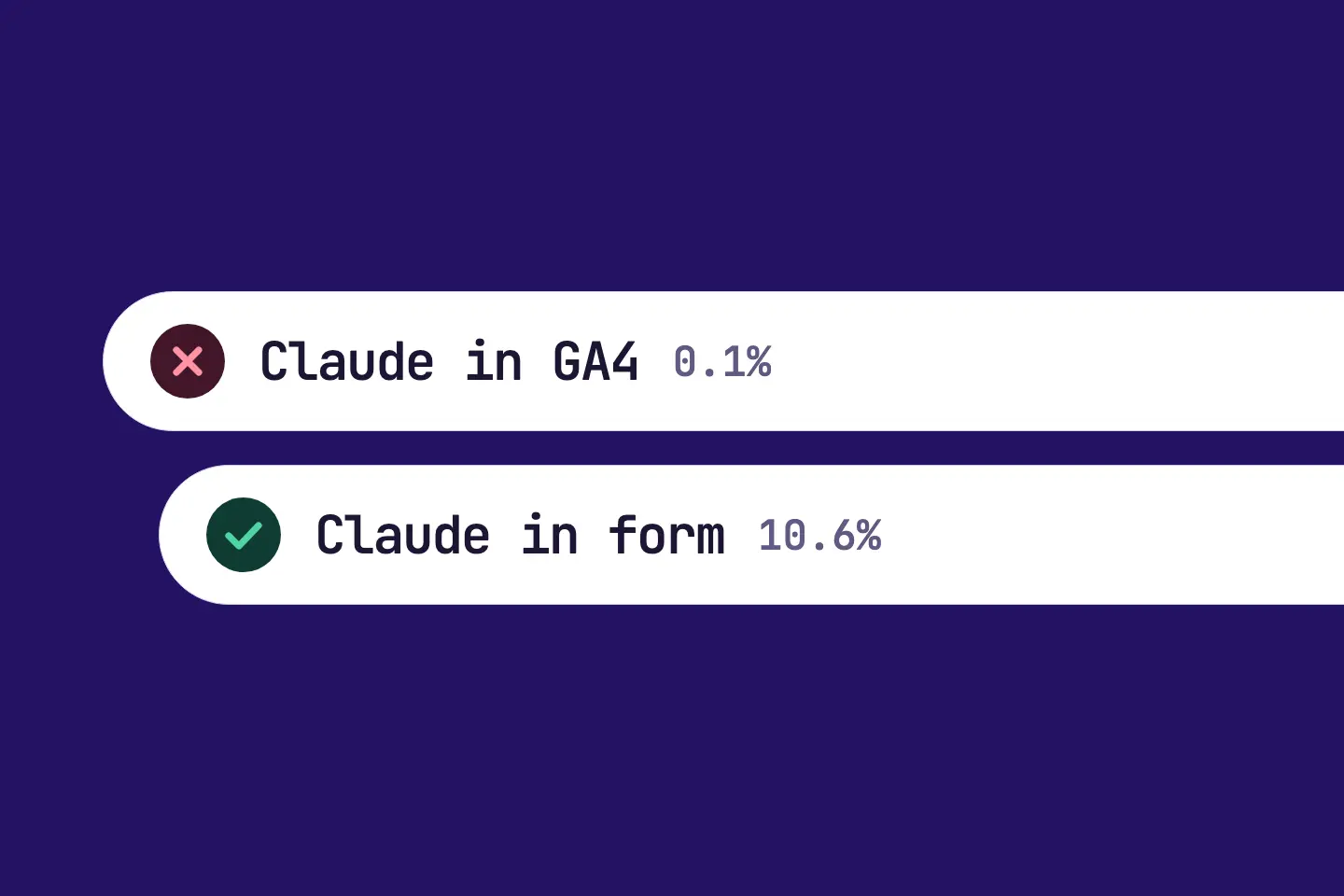
- In one test, GA4 counted 0.1 % of enquiries for Claude, while customers themselves named it in 10.6 %. The figure comes from one software company's own sign-ups and is not a benchmark.
- The RankScan hint «Ask in your contact form how customers found you» appears when AI assistants mention your brand or cite your website.
- Rating in RankScan: hint · severity low · effort low · work type content. A hint does not count towards open measures and never becomes a next step.
- Add a selection field with Google, ChatGPT, Claude, Perplexity, Gemini, Copilot, Recommendation and Other.
- Count the answers every month.
- How it is checked: Report the hint as done, then it counts as fixed. RankScan cannot see your contact form.
Why your analytics tool undercounts enquiries from AI answers #
GA4 assigns every visit to a source. In the reports on where visits come from, the last source before the visit counts. That makes sense for a click on an ad. For AI answers, it leaves a gap.
A typical path looks like this:
- Someone asks ChatGPT for a provider in the region. The answer names your business.
- The person does not click. They remember the name.
- Later they search for your name on Google and click on your website.
- GA4 counts the visit as Google, search or direct.
The AI answer triggered the contact, but it does not show up in the report. Only someone who clicks a link in the answer directly can appear in GA4 as a referral from an AI assistant.
How large the gap can be #
In one test, GA4 counted 0.1 % of enquiries for Claude. Customers themselves named Claude in 10.6 % of enquiries. The figure comes from the own sign-ups of Otterly, an AI Visibility describes whether and how visible a brand, website or person is in AI-generated answers. It measures mention, position, description and source linking across multiple platforms and prompts.Open glossary entry → provider. Otterly presented it at BrightonSEO 2026. It shows the direction, not the size of the gap for you. Only your own count shows how large it is for you.
What does the hint in RankScan mean? #
Rating in RankScan: hint · severity low · effort low · work type content.
RankScan shows the hint as soon as your property appears at least once in the counted AI answers: as a mention of your brand or as a citation of your website. Without AI visibility, there is no AI channel that the question could measure.
The hint applies to the whole website, once per property. It is listed under «Hints», does not count towards open measures and takes no place among the next steps.
Why RankScan does not check the implementation #
RankScan cannot see whether your contact form has a selection field. That is why only your report closes the hint. If it is not relevant for you, ignore it. In both cases, RankScan does not reopen it.
How to add the source question #
Step 1: Add the selection field #
Add the selection field «How did you hear about us?» to your contact form. A selection field is easier to count than a free text field.
Step 2: Define the options #
Offer Google, ChatGPT, Claude, Perplexity, Gemini, Copilot, Recommendation and Other as options. List the AI assistants one by one. A collective term like «AI» does not tell you which assistant works.
Step 3: Count the answers every month #
Count the answers every month. Compare them with the sources in your analytics tool. If the shares differ a lot, the tool undercounts a channel.
Step 4: Report the hint #
Report the hint as done in RankScan.
How it is checked: The report closes the hint as fixed at once. RankScan cannot see your contact form and does not reopen the hint afterwards.
Common mistakes #
Mistake 1: Only a free text field #
Free answers such as «internet» or «searched» are hard to count. A selection field with fixed values gives comparable figures.
Mistake 2: Grouping all AI assistants #
If you group all assistants under «AI», you cannot see whether ChatGPT, Gemini or Copilot brings the enquiries.
Mistake 3: Never evaluating the answers #
A field without a monthly count is useless. Decide who counts the answers and when.
Checklist: source question in the contact form #
- [ ] Selection field «How did you hear about us?» added to the contact form
- [ ] Options: Google, ChatGPT, Claude, Perplexity, Gemini, Copilot, Recommendation, Other
- [ ] Monthly count defined
- [ ] Hint reported as done in RankScan
FAQ About the source question #
Is GA4 not enough?
GA4 shows where a visit last came from. If someone reads about you in ChatGPT and googles you later, GA4 counts the visit as Google. The source question shows this path.
Are the customers' answers reliable?
Not always. Some customers remember wrongly or pick the first option. Over a few months, the answers still show which channels grow.
Why does the selection list so many AI assistants?
The assistants use different sources. Only one by one can you see which one brings you enquiries.
Does the selection field raise my AI Visibility?
No. The field only measures what already happens. RankScan measures your AI Visibility in the AI answers themselves.
Conclusion: ask the customer #
Your analytics tool only sees the last click. The customer knows where she found you first. A selection field in the contact form takes little time and shows whether your visibility in AI answers leads to enquiries.