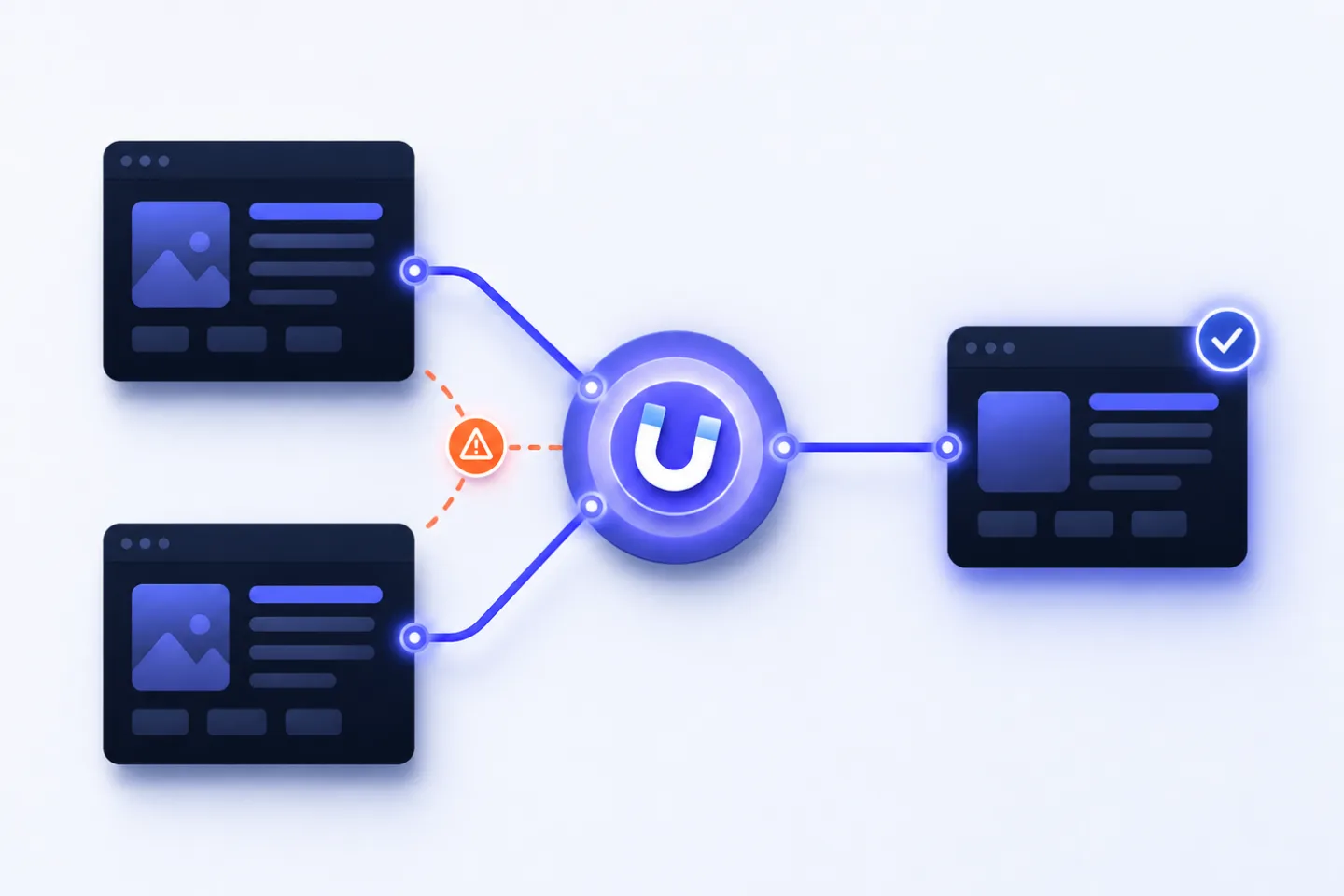
More content does not automatically mean more visibility. When several pages on the same website compete for the same , the opposite can happen: Google sometimes shows one URL and sometimes another. Or it ranks a page that is thematically similar but not the best target page for users or conversions.
This is exactly where the RankScan insight “ ranking” comes in.
The insight means: For a monitored , the defined target URL is not ranking. Instead, another URL from your website appears in the search results. This is especially critical when an informational page ranks instead of a commercial landing page, an old version displaces the new page, or several similar pieces of content dilute each other’s signals.
The right distinction matters:
does not mean that a term appears on several pages. It becomes a problem when several pages serve the same search intent and Google cannot identify a clear main page.
In this article, you will learn how to identify keyword cannibalization and URL mismatch, how to distinguish real problems from intended topical depth, and which measure makes sense depending on the case: content consolidation, differentiation, internal linking, canonical or .
- <? version="1.0" encoding="UTF-8"?> <? version="1.0" encoding="UTF-8"?> Keyword cannibalization occurs when several URLs on the same website serve the same search intent.
- <?xml version="1.0" encoding="UTF-8"?> <?xml version="1.0" encoding="UTF-8"?> URL mismatch means that the desired target page is not ranking for a keyword.
- <?xml version="1.0" encoding="UTF-8"?> <?xml version="1.0" encoding="UTF-8"?> Not every topical overlap is a problem.
- <?xml version="1.0" encoding="UTF-8"?> <?xml version="1.0" encoding="UTF-8"?> Search intent matters more than the keyword alone.
- <?xml version="1.0" encoding="UTF-8"?> <?xml version="1.0" encoding="UTF-8"?> Typical symptoms include URL switching, unstable rankings, wrong landing pages and weak conversion.
- <?xml version="1.0" encoding="UTF-8"?> <?xml version="1.0" encoding="UTF-8"?> Content consolidation with a makes sense when several pages serve the same intent.
- <?xml version="1.0" encoding="UTF-8"?> <?xml version="1.0" encoding="UTF-8"?> Semantic differentiation makes sense when pages can serve different user needs.
- <?xml version="1.0" encoding="UTF-8"?> <?xml version="1.0" encoding="UTF-8"?> Canonical tags are better suited to technical duplicates or variants, not as the default solution for independent articles.
- <?xml version="1.0" encoding="UTF-8"?> <?xml version="1.0" encoding="UTF-8"?> is a central control signal.
- <?xml version="1.0" encoding="UTF-8"?> <?xml version="1.0" encoding="UTF-8"?> A good check analyses keyword, target URL, ranking URL, search intent, internal links and performance together.
What Does “Wrong Target URL Ranking” Mean? #
The RankScan insight “Wrong target URL ranking” means: For a keyword or topic, a different URL is ranking than the target page you expected or defined.
Example:
Keyword:
crm consulting

Desired target page:
/crm-consulting/

Actually ranking URL:
/blog/how-to-choose-a-crm-system/
This can be problematic if the ranking URL does not match the search intent.
In this example, the searcher may be looking for a service. Instead of the service page, an informational blog article ranks. Visibility exists, but it lands on the wrong page.
Possible consequences:
- fewer leads,
- weaker conversion,
- unclear user guidance,
- unstable rankings,
- wrong ,
- weaker internal signals,
- distributed link and relevance signals.
What Is Keyword Cannibalization? #
Keyword cannibalization describes a situation where several pages on the same website compete for the same search intent.
The problem is not that a keyword appears more than once on the website. In strong , that is normal and useful.
It becomes problematic when two or more pages are meant to fulfil the same job for the same keyword.
Example:
/blog/improve-google-ranking/
/blog/optimize-google-ranking/
/guides/improve-rankings/
If all three pages serve the same broad guide intent, they compete with each other.
In its beginner documentation on , Google explains that some websites show the same content under different URLs and that search engines then select a . Even though keyword cannibalization is not always duplicate content in the strict sense, the underlying problem is similar: Google has to decide which URL is the most representative.
Source: Google Search Central – SEO Starter Guide
Keyword Cannibalization vs. Intended Topical Depth #
Not every overlap is bad.
A website may have several pages about one topic if they serve different search intents, funnel stages or target groups.
Example of intended topical depth:
| Page | Search intent | Goal |
|---|---|---|
/blog/keyword-research/ | informational | explain the basics |
/tools/keyword-tool/ | transactional | sell a tool |
/services/seo-keyword-research/ | commercial | offer a service |
/blog/keyword-research-checklist/ | practical | provide step-by-step help |
These pages complement each other if they are clearly separated and linked internally in a meaningful way.
This would be problematic:
| Page | Search intent | Problem |
|---|---|---|
/blog/keyword-research/ | informational | similar content |
/blog/keyword-research-guide/ | informational | similar content |
/guides/keyword-research-tips/ | informational | similar content |
If all three do the same job, internal competition arises.
The key question is:
Do the pages serve different user needs — or do they answer the same question several times?
Why URL Mismatch Is Critical for Search Visibility #
A URL mismatch is not just a reporting issue. It can directly cost business value.
1. The wrong page converts worse #
If a blog article ranks instead of a product or service page, user expectations often do not match the conversion goal.
Example:
Keyword:
marketing automation agency

Wrongly ranking:
/blog/marketing-automation-definition/

Better:
/marketing-automation-agency/
The blog page explains the topic. The service page sells the service.
2. Rankings become unstable #
When Google switches between several similar URLs, there is no clear signal showing which page is the main page.
3. Internal link signals are split #
If internal links point sometimes to one URL and sometimes to another, relevance signals are distributed.
Google describes links as a signal for discovering new pages and understanding page relevance. Descriptive also helps users and Google understand the linked content.
Source: Google Search Central – Link best practices
4. Content resources are diluted #
Instead of maintaining one strong page, many mediocre pages are created.
5. Snippets and SERP signals do not match #
The wrong page often has a different title, a different meta description and a different than the target page that should actually rank.
Typical Causes of Keyword Cannibalization #
1. Historically grown content #
Over the years, several posts on similar topics are created. Old content is not updated; new articles are added instead.
2. No keyword map #
Without a fixed keyword-to-URL assignment, no one on the team knows which page is responsible for which topic.
3. Unclear separation between blog, category and landing page #
A blog article, a shop category and a service page can accidentally serve the same search intent.
4. Titles and H1s are too similar #
When several pages have almost identical titles, their focus becomes unclear.
Example:
SEO consulting for SMEs
SEO consulting for companies
Professional SEO consulting
5. Internal linking sends contradictory signals #
Hard anchor text is sometimes linked to one page and sometimes to another.
6. Duplicate content and technical variants #
Parameters, filters, sorting options, language versions or similar categories can create additional competing URLs.
Google describes as the selection of the representative URL from a group of duplicate or very similar pages. For technical variants, canonicalization is therefore an important control signal.
Source: Google Search Central – Canonicalization
7. New content without checking existing content #
A new topic is created even though an older page already exists and could be expanded.
Symptoms: How to Recognize Cannibalization #
Typical signs:
- several URLs receive for the same keyword,
- the ranking URL changes regularly,
- the wrong URL ranks instead of the target page,
- a new page does not replace an existing better page,
- rankings stay stuck around positions 8 to 20,
- several pages have very similar titles or H1s,
- internal links use the same anchor text for different URLs,
- shows several pages for the same query,
- traffic is distributed across many weak pages,
- conversion is low even though visibility exists.
Important: Some overlap is normal. It becomes a problem when the overlap is stable, relevant and harmful to the business.
Identify Keyword Cannibalization in Google Search Console #
Google Search Console is the most important starting point.
Google describes the performance report as the area where you can see how your website performs in Google Search, including by queries and pages.
Source: Google Search Console Help – Performance report
Process:
- Open the performance report.
- Filter by a keyword.
- Open the “Pages” tab.
- Check which URLs receive impressions and clicks for this keyword.
- Compare position, and conversion relevance.
Warning signal:
Keyword: improve google ranking

URL 1: /blog/improve-google-ranking/       4,200 impressions
URL 2: /blog/improve-seo/                  1,900 impressions
URL 3: /services/seo-consulting/             800 impressions
You then need to check whether these pages serve different intents or weaken each other.
Diagnosis: What Matters for “Wrong Target URL Ranking” #
A good check does not only mark URL mismatch as a “wrong URL”. It also classifies the cause.
A good check includes:
- monitored keyword,
- defined target URL,
- actually ranking URL,
- ranking history,
- URL switching over time,
- clicks and impressions by URL,
- search intent,
- page type,
- title and H1,
- internal links and anchor texts,
- canonical status,
- indexability,
- backlinks,
- content overlap,
- conversion goal,
- type,
- competitor pages,
- topic cluster assignment.
This turns “Wrong target URL ranking” into a specific diagnosis workflow, not just a warning.
Prioritization: Which URL Mismatches Are Critical? #
Not every URL mismatch has the same priority.
| Situation | Priority | Why |
|---|---|---|
| Blog article ranks instead of commercial landing page | High | conversion potential is lost |
| old URL ranks instead of new main page | High | signals are bundled incorrectly |
| several pages switch for a money keyword | High | ranking instability and revenue risk |
| product variant ranks instead of main product | High | wrong user guidance |
| category ranks instead of product page | Medium to high | depends on search intent |
| guide ranks instead of glossary | Medium | may be uncritical |
| two articles share long-tail impressions | Medium | check consolidation |
| brand keyword ranks with another page | Low to medium | depends on user path |
| several URLs rank for broad informational search | Low to medium | may be topical depth |
The most important rule:
URL mismatches have high priority when they affect keywords with business relevance, strong visibility or clear conversion intent.
Choose the Right Solution #
Not every case of cannibalization is solved in the same way.
| Situation | Best measure |
|---|---|
| several pages serve exactly the same intent | content consolidation + 301 |
| old version competes with new version | 301 redirect to the new main page |
| pages serve different intents | differentiate semantically |
| technical variants compete | check canonical |
| wrong URL ranks instead of target page | strengthen internal links and on-page signals to the target page |
| blog article ranks instead of landing page | use the blog as a supporting page and link to the landing page |
| weak page without potential | , delete or redirect |
| two strong pages have different goals | refine keyword map and internal links |
Content Consolidation: When One Strong Page Is Better #
Content consolidation makes sense when several pages serve the same search intent.
Process:
- Define the main page.
- Merge the best content from all competing pages.
- Remove redundant pages.
- Set 301 redirects to the main page.
- Update internal links.
- Clean up the sitemap.
- Monitor GSC and RankScan.
Example:
Old:
/blog/improve-google-ranking/
/blog/optimize-google-ranking/
/blog/seo-ranking-tips/

New:
/blog/improve-google-ranking/
The main page becomes the strongest, most up-to-date and most complete resource.
For and canonicalization, Google recommends setting clear signals for the preferred URL. For permanently merged content, a 301 redirect is often more appropriate than a canonical.
Source: Google Search Central – Consolidate duplicate URLs
Semantic Differentiation: When Both Pages Should Stay #
If two pages can fulfil different jobs, you should not merge them. Instead, separate them more clearly.
Example:
Page A:
/blog/how-to-choose-a-crm-system/
Intent: informational

Page B:
/crm-consulting/
Intent: commercial
Differentiation means:
- different H1,
- different title,
- different ,
- different introduction,
- different (CTA),
- different internal links,
- different examples,
- different search intent,
- different position in the funnel.
The blog page can explain the topic and link strongly to the service page. The service page can focus on consulting, process, cases and contact.
Internal Linking as a Control Instrument #
Internal links are one of the most important levers against URL mismatch.
Good internal linking #
<a href="/crm-consulting/">CRM consulting for SMEs</a>Weak internal linking #
<a href="/blog/how-to-choose-a-crm-system/">Learn more</a>or contradictory:
CRM consulting → sometimes blog article, sometimes service pageIf the service page should rank for “CRM consulting”, the corresponding anchor text should consistently point to that page.
Google recommends making links and writing anchor text that clearly describes the linked content.
Source: Google Search Central – Link best practices
Check:
- Which page receives the most internal links?
- Which anchor texts are used?
- Do supporting articles link to the main page?
- Are there contradictory hard anchor texts?
- Is the target page prominently linked in the navigation or hub?
Canonical Against Cannibalization: When Is It Useful? #
Canonical tags are useful when several URLs are technically similar or duplicate but must remain accessible.
Examples:
- product variants,
- sorting options,
- tracking parameters,
- filter pages,
- print versions.
Canonical is not ideal as the default solution for two independent editorial articles that accidentally cover the same topic. In such cases, consolidation or differentiation is usually better.
A canonical is a strong signal for Google, but not an absolute command. Google may choose a different canonical URL if other signals contradict it.
Source: Google Search Central – Canonicalization
noindex Against Cannibalization: Use Carefully #
noindex can make sense if a page should remain usable but should not appear in Google.
Examples:
- internal search pages,
- thin tag pages,
- unimportant filter pages,
- support pages without a search goal.
For classic cannibalization, however, noindex is often not the best first solution because it does not consolidate signals like a 301 redirect.
If a page has backlinks, internal links or valuable content, consolidation with a 301 is usually more useful.
What to Do After a RankScan Finding #
When RankScan reports “Wrong target URL ranking”, you should proceed in a structured way.
Step 1: Check keyword and target URL #
Ask:
- Which URL should rank?
- Why is this URL the target page?
- Which URL actually ranks?
- Is the wrong URL really worse?
- Which page converts better?
- Which page better matches the search intent?
Step 2: Analyze search intent #
Check the current SERP:
- Do guides rank?
- Do product pages rank?
- Do categories rank?
- Do local results rank?
- Do comparison pages rank?
- Is there an or ?
If Google mainly shows guides, it may be unrealistic to rank a hard sales page for this keyword.
Step 3: Compare GSC data #
Check per URL:
- impressions,
- clicks,
- CTR,
- average position,
- time period,
- device,
- country,
- change over time.
If two pages receive impressions for the same keyword but one performs significantly better, that page may be the better main page.
Step 4: Compare on-page signals #
Check:
- title,
- H1,
- meta description,
- introduction,
- internal links,
- anchor texts,
- canonical,
- content depth,
- ,
- sources,
- structure,
- CTA.
Step 5: Decide on the measure #
Choose one measure:
Consolidate?
Differentiate?
Change internal links?
Set canonical?
Noindex?
Redirect?
Redefine target URL?
Important: Sometimes Google is not wrong — your target URL is. If the supposedly wrong page better matches the search intent, you should adjust the target strategy.
Step 6: Document the implementation #
Document:
- affected keyword,
- old target URL,
- new target URL,
- measure,
- date,
- redirects,
- internal link changes,
- content changes,
- expected impact.
After that, monitor RankScan and GSC for several weeks.
Example: Blog Article Ranks Instead of Service Page #
Initial Situation: Blog Outranks the Service Page #
A company wants the service page to rank:
/crm-consulting/But for the keyword “crm consulting”, the blog article ranks:
/blog/how-to-choose-a-crm-system/RankScan reports:
“Wrong target URL ranking”
Analysis #
The SERP mainly shows commercial pages and consulting offers. So the service page is generally suitable. Still, the blog ranks because:
- it is older,
- it has more internal links,
- several blog articles link to it,
- the service page has little text and a weak H1,
- the blog receives the anchor text “CRM consulting”.
Solution: Differentiate Blog and Service Page #
- Strengthen the service page content.
- Align H1 and title clearly with “CRM consulting”.
- Focus the blog article semantically on “how to choose a CRM system”.
- Link prominently from the blog to the service page.
- Change internal links with “CRM consulting” to point to the service page.
- Check sitemap and canonical.
- Compare rankings and clicks after 4–8 weeks.
Result: Clear Roles for Both Pages #
The blog remains as supporting informational content. The service page receives stronger signals for the commercial keyword.
Example: Three Guides Compete #
Initial Situation: Three Competing Guides #
Three articles serve the same search intent:
/blog/keyword-cannibalization/
/blog/url-mismatch/
/blog/internal-seo-competition/
All of them explain essentially the same topic. None of the URLs ranks consistently in the top 10.
Solution: Consolidate Into One Guide #
- Choose the best-performing URL as the main page.
- Merge the best sections from all articles.
- Remove redundant content.
- Redirect old URLs to the main page via 301.
- Update internal links.
- Sharpen the title and H1 of the main page.
- Remove old URLs from the sitemap.
- Crawl again with RankScan.
Result: One Strong Main Page #
One stronger resource replaces three weak competing pages.
Common Mistakes When Fixing the Issue #
Mistake 1: Only changing the title #
If the content still serves the same search intent, a different title does not solve the underlying problem.
Mistake 2: Deleting important pages without replacement #
If a page has backlinks or traffic, it should not simply become a 404. A 301 redirect to the appropriate main page is usually better.
Mistake 3: Setting canonical to unrelated pages #
Canonical works best for duplicate or very similar content. It is usually wrong for different intents.
Mistake 4: Using noindex as the default solution #
Noindex removes the page from the , but it does not automatically consolidate signals like a redirect.
Mistake 5: Not updating internal links #
If old internal links remain, the website continues to send contradictory signals.
Mistake 6: Ignoring search intent #
If the target page does not match the SERP type, it will be hard to rank even after optimization.
Mistake 7: Creating too many new pages #
New pages without a content inventory increase the risk of further cannibalization.
Prevention: Keyword Map and Content Inventory #
The best solution is to prevent keyword cannibalization early.
Keyword map #
A keyword map assigns every important keyword or search intent to a primary target page.
| Keyword / intent | Target URL | Page type | Status |
|---|---|---|---|
| keyword cannibalization | /keyword-kannibalisierung-url-mismatch/ | guide | main page |
| duplicate content | /duplicate-content-doppelte-titel/ | guide | main page |
| canonical tag | /canonical-tag/ | guide | main page |
| crm consulting | /crm-consulting/ | service page | main page |
Content inventory #
A content inventory contains:
- URL,
- page type,
- focus keyword,
- search intent,
- funnel stage,
- target URL,
- internal links,
- performance,
- update date,
- status.
Rule:
First check whether existing content can be expanded — only then create a new URL.
What a Good Cannibalization Check Looks At #
A good RankScan check includes:
- keyword-to-URL mapping,
- defined target URL,
- actually ranking URL,
- URL switching over time,
- several URLs per keyword,
- GSC queries by URL,
- title and H1 overlap,
- content overlap,
- internal link targets,
- anchor texts,
- canonical status,
- noindex status,
- redirects,
- backlinks,
- SERP intent,
- conversion relevance,
- topic cluster,
- duplicate titles and descriptions,
- declining or unstable rankings.
This turns “Wrong target URL ranking” into a concrete workflow.
Checklist: Fix URL Mismatch and Cannibalization #
Use this checklist:
- Which keyword triggered the URL mismatch?
- Which URL should rank?
- Which URL actually ranks?
- Does the ranking URL perhaps better match the search intent?
- Are there several URLs with impressions for the same keyword?
- Is there URL switching over time?
- Do the pages have similar titles, H1s or content?
- Which page has more internal links?
- Which anchor texts point to which URL?
- Are there backlinks to one of the pages?
- Are there canonical or noindex signals?
- Should pages be consolidated or differentiated?
- Do internal links need to be adjusted?
- Do redirects need to be set?
- Was the change documented?
- Was the issue checked again after the fix?
In addition, title tags and content updates help narrow down the cause and prioritize the next SEO measures.
Frequently Asked Questions (FAQ) About Keyword Cannibalization and URL Mismatch #
Keyword cannibalization occurs when several pages on the same website serve the same search intent and therefore compete internally for rankings.
URL mismatch means that the desired target URL does not rank for a keyword. Instead, another URL from the website ranks.
Not automatically. It becomes problematic when the pages serve the same search intent or when the wrong page ranks for an important keyword.
Through Google Search Console, RankScan, rank tracking, URL switching, similar titles/H1s, content overlap and internal link analysis.
If several pages serve the same intent, content consolidation with a 301 redirect is usually the best solution. If the pages can serve different intents, differentiation is more useful.
Canonical is useful for technical duplicates, variants or very similar URLs that need to remain accessible. For two independent articles, consolidation or differentiation is usually better.
Only if it is still needed but should not rank. If it has signals or valuable content, consolidation with a 301 is often better.
Internal links show Google which page is important for a topic. Consistent anchor texts pointing to the desired target URL help reduce URL mismatch.
With a keyword map, content inventory, clear search intent per URL and the rule: check and expand existing content first, then create new pages.
The insight means that the defined target URL is not ranking for a monitored keyword. You then need to check whether the target URL should be strengthened, the ranking URL differentiated or the content consolidated.
Conclusion: Every Search Intent Needs a Clear Main Page #
Keyword cannibalization is not a problem of individual words. It occurs when several pages take on the same job and Google cannot identify a clear main page.
The RankScan insight “Wrong target URL ranking” shows exactly this lack of clarity: The wrong URL ranks, the desired target page is left behind, or several pages alternate in the rankings.
The best approach is:
- check keyword and target URL,
- analyze search intent,
- compare GSC data by URL,
- evaluate on-page and link signals,
- define one main page per search intent,
- consolidate or clearly differentiate content,
- correct internal links and anchor texts,
- use canonicals, noindex and redirects only where appropriate,
- monitor development over several weeks.
This turns internal competition back into clear visibility — and every important search intent gets the page it truly deserves.