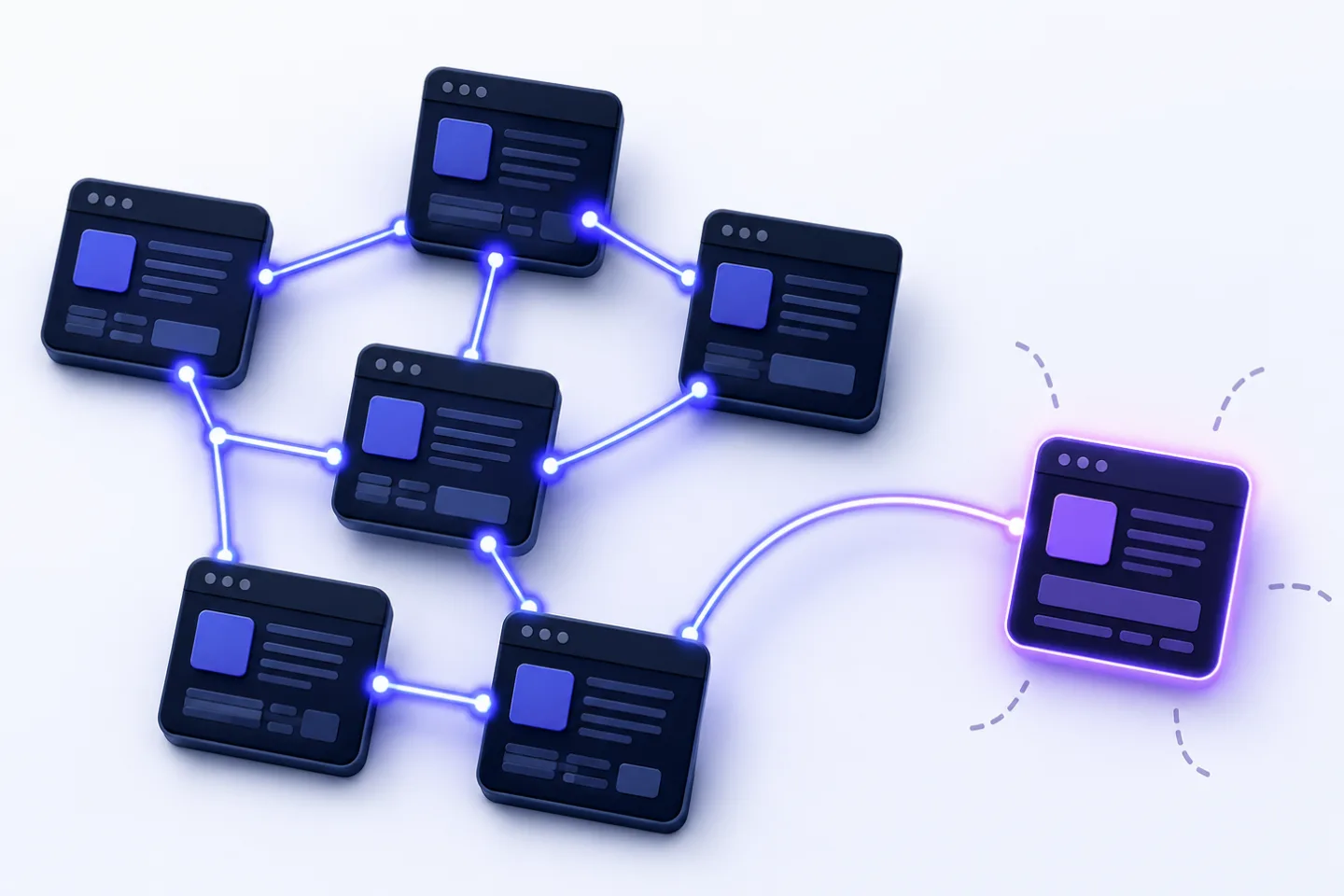
Many websites have strong content that barely creates any impact. Not because the content is poor, but because it does not appear in the website’s network.
These URLs are called or orphaned pages. They exist in the , the system used to manage web content, in the , in Google , in analytics tools or in old campaigns. But on the website itself, no internal link — or almost no internal link — points to them.
This is exactly where the RankScan insight “Orphan Pages” comes in.
The insight means: RankScan has found URLs that are known or accessible, but are not properly integrated into the website’s internal linking structure. This is a website health issue because internal links control , user guidance, relevance signals and internal link equity.
The right interpretation is important:
An orphan page is not automatically bad. But every relevant page without internal links wastes potential.
In this article, you will learn how to find orphan pages, evaluate them and integrate them meaningfully into your website structure — or intentionally remove them, them or set them to noindex.
- Orphan pages are URLs with no or very few internal links.
- They are hard for users to find and are discovered less reliably or understood less clearly by search engines.
- A sitemap in format does not replace internal linking.
- Internal links help search engines discover new URLs and understand pages thematically.
- The of an internal link provides context for the target page.
- You cannot reliably find orphan pages with a normal crawl alone.
- You need to compare data from crawls, sitemaps, Google Search Console, analytics and log files.
- Not every orphan page should be linked: some pages should be deleted, redirected or set to .
- Strategic internal linking uses , hub pages, contextual links and clear anchor text.
- A good check prioritizes orphan pages by relevance, page type, traffic, backlinks, indexability and business value.
What Are Orphan Pages? #
An orphan page is a URL that has no or almost no internal links pointing to it from other pages on the same website.
Example:
https://example.ch/guides/leather-shoe-care-instructions/The page exists. It may be directly accessible. It may even be listed in the XML sitemap. But it is not linked anywhere in the blog, categories, guides, navigation or related articles.
For users, this means: they are unlikely to find the page.
For search engines, this means: the page is harder to discover, receives less context and gets no internal link equity.
Google describes links as an important way to discover new pages. Crawlers follow links, and link text helps users and Google understand what the linked page is about.
Source: Google Search Central – Links best practices
What Does “Orphan Pages” Mean in RankScan? #
The RankScan insight “Orphan Pages” means: A URL is known from a data source, but cannot be reached — or can barely be reached — through internal links.
Possible sources:
- XML sitemap,
- Google Search Console,
- analytics,
- server log files,
- CMS export,
- old campaign URLs,
- backlink data,
- manually submitted URLs.
Typical cases:
- new blog articles were not internally linked,
- old campaign landing pages remain isolated,
- product pages disappeared from categories,
- URLs were forgotten after a relaunch,
- guides are not integrated into topic clusters,
- landing pages are only reachable through ads,
- PDFs or resources are not linked via , the markup language for web pages,
- search engines know URLs from sitemaps, but users cannot find them.
The insight is classified as Medium priority because not every orphan page is critical. It becomes critical when , relevant or already visible pages are affected.
Why Internal Linking Matters for SEO #
Internal linking is one of the strongest SEO levers you fully control yourself.
It serves four central purposes.
1. Enable Crawling #
Search engines discover pages mainly through links.
If a URL is not internally linked anywhere, Google has to find it through other routes:
- sitemap,
- external links,
- old index data,
- user or browser data,
- submitted URLs.
That can work, but it is weaker than clear internal linking.
In its SEO starter documentation, Google points out that navigation and internal links help users and search engines find important content.
Source: Google Search Central – SEO Starter Guide
2. Provide Relevance and Context #
An internal link does not only say: “This URL exists.”
It also says: “This URL belongs thematically here.”
Example:
<a href="/internal-linking/">optimize internal linking</a>The anchor text and the surrounding paragraph give search engines signals about the meaning of the target page.
3. Distribute Link Equity #
Internal links distribute authority within a website. Pages that are linked often and prominently appear more important than pages that are buried deep — or not linked at all.
Important: Internal linking is not a mechanical “link juice trick”. It should reflect user guidance, topic logic and priority.
4. Improve User Guidance #
Good internal links help users find the next useful step:
- from a blog article to a service page,
- from a category to a product,
- from a guide to a checklist,
- from frequently asked questions (FAQ) to a detailed page,
- from a to specialized subtopics.
This creates a website that is not made up of isolated pages, but of a clear and understandable knowledge network.
Why an XML Sitemap Is Not Enough #
An XML sitemap helps search engines discover URLs. But it does not replace internal linking.
Google explains that sitemaps can help discover URLs on a website, especially for large websites, new websites or pages with little internal linking.
Source: Google Search Central – Learn about sitemaps
But a sitemap does not provide the same signals as internal links:
| Signal | XML Sitemap | Internal Link |
|---|---|---|
| URL discovery | Yes | Yes |
| User guidance | No | Yes |
| Anchor-text context | No | Yes |
| Semantic relationship | weak | strong |
| Link-equity distribution | no or very limited | yes |
| Prioritization in page context | no | yes |
Simply adding a URL to the sitemap therefore does not solve an orphan-page problem. If the page is important, it should also be internally linked in a meaningful way.
Are Orphan Pages Always Bad? #
No.
There are legitimate pages that do not need to be prominently linked.
Examples:
- thank-you pages after forms,
- checkout steps,
- login pages,
- temporary campaign landing pages,
- internal documents,
- test pages,
- private resources,
- ad landing pages without an SEO goal.
However, such pages should usually not be indexed. Depending on their purpose, noindex, password protection, login access or removal may be appropriate.
Orphan pages are problematic when they:
- are indexable,
- have organic ,
- target relevant ,
- have backlinks,
- have conversion potential,
- would be important within a content cluster,
- are listed in the sitemap,
- appear in Google Search Console,
- were forgotten after a relaunch.
The key question is:
Should this page be found, understood and evaluated?
If yes, it needs internal links.
Typical Causes of Orphan Pages #
1. New Content Is Not Integrated #
A blog article is published, but not linked from existing articles, topic hubs or categories.
2. Campaign Landing Pages Are Left Behind #
Landing pages for ads, email or social media remain online after a campaign ends, but are not integrated into the website structure.
3. Relaunch or Migration #
During a relaunch, navigation, categories and URL structures change. Some old content remains accessible, but is no longer linked.
4. CMS or Template Errors #
Pages are published in the CMS but do not appear in lists, archives, categories or navigation.
5. Products or Categories Disappear from Listings #
Products are still accessible, but no longer linked from categories. This often happens in shops with filters, variants or assortment changes.
6. Missing Topic Clusters #
Guide articles exist in isolation, without a pillar page, hub structure or reciprocal cross-linking.
7. Noindex, Canonical or Sitemap Conflicts #
Some URLs are indexable but not linked. Others are listed in the sitemap but have canonical tags pointing to other pages. These signals need to be reviewed together.
Finding Orphan Pages: The Right Data Comparison #
A normal website crawl is not enough to find orphan pages completely.
Why?
A crawler starts from a URL and follows internal links. A true orphan page without internal links will not be found this way.
That is why you need to compare:
- URLs found through internal links
- URLs known from other sources
Data Source 1: Crawl #
The crawl shows:
- internally linked URLs,
- link sources,
- ,
- anchor texts,
- status codes,
- canonicals,
- number of internal links.
Data Source 2: XML Sitemap #
The sitemap shows URLs that you officially submit to search engines.
Important: If a URL is listed in the sitemap but not internally linked, this is a strong orphan-page signal.
Data Source 3: Google Search Console #
Google Search Console (GSC) shows URLs with impressions, clicks or indexing data.
Important: If a URL has impressions but is not internally linked, it may have organic potential.
Data Source 4: Analytics #
Analytics shows URLs with user visits. Some orphan pages receive traffic from ads, social media, email or external links.
Data Source 5: Server Logs #
Log files show which URLs are actually requested by users or bots.
Particularly helpful:
- requests,
- requests from artificial intelligence (AI) crawlers,
- old URLs,
- 404s,
- rarely crawled pages,
- URLs with external traffic.
Data Source 6: Backlink Data #
An orphan page with external backlinks is especially relevant. It may collect authority, but it cannot pass that authority on internally.
The Orphan-Page Workflow #
Step 1: Crawl All Internally Linked URLs #
Create a list of all URLs that a crawler finds through internal links.
Export:
- URL,
- status code,
- click depth,
- number of internal inlinks,
- link sources,
- anchor texts,
- canonical,
- noindex.
Step 2: Collect Known URLs #
Export URLs from:
- XML sitemap,
- Google Search Console,
- analytics,
- server logs,
- CMS,
- backlink tool,
- old redirect maps,
- campaign lists.
Step 3: Compare the Lists #
Compare:
Known URLs
minus
internally linked URLs
=
potential orphan pages
In Excel, Google Sheets or a database, you can do this with XLOOKUP, VLOOKUP, joins or matching rules.
Step 4: Remove False Positives #
Not every detected URL is relevant.
Remove or mark:
- parameter URLs,
- print versions,
- tracking URLs,
- login or checkout pages,
- thank-you pages,
- noindex pages,
- URLs with a different canonical target,
- old 404/410 URLs,
- blocked technical URLs.
Step 5: Prioritize #
Evaluate each remaining URL by:
- indexability,
- organic impressions,
- clicks,
- backlinks,
- conversion value,
- page type,
- ,
- topical relevance,
- ,
- internal integration potential.
Prioritization: Which Orphan Pages Matter? #
| Orphan-page type | Priority | Why |
|---|---|---|
| Page with backlinks | High | external authority can be used internally |
| Page with GSC impressions | High | organic potential exists |
| Important landing page without internal links | High | conversion potential is wasted |
| Product or category page without internal links | High | e-commerce potential |
| Guide with topic-cluster potential | Medium to high | can strengthen visibility |
| Old campaign page with traffic | Medium | decide whether to link or redirect |
| Thin tag or archive page | Low to medium | often better set to noindex or removed |
| Thank-you page | Low | usually intentionally isolated |
| Login or checkout page | Low | not an SEO target page |
| Old test page | Low | remove or protect |
The most important rule:
Do not link every orphan page. Integrate relevant pages and clean up irrelevant ones.
Choosing the Right Action #
| Situation | Best action |
|---|---|
| Page is relevant and high-quality | add internal links |
| Page has backlinks but is outdated | update and link it, or 301 to a suitable page |
| Page is similar to an existing page | consolidate and 301 |
| Page has no SEO or user value | 404/410 or remove |
| Page must remain accessible but should not rank | noindex |
| Page is a technical campaign URL | noindex or remove after the campaign |
| Page is a product with a successor | 301 to successor or category |
| Page is a guide with potential | integrate into a topic cluster |
| Page is valuable but too thin | improve and link it |
Optimizing Internal Linking: The Basic Principles #
1. User Logic Before SEO Mechanics #
An internal link should always be helpful.
Ask:
Does this link help the user take the next meaningful step?
If yes, it is usually also useful for SEO.
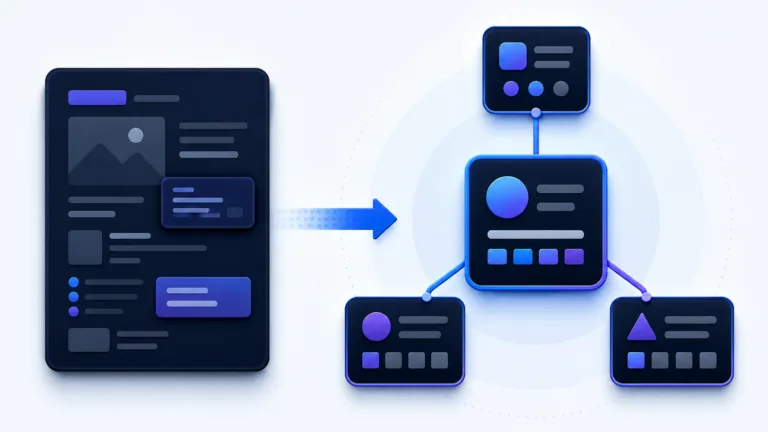
2. Build Topic Clusters #
A topic cluster consists of:
- pillar page,
- supporting detail pages,
- reciprocal linking,
- clear anchor texts,
- logical URL structure.
Example:
Pillar:
/ai-readiness-score/

Spokes:
/ki-antworten-erwaehnung-citation/
/ki-reputation-sentiment-share-of-voice/
/javascript-seo-rendering/
/hochwertige-inhalte-thin-content-faktendichte/
/schema-markup-structured-data/
The pillar page links to the detailed articles. The detailed articles link back to the pillar page and to each other when it makes sense for users.
3. Add Contextual Links #
Contextual links in the main content are especially valuable because they sit directly within the topical context.
Example:
If multiple pages serve the same , you should also check for .
Link to:
/keyword-kannibalisierung-url-mismatch/Footer links or sidebar links can be useful additions, but they do not replace contextual linking.
4. Use Descriptive Anchor Texts #
Google recommends writing link text so that it clearly describes the linked content.
Source: Google Search Central – Links best practices
Weak:
click here
learn more
continue
Better:
optimize internal linking
solve keyword cannibalization
set canonical tags correctly
Important: Internal anchor texts can be clear and descriptive. Still, they should remain natural and not sound exactly the same in every link.
5. Make Important Pages Easy to Reach #
Strategically important pages should not be hidden deep inside the website.
Practical orientation:
- homepage: 0 clicks,
- main categories / central services: 1 click,
- important guides / pillar pages: 1–2 clicks,
- detailed articles: 2–3 clicks,
- less important archive pages: deeper is possible.
These values are guidelines, not rigid rules. What matters is that important pages are easy for users and crawlers to reach.
6. Do Not Devalue Internal Links with Nofollow #
Internal links should generally be crawlable and should not use nofollow.
nofollow on internal links can unnecessarily complicate crawling and signal flow. Do not use it as a default tool for controlling internal links.
Internal Linking and Keyword Cannibalization #
Internal links help mark the preferred main page for a topic.
When several pages cover similar topics, internal linking helps determine which page is perceived as the central URL.
Example:
Target keyword:
keyword cannibalization

Main page:
/keyword-kannibalisierung-url-mismatch/
Supporting articles should then link to this main page with suitable anchor texts.
If different pages are linked using the same anchor text, this creates conflicting signals.
More on this in the article Solving keyword cannibalization & .
Internal Linking and AI Visibility #
Internal links can also matter for — but not as a direct guarantee.
They help because they:
- make topical relationships visible,
- connect ,
- structure pillar and detail pages,
- make important content easier to find,
- provide stable paths for crawlers,
- make semantic clusters more recognizable.
This can improve the conditions under which search engines and AI systems understand your website as a coherent source.
Important: Internal linking does not guarantee a mention or citation in ChatGPT, Perplexity or . But it improves structure, crawlability and context — and therefore important foundations for .
Google describes AI Overviews and AI Mode as search features in which content from the web may appear. Website owners should continue to provide helpful, and ensure that Google can technically access it.
Source: Google Search Central – AI features and your website
What a Good Orphan-Page Check Looks At #
A good orphan-page check should not merely report URLs without links.
A good check reviews:
- URL listed in sitemap but not internally linked,
- URL with GSC impressions but no inlinks,
- URL with analytics traffic but no inlinks,
- URL with backlinks but no internal links,
- noindex status,
- canonical status,
- status code,
- page type,
- click depth,
- number of internal inlinks,
- anchor texts,
- link sources,
- topic-cluster affiliation,
- content quality,
- conversion value,
- technical conflicts,
- whether the page is intentionally isolated.
This turns “Orphan Pages” into a concrete website health workflow.
Example: 80 Orphaned Guide Pages After Campaigns #
Initial Situation #
An online shop has created guide landing pages for newsletter and social campaigns over several years.
Examples:
/leather-shoe-care-instructions/
/waterproof-hiking-boots/
/how-to-pack-a-backpack/
After the campaigns ended, the pages were not integrated into categories, the blog or guide hubs.
RankScan reports:
“Orphan Pages”
Analysis #
A data comparison shows:
- 80 URLs appear in GSC or analytics,
- 50 of them still have search potential,
- some have external backlinks,
- 30 are old promotional pages without value,
- none of the pages are reachable through internal links in the current crawl.
Solution #
- Update 50 relevant guides.
- Build suitable topic clusters.
- Link guides from categories and pillar pages.
- Link guides back to relevant product categories.
- Remove 30 old promotional pages with 410 or redirect them to suitable pages.
- Clean up the sitemap.
- Crawl again after the fix.
Result #
Valuable content becomes findable again. Internal link signals flow back into relevant categories and guide hubs. Unnecessary legacy pages are cleaned up.
Common Internal Linking Mistakes #
Mistake 1: Not Linking New Pages #
Every new important page should be linked from suitable existing pages.
Practical rule:
Publish a new relevant page → add at least 3 suitable internal links.Mistake 2: Using “Click Here” as Anchor Text #
Generic anchor texts waste context.
Mistake 3: Using the Sitemap as a Replacement #
A sitemap helps with discovery, but it does not replace internal linking.
Mistake 4: Only Adding Links in the Footer #
Footer links are not wrong, but they are usually too weak for important thematic references.
Mistake 5: Excessive Click Depth #
Important pages should not require many clicks to reach.
Mistake 6: Internal Links to Redirects #
Link directly to the final target URL, not through 301 chains.
Mistake 7: Nofollow on Internal Links #
Internal links should generally be follow links.
Mistake 8: Conflicting Anchor Texts #
If the same anchor text points to multiple target pages, it can dilute topical focus and URL signals.
Checklist: Review Orphan Pages and Internal Links #
Use this checklist:
- Are there URLs in the sitemap, GSC, analytics or logs that are missing from the crawl?
- Do orphan pages have organic impressions?
- Do they have backlinks?
- Do they have conversion potential?
- Are they indexable?
- Are they canonicalized to themselves?
- Are they intentionally isolated?
- Is the content current and high-quality?
- Should the page be linked, consolidated, redirected, removed or set to noindex?
- Are there suitable hub, category or guide pages as link sources?
- Are there at least several contextual internal links to important pages?
- Are anchor texts descriptive?
- Are important pages reachable within only a few clicks?
- Do internal links point directly to final 200 URLs?
- Was the site crawled again after the fix?
In addition, 404 errors, content updates and improving Google rankings help narrow down the cause and prioritize the next SEO actions.
FAQ About Orphan Pages and Internal Linking #
What is an orphan page?
An orphan page is a URL that has no or almost no internal links pointing to it from other pages on the same website.
Are orphan pages bad for SEO?
They can be problematic when they are indexable, relevant or have strong potential. Intentionally isolated pages such as thank-you pages or login pages are usually not critical.
How do I find orphan pages?
By comparing crawl data with sitemaps, Google Search Console, analytics, server logs, CMS exports and backlink data.
Why is a normal crawl not enough?
A crawler only finds URLs that are reachable through internal links. A true orphan page without internal links will not be discovered this way.
Is an XML sitemap enough for orphan pages?
No. A sitemap helps with URL discovery, but it does not replace internal links, anchor-text context or user guidance.
What should I do with an orphan page?
Decide based on value: internally link it, update it, consolidate it, redirect it with a 301, set it to noindex or remove it.
How many internal links does a page need?
There is no fixed number. What matters is that relevant pages are linked from suitable contexts. For important new content, several thematically relevant internal links are useful.
Which anchor texts are good?
Good anchor texts clearly describe the target, for example “solve keyword cannibalization” instead of “click here”.
Do internal links help against keyword cannibalization?
Yes. Consistent internal links help strengthen one main page per search intent.
Do internal links help with AI visibility?
They improve structure, context and crawlability. This can support AI readiness, but it does not guarantee a mention or citation in AI answers.
Conclusion: No Relevant Page Should Remain Isolated #
Orphan pages are often unused potential. Some have backlinks, impressions or valuable content, but are not integrated into the internal link network. Others are legacy pages that should be cleaned up.
The RankScan insight “Orphan Pages” helps make these cases visible.
The best approach is:
- crawl internally linked URLs,
- collect known URLs from sitemaps, GSC, analytics, logs and backlinks,
- compare the lists,
- remove false positives,
- prioritize relevant pages,
- link and improve valuable pages,
- redirect, remove or set irrelevant pages to noindex,
- strengthen internal linking through topic clusters, hub pages and descriptive anchor texts,
- crawl again after the fix.
This turns internal linking into a controllable website health lever for crawling, relevance, user guidance and sustainable .