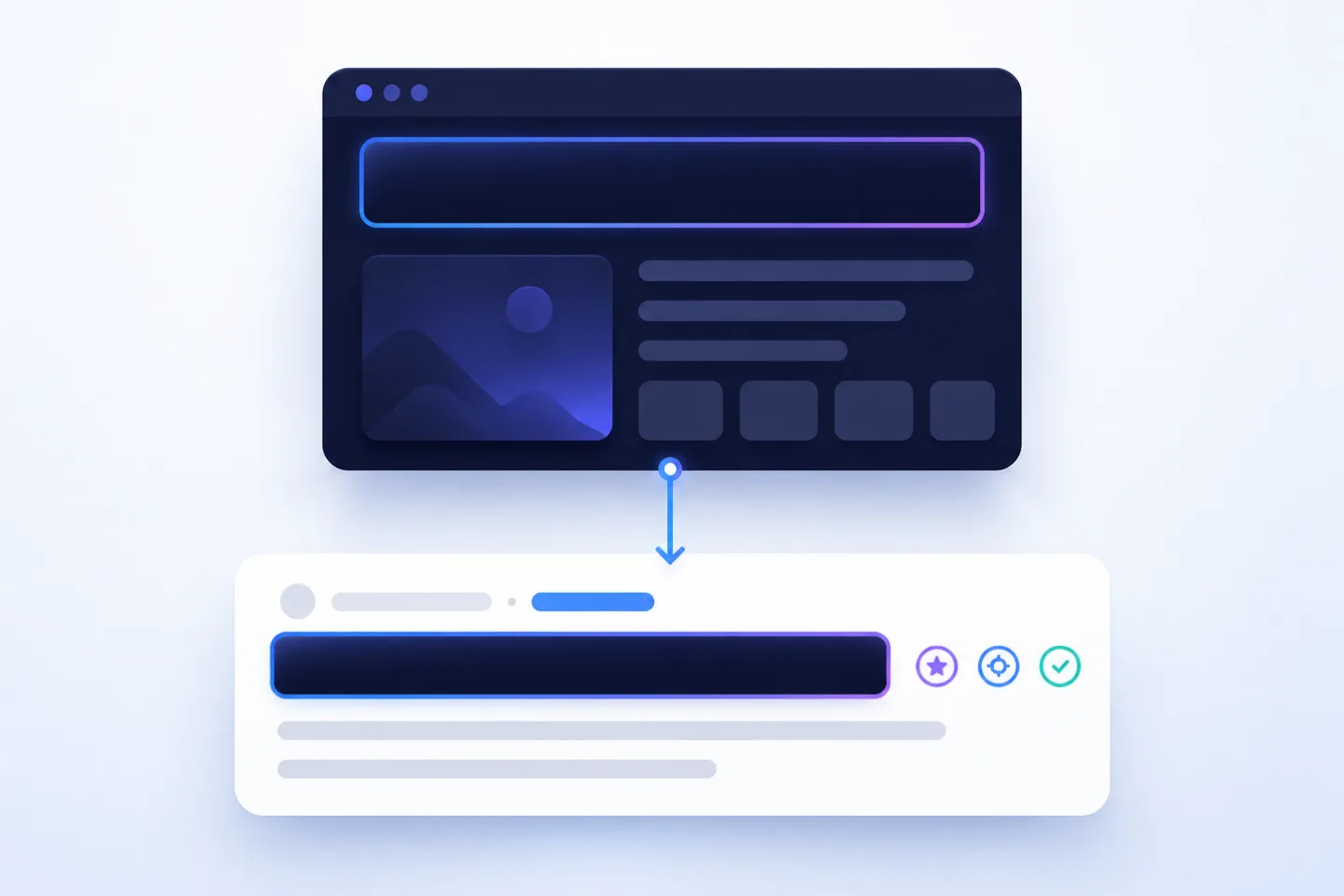
The is one of the most important on-page elements of a website. It describes the topic of a page, appears in the browser tab and can be used by Google as the clickable title in the search result.
When the title tag is missing, this is a clear website health issue. Google, users and other systems then have to infer what the page is about from other signals. This can lead to unclear search results, a weaker and less control over how your page is presented.
This is exactly why RankScan rates the insight “Missing title tag” with High priority.
In this article, you will learn what the title tag is, how to write good titles for , what length makes sense and how to systematically fix missing or weak page titles.
- The title tag is located in the <head> of a page in , the markup language used for websites.
- It is often used as the title link in Google search results.
- Every important page should have a unique title tag.
- A good SEO title is clear, precise, unique and aligned with the page content.
- The recommended title tag length is usually around 50 to 60 characters or roughly 580 to 600 pixels.
- Google may rewrite title tags if they are unsuitable, too long, too short, generic or over-optimized.
- Title tag, and page content should be thematically aligned.
- Missing title tags are often caused by templates, or issues in the , the system used to manage website content.
- RankScan helps identify missing, duplicate, overly long or unclear SEO page titles across the entire website.
What Is a Title Tag? #
The title tag is an HTML element in the head section of a web page. It defines the page title.
Technically, it looks like this:
<head>
  <title>Title Tag: How to Write SEO Page Titles</title>
</head>
The title tag appears in several places:
- in the browser tab,
- when a page is saved as a bookmark,
- often as the clickable title in the Google search result,
- in some link previews,
- in SEO tools and website audits.
Google describes good titles as unique, clear, concise and relevant to the page content. Google also points out that title links in search results can be generated from several sources, including the <title> tag, visible main headings and other prominent text on the page.
Source: Google Search Central – Influencing your title links in search results
Why Is the Title Tag Important for SEO? #
The title tag has two central tasks.
1. Thematic classification #
The title tag helps search engines understand the main topic of a page. It is not the only signal, but it is an important on-page element.
A clear title tag answers:
- What is this page about?
- Which is the page relevant for?
- What distinguishes this page from other pages on the same website?
In its SEO Starter Guide, Google recommends writing good titles that clearly and accurately describe the content of each page.
Source: Google Search Central – SEO Starter Guide
2. Click incentive in the search result #
The title tag can appear as the visible title link in the search result. It therefore influences whether users click on your result.
A good SEO title is therefore not only technically correct, but also editorially strong. It combines search intent, keyword and value proposition.
Example:
Weak:
ProductsBetter:
Buy Ergonomic Office Chairs for SMEs | Example Ltd.
The second title is clearer, more specific and more likely to earn clicks.
What Does “Missing Title Tag” Mean? #
The RankScan insight “Missing title tag” means that no valid <title> tag was found on a page.
This can have several causes:
- The template does not output a title.
- The SEO title was not maintained in the CMS.
- An SEO plugin is misconfigured.
- Dynamic title templates do not apply.
- The title is set only client-side via JavaScript.
- The page uses a faulty layout or an empty head partial.
- A staging or special page was published as indexable.
- The title is technically present but empty.
Problematic:
<head>
  <title></title>
</head>
or:
<head>
  <!-- Title is completely missing -->
</head>
Better:
<head>
  <title>SEO Consulting for SMEs in Lucerne | Example Ltd.</title>
</head>
Missing title tags are especially critical on indexable pages with organic potential, commercial relevance or strong .
Title Tag, SEO Title, Meta Title and SEO Page Title: What Is What? #
Different terms are used in daily practice:
| Term | Meaning |
|---|---|
| Title tag | Technical HTML element <title> |
| SEO title | SEO-optimized wording of the page title |
| Meta title | Common informal term, technically not fully precise |
| SEO page title | Page title from an SEO perspective |
| Title link | Title displayed by Google in the search result |
Important: The term meta title is common, but technically inaccurate. Unlike the meta description, the title tag is not a <meta> element, but its own HTML element.
Title Tag vs. H1 vs. Meta Description #
The title tag is often confused with the H1 and the . The three elements work together, but they have different tasks.
| Element | Where does it appear? | Main task |
|---|---|---|
| Title tag | HTML head, browser tab, often in the search result | Topic and click incentive |
| H1 heading | Visible on the page | Main topic for users and page structure |
| Meta description | HTML head, often as text | Short description and click argument |
Example:
Title tag:
Optimize Title Tags: SEO Titles with ExamplesH1:
Title Tag: How to Write SEO Page Titles and Fix Missing TitlesMeta description:
The title tag influences rankings and clicks. Learn how to write page titles with optimal length, the keyword upfront and a clear structure.
Title and H1 should be thematically aligned. They do not have to be identical. The title is more focused on the search result, while the H1 is more focused on guiding users on the page.
The Optimal Title Tag Length #
The most common recommendation for title tag length is:
around 50 to 60 characters
The reason: Google does not strictly limit display by character count, but by the available space in the search result. This space is visible in pixels. Wide letters such as “W” need more room than narrow letters such as “i”.
As a guide:
| Range | Assessment |
|---|---|
| under 30 characters | often too short or too generic |
| 40 to 60 characters | usually a good range |
| 50 to 60 characters | commonly recommended target range |
| over 60 characters | increased risk of truncation |
| over approx. 580–600 px | increased risk of truncation |
Zyppy gives a practical recommendation of 50 to 60 characters or up to around 575 pixels for title tags. The study also notes that very long, but also very short, titles can more often become problematic.
Source: Zyppy – The Best Title Tag Length for SEO
Important: Length is not an end in itself. A clear title with 62 characters can be better than an artificially shortened title with 54 characters. What matters is that the title remains understandable, precise and aligned with .
Writing Good Title Tags: The Basic Formula #
A good SEO title combines three elements:
Main keyword + specific benefit / page type + brand
Examples:
Optimize Title Tags: Guide & Examples | RankScan
SEO Consulting for SMEs in Lucerne | Example Ltd.
Women’s Hiking Boots: Waterproof & Comfortable | Shop Name
For subpages, the brand usually appears at the end. On the homepage, it can appear at the beginning if the brand name itself is important.
7 Rules for Better SEO Titles #
1. Place the main keyword near the beginning #
The focus keyword should appear as early as possible, as long as it sounds natural.
Good:
Optimize Title Tags: SEO Titles with Examples
Less good:
Our Guide with Examples for Optimizing Page Titles
The second version is not wrong, but it is less clearly aligned with the keyword.
2. Match search intent #
A title tag must match the user’s expectation.
Someone searching for “title tag length” expects a clear recommendation.
Someone searching for “title tag seo” expects SEO best practices.
Someone searching for “missing title” expects a technical explanation and solution.
That is why the title should not only contain the keyword, but also address the need behind it.
3. Give every indexable page a unique title #
Duplicate title tags are a common SEO issue. They make it harder to assign topics clearly and can create .
Bad:
Welcome | Example Ltd.
Welcome | Example Ltd.
Welcome | Example Ltd.
Better:
SEO Consulting for SMEs | Example Ltd.
Google Ads Management | Example Ltd.
Marketing Automation with Mautic | Example Ltd.
4. Make titles specific instead of generic #
Generic titles help neither users nor search engines.
Weak:
Services
Better:
Online Marketing Services for SMEs | Example Ltd.
Weak:
Products
Better:
Buy Office Furniture for Companies | Example Shop
5. Avoid keyword stuffing #
Keyword stuffing looks unnatural and can cause Google to rewrite the title.
Bad:
Title Tag SEO, SEO Title, Meta Title, Page Title SEO
Better:
Optimize Title Tags: How to Write SEO Titles
6. Use the brand sensibly #
The brand name is useful when it builds trust or recognition. However, it should not displace valuable space.
Usually good for subpages:
Optimize Title Tags: Guide & Examples | RankScan
For homepages, the brand can appear first:
RankScan: Search & Monitoring
7. Align title, H1 and content #
Google can generate title links from different sources. If the title, H1 and visible page content differ strongly from one another, the risk increases that Google will show a different title.
Good alignment:
Title:
SEO Headings: Build H1 & Hierarchy CorrectlyH1:
SEO Headings: Structure H1, H2 and H3 CorrectlyIntroduction:
Headings help users, search engines and screen readers understand the content of a page.
This is consistent without being duplicated.
Title Tags by Page Type #
Depending on the page type, the SEO title should be structured differently.
| Page type | Goal | Example |
|---|---|---|
| Homepage | Brand + main service | RankScan: Search & AI Visibility Monitoring |
| Service page | Service + target group | SEO Consulting for Small and Medium-Sized Businesses in Lucerne |
| Product page | Product + buying argument | Buy Waterproof Women’s Hiking Boots |
| Category page | Category + selection/benefit | Buy Ergonomic Office Chairs Online |
| Blog article | Topic + benefit | Optimize Title Tags: Guide & Examples |
| Local page | Service + location | Dentist in Bern for Anxious Patients |
| Comparison page | Comparison + | Best SEO Tools 2026 Compared |
These templates are not rigid rules. They help you better match the search intent of each page type.
Dynamic Title Templates in the CMS #
For small websites, title tags can be maintained manually. Shops, portals or large websites often need dynamic templates.
Examples:
Product page #
Buy {product_name} | {shop_name}Better with additional differentiation:
Buy {product_name} {attribute} | {shop_name}Category #
{category_name}: {usp} | {brand}Blog article #
{post_title} | {brand}Local page #
{service} in {location} | {brand}Important: Templates must not create mass duplicates. If many pages receive the same title, this is a template or data problem.
Content Error or Template Error? #
For RankScan, it is important to understand whether “Missing title tag” affects only a single URL or many pages of the same type.
Content error #
A content error affects individual pages:
- SEO title forgotten in the CMS field,
- blog article without a maintained title,
- landing page created manually and title not added,
- draft published,
- special page not checked.
Solution: Add the title editorially.
Template error #
A template error often affects many URLs:
- Layout does not output a
<title>, - SEO field is not rendered into the template,
- fallback is missing,
- product data is missing in a dynamic template,
- JavaScript sets the title only client-side,
- language versions use the same title,
- title is empty when an optional field is not maintained.
Solution: Correct the template, SEO component or CMS configuration.
A template error is usually more urgent because it affects many indexable pages at the same time.
Prioritization: Which Title Issues Really Matter? #
Not every title issue has the same priority.
| Problem | Priority | Why |
|---|---|---|
| Title missing on an indexable page | High | Main signal and control over the are missing |
| Title empty or brand only | High | Search result becomes unclear |
| Title missing on many pages of the same template | High | Systemic error |
| Duplicate titles on many pages | High | Weak topic assignment and differentiation |
| Title does not match page content | High | Higher risk of rewrites and weak user expectations |
| Title too long and truncated | Medium | Click message can be lost |
| Title too short or generic | Medium | Low relevance and weak click incentive |
| Brand appears first on all subpages | Medium | Displaces important keywords |
| Single minor length issue on an unimportant page | Low | Usually limited impact |
The most important rule:
Optimize indexable, high-traffic and commercially relevant pages first. Fix template issues before individual one-off errors.
Why Google Rewrites Title Tags #
Google does not always show the exact title tag stored on the page. Instead, Google can generate its own title link.
Google lists several sources for title links, including:
- the
<title>tag, - visible main headings,
- other large or prominent text,
- from links,
- other page signals.
Source: Google Search Central – Influencing your title links in search results
Common reasons for Google rewrites:
- Title is too long,
- title is too short,
- title is generic,
- title contains keyword stuffing,
- title does not match the page content,
- several pages have the same title,
- title and H1 contradict each other,
- too much boilerplate such as brand or claim on every page.
Studies report different rewrite rates. Ahrefs found in 2021 that Google rewrote title tags in around 33.4% of the sampled cases. Zyppy later reported significantly higher rewrite rates in its own research. These figures should not be understood as fixed values, but they show that title rewrites are common enough for clean title tags to remain important.
Sources: Ahrefs – Title Tags Study, Zyppy – Google Title Rewrite Study
How to Reduce the Risk of Title Rewrites #
You cannot force Google to use your title exactly. But you can improve the likelihood.
Helpful measures include:
- unique title tag,
- clear H1,
- thematic alignment between title, H1 and content,
- no keyword repetition,
- no generic titles,
- no overly long titles,
- no sitewide boilerplate titles,
- unique titles per URL,
- meaningful internal linking.
Bad:
SEO SEO SEO | SEO Agency | SEO Consulting | SEO Tips
Better:
SEO Consulting for SMEs: Analysis, Strategy & Execution
What to Do After a RankScan Finding #
When RankScan reports “Missing title tag”, you should proceed in a structured way.
Step 1: Check whether the page is indexable #
Prioritize pages that are relevant for Google first:
- ,
- not excluded via
noindex, - ,
- internally linked,
- part of the ,
- organic or commercial relevance.
A missing title on a thank-you page is less critical than a missing title on an important service page.
Step 2: Identify the page type #
Assign the affected URL to a page type:
- homepage,
- service page,
- blog article,
- product page,
- category,
- landing page,
- location page,
- archive page.
If many pages of the same type are affected, the cause is likely a template or CMS issue.
Step 3: Determine the cause #
| Cause | Typical solution |
|---|---|
| SEO field empty | Add the title in the CMS |
| Template does not render a title | Correct the head template |
| Fallback missing | Define fallback from H1 or page name |
| Dynamic template creates empty values | Check data fields and variables |
| JavaScript sets title too late | Output title server-side |
| Language versions duplicate each other | Check /i18n title logic |
| Brand boilerplate dominates | Revise template pattern |
Step 4: Define a title pattern #
Each page type should have a clear pattern.
Examples:
Service page:
{Service} for {Target group} | {Brand}Product page:
Buy {Product name} {Attribute} | {Shop}Blog article:
{Topic}: {Benefit} | {Brand}Location page:
{Service} in {Location} | {Brand}Step 5: Align title, H1 and meta description #
Review the three central SERP and page elements together:
Title tag
H1
Meta description
They should serve the same topic, but fulfil different tasks.
Step 6: Crawl again after the fix #
After fixing the issue, you should check the website again:
- Is the
<title>present? - Is it not empty?
- Is it unique?
- Is it present in the initial HTML?
- Is it not too long?
- Does it match the H1 and content?
- Are dynamic pages titled correctly?
- Were no new duplicates created?
What a Good Title Tag Check Looks For #
A good website health check does not only check whether a title exists.
A good check detects, among other things:
- missing title tag,
- empty title tag,
- duplicate title,
- multiple URLs with the same title,
- title too long,
- title too short,
- title consists only of the brand,
- title missing in the initial HTML,
- title does not match the H1,
- title becomes empty due to template errors,
- dynamic titles create duplicates,
- language versions have the same title,
- title missing on indexable pages,
- title issues affect entire page types.
This turns “Missing title tag” from a technical hint into a concrete optimization process.
Common Title Tag Mistakes #
Mistake 1: Title is completely missing #
<head>
  <meta name="description" content="...">
</head>
Without a title, a central element is missing for browsers, users and search engines.
Mistake 2: Title is empty #
<title></title>Technically, the element exists, but it has no content value.
Mistake 3: Every page has the same title #
Home | Example Ltd.
Home | Example Ltd.
Home | Example Ltd.
This is often a template or CMS issue.
Mistake 4: Title is too generic #
Products
Better:
Buy Office Furniture for Companies | Example Shop
Mistake 5: Title is too long #
SEO Consulting, Google Ads Management, Meta Ads, Marketing Automation and Web Development for SMEs in Switzerland
Better:
Online Marketing for SMEs in Switzerland | Example Ltd.
Mistake 6: Keyword stuffing #
SEO Title, Meta Title, Title Tag SEO, SEO Page Title
Better:
Optimize Title Tags: How to Write SEO Titles
Mistake 7: Brand displaces the keyword #
Example Ltd. | Services | Consulting | SEO
Better:
SEO Consulting for SMEs | Example Ltd.
Title Tags and AI Visibility #
The title tag is not only relevant for classic search results. Artificial intelligence (AI)-supported systems, browsers, crawlers and retrieval processes also use page titles to classify content.
However, you should avoid exaggerated promises:
A good title tag does not guarantee a mention in ChatGPT, Perplexity or . But it can help name the page content more clearly and make it easier for machines to classify.
For modern search, this means:
- The title should describe the topic precisely.
- The H1 should confirm the topic on the page.
- The introduction should address the search intent quickly.
- The content should be structured, up to date and trustworthy.
This creates a consistent signal for users, classic search engines and AI systems.
Example: From Missing Title to Clean SEO Page Title #
Initial situation #
A B2B company publishes several new service pages. The H1 and content are maintained in the CMS, but the SEO title field remains empty. The template also has no fallback.
RankScan reports:
Insight: “Missing title tag”
Priority: High
Affected URLs: 37 service pages
Analysis #
The pages are indexable, internally linked and commercially relevant. The issue does not affect only one individual page, but the entire “service page” type.
Solution #
The template receives a title pattern:
{H1} | {Brand}For important pages, individual titles are added:
CRM Consulting for SMEs: Selection & Implementation | Example Ltd.
Marketing Automation with Mautic | Example Ltd.
Google Ads Management for B2B Companies | Example Ltd.
Result #
After the next , all title tags are present, unique and aligned with the H1. The pages have a better chance of being shown with clear title links in Google.
Checklist: Good Title Tags #
Use this checklist for important pages:
- Is there a
<title>tag? - Is the title not empty?
- Is the title unique?
- Does it describe the page content precisely?
- Does it contain the focus keyword or a natural variant?
- Is the most important topic placed near the beginning?
- Is the length roughly 50 to 60 characters?
- Is the title not overloaded with keywords?
- Is the brand placed sensibly?
- Does the title match the H1?
- Does the title match the meta description?
- Is the title present in the initial HTML?
- Do dynamic templates work?
- Are there no mass duplicates?
In addition, duplicate content and content updates help narrow down the cause and prioritize the next SEO measures.
FAQ About the Title Tag #
What is a title tag?
The title tag is an HTML element in the <head> of a web page. It defines the page title and can appear as the clickable title in Google search results.
Is the title tag important for SEO?
Yes. The title tag helps search engines understand the topic of a page and can influence the click-through rate in search results.
How long should a title tag be?
As a guide, around 50 to 60 characters or roughly 580 to 600 pixels is common. More important than a fixed length is a clear, precise title that is not cut off.
What does “Missing title tag” mean?
“Missing title tag” means that no valid or no content-filled title tag was found on a page.
Is a meta title the same as a title tag?
In everyday language, “meta title” is often used as a synonym. Technically, however, the title tag is not a meta tag, but a separate HTML element.
Can the title tag be identical to the H1?
Yes. Title and H1 can be identical. Often, however, it makes sense to make the title slightly more focused on the search result and clicks, while the H1 confirms the page itself.
Why does Google show a different title?
Google can generate title links from several sources if the stored title is unsuitable, too long, too short, generic, over-optimized or not representative of the page content.
Does every page need its own SEO title?
Every important indexable page should have its own unique title tag. On large websites, dynamic templates help.
Where should the brand appear in the title?
Usually at the end on subpages. On the homepage or for very well-known brands, it can also appear at the beginning.
What should I do if RankScan reports missing title tags?
First check whether the affected pages are indexable and important. If many pages of the same type are affected, it is probably a template or CMS issue. Then define a title pattern and crawl the website again.
Conclusion: Without a Title Tag, a Central SEO Signal Is Missing #
The title tag is not a minor technical add-on. It is one of the most important elements for giving a page a clear topic and creating a convincing first impression in the search result.
The RankScan insight “Missing title tag” is therefore rightly a high-priority finding. It is especially critical when important indexable pages are affected or when the error scales across many URLs through a template.
The best approach is:
- identify missing title tags,
- prioritize indexable and important pages,
- determine whether the cause is content-related or template-related,
- define clean title patterns,
- align title, H1 and meta description,
- crawl again after the fix.
This turns a technical error into a clear optimization lever for SEO, click-through rate and website health.