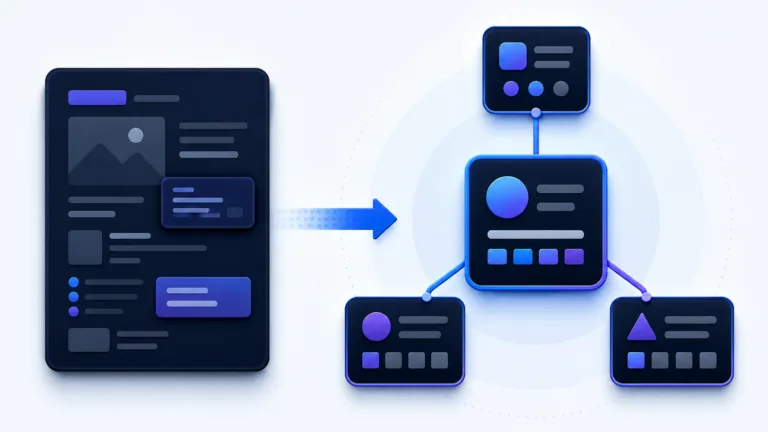
Two websites can look identical in the browser and still be completely different in how understandable their source code is.
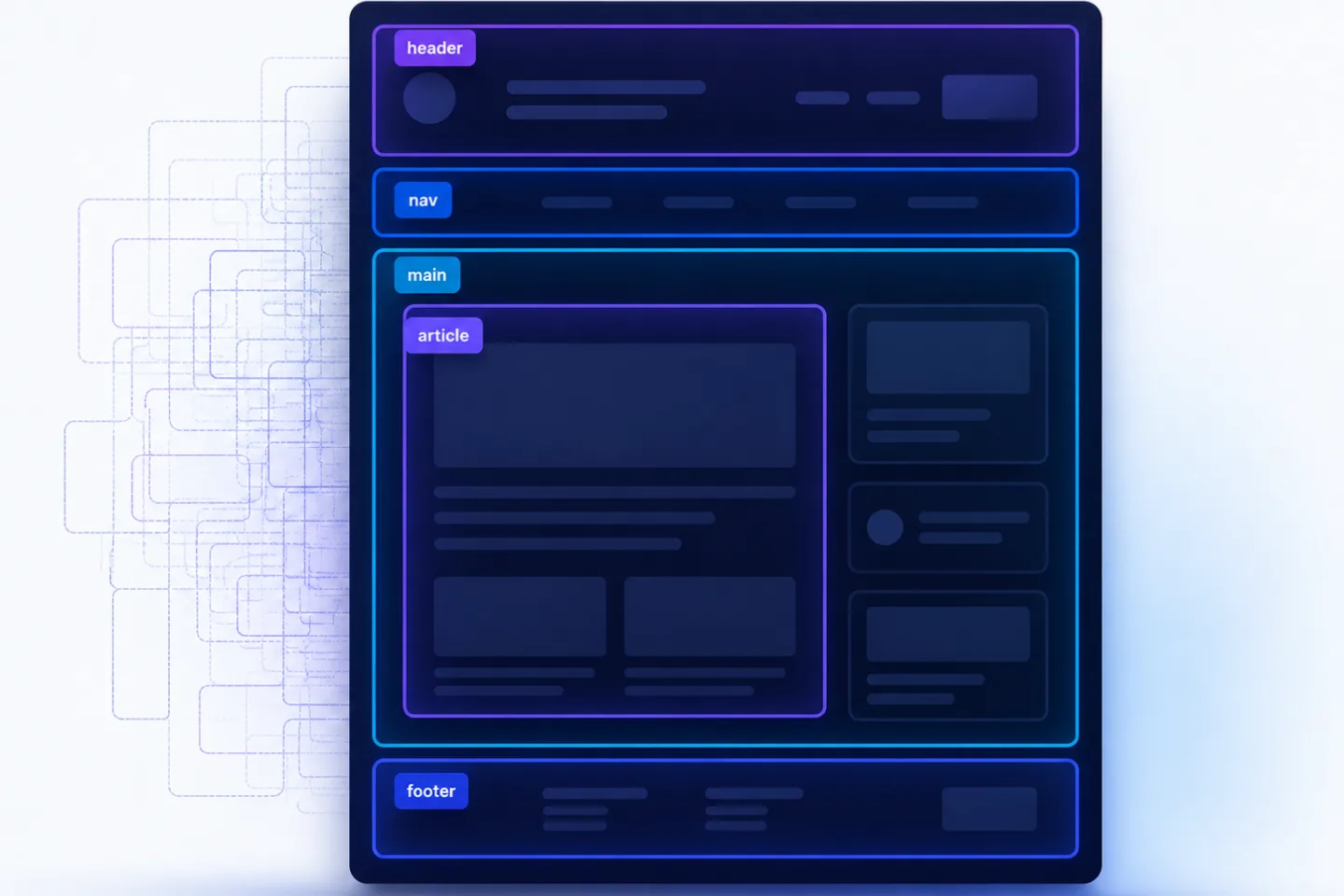
One page consists almost entirely of nested <div> containers. The other uses semantic HTML5 elements (, HTML, the markup language for websites) such as <main>, <article>, <nav>, <section>, <aside> and <footer>. For users, the difference is often invisible. For browsers, screen readers, search engines and crawlers, it matters.
This is exactly where the RankScan insights “Missing ” and “Poor Semantic HTML” come in:
- “Missing Semantic HTML”: Important semantic HTML5 elements are missing.
- “Poor Semantic HTML”: The page uses HTML, but it is heavily div-based, unclearly structured or semantically misleading.
The correct framing is important:
Semantic HTML is not a ranking trick. It is clean markup that makes content, navigation, main content and supplementary elements easier to distinguish.
This helps users, assistive technologies, developers, search engines and artificial intelligence (AI) systems classify content more accurately. However, it does not guarantee better rankings, or AI citations.
- Semantic HTML uses elements according to their meaning, not their visual appearance.
- <main> marks the unique main content of a page.
- <nav> marks important navigation areas.
- <article> is suitable for self-contained content such as blog posts, news articles or product cards.
- <section> groups thematic sections, ideally with a heading.
- <aside> identifies supplementary content such as sidebars or additional information.
- <header> and <footer> can be used for the header or footer of a page or section.
- A “div desert” makes orientation, maintainability and accessibility harder.
- Native HTML elements take priority over (Accessible Rich Internet Applications, ARIA, the accessibility standard).
- Semantic HTML improves understandability and accessibility, but it is not a guaranteed boost for .
- A good check examines semantic HTML issues especially in templates, guides, product pages, navigation and dynamic components.
What Is Semantic HTML? #
Semantic HTML means using HTML elements according to their content meaning.
Not:
<div class="button">Learn more</div>but:
<a href="/services/">Learn more</a>Not:
<div class="main-content">
  <div class="post">
    <div class="title">Title</div>
  </div>
</div>
but:
<main>
  <article>
    <h1>Title</h1>
  </article>
</main>
Google describes semantic markup as markup that is used according to its meaning and purpose – for example headings for headings, paragraphs for paragraphs and lists for lists.
Source: Google Search Central Blog – On web semantics
The Mozilla Developer Network (MDN), a developer documentation resource, puts it similarly: semantic HTML means using “the right element for the right job” because browsers can then provide built-in accessibility features.
Source: MDN – HTML: A good basis for accessibility
What Does “Missing Semantic HTML” Mean? #
The RankScan insight “Missing Semantic HTML” means that central semantic HTML structure elements are missing from a page.
Typical cases:
- no
<main>for the main content, - no
<nav>elements for the main navigation, - blog posts are not wrapped in
<article>, - everything consists of
<div>containers, - no clear for screen readers,
- no semantic lists for bullet points,
- clickable elements are not real links or buttons,
- tables are used for layout instead of data.
This is especially relevant for:
- templates,
- blog posts,
- guide pages,
- product pages,
- category pages,
- landing pages,
- navigation components,
- headless frontends,
- page-builder websites.
What Does “Poor Semantic HTML” Mean? #
The insight “Poor Semantic HTML” means that semantic elements are present, but they are used incorrectly, inconsistently or too generically.
Examples:
- multiple visible
<main>elements, <section>used only as a styling container without a topic,<article>used for purely decorative cards,<button>used for normal links,<a>withouthref,- clickable
<div>elements, roleattributes unnecessarily replacing native HTML elements,- headings used only for styling,
- landmarks are duplicated or unnamed,
<aside>actually contains main content.
Poor semantic HTML is often harder to identify than missing semantic HTML, because the code looks modern at first glance but is still unclear in terms of content structure.
The Most Important Semantic HTML5 Elements #
| Element | Meaning | Typical use |
|---|---|---|
<header> | introductory area for a page or section | logo, intro, meta information |
<nav> | important navigation area | main navigation, , footer navigation |
<main> | unique main content of the page | central content of the URL |
<article> | self-contained content | blog post, news article, product card, forum post |
<section> | thematic section | chapter, content block with heading |
<aside> | supplementary content | sidebar, info box, related links |
<footer> | closing area for a page or section | legal notice, contact, meta, links |
Important: these elements are not design specifications. Visual appearance is controlled through , the language used for website layout. HTML elements describe the role of the content.
Why Semantic HTML Matters for Accessibility #
Semantic HTML is a foundation for accessibility.
Screen readers and other assistive technologies can use landmarks and native HTML structures to enable orientation:
- jump directly to the main content,
- identify navigation areas,
- read lists correctly,
- operate buttons and links properly,
- understand forms better,
- interpret tables correctly.
MDN emphasizes that semantic HTML elements provide built-in accessibility hooks. Developers should therefore use native HTML elements before rebuilding functionality with generic elements and JavaScript (JS).
Source: MDN – HTML: A good basis for accessibility
Example:
<button type="button">Open menu</button>is keyboard-accessible and recognizable as a button by default.
A clickable <div>, on the other hand, needs additional code for role, keyboard interaction, focus state and screen reader understandability. That is more error-prone.
Why Semantic HTML Can Help SEO #
Semantic HTML helps search engines interpret page structures more easily. It indicates what is main content, navigation, section, article or supplementary information.
Still, the SEO impact is not absolute.
In its SEO Starter Guide, Google writes that a semantic heading order is good for screen readers, but that Google Search rarely relies only on semantic meanings from the HTML specification because the web generally does not always use valid HTML.
Source: Google Search Central – SEO Starter Guide
The realistic assessment:
- Semantic HTML can support Google’s understanding.
- It does not replace .
- It does not replace indexability.
- It is not a “magic ranking booster”.
- It is part of clean technical website quality.
For RankScan, this means:
Semantic HTML is a website health signal, not an isolated ranking factor.
Why Semantic HTML Matters for AI Visibility #
AI systems and search systems need to break websites into meaningful sections, understand them and weight them. Semantic HTML can help segment content more clearly:
- main content in
<main>, - self-contained article in
<article>, - topic sections in
<section>, - navigation in
<nav>, - supplementary content in
<aside>, - page footer in
<footer>.
This can make machine extraction easier. But here too:
Semantic HTML does not guarantee an AI mention, a citation or a better answer position.
Google describes and AI Mode as search features where content from the web can appear. Website owners should continue to provide helpful, reliable content and ensure technical accessibility.
Source: Google Search Central – AI features and your website
For AI Readiness, semantic HTML is therefore a foundational building block: it improves structure and understandability, but it does not replace , , or technical accessibility.
Before/After: Div Desert vs. Semantic Markup #
Weak: Div Desert #
<div class="header">
  <div class="logo">My Blog</div>
  <div class="menu">
    <div onclick="location.href='/'">Home</div>
    <div onclick="location.href='/blog'">Blog</div>
  </div>
</div>

<div class="main-content">
  <div class="post">
    <div class="title">SEO Tips 2026</div>
    <div class="text">The content goes here...</div>
  </div>
</div>

<div class="footer">
  <div class="copy">© 2026 My Blog</div>
</div>
Problems:
- navigation is not a real
<nav>, - links are clickable
<div>elements, - no
<main>, - no
<article>, - title is not a real heading,
- footer is only a generic container.
Better: Semantic HTML #
<header>
  <a href="/" class="logo">My Blog</a>

  <nav aria-label="Main navigation">
    <a href="/">Home</a>
    <a href="/blog/">Blog</a>
  </nav>
</header>

<main>
  <article>
    <h1>SEO Tips 2026</h1>
    <p>The content goes here...</p>
  </article>
</main>

<footer>
  <p>© 2026 My Blog</p>
</footer>
Benefits:
- main content is clearly marked,
- navigation is machine-readable,
- links are real links,
- the article is recognizable as self-contained content,
- the heading is semantically correct,
- the footer has a clear role.
The Most Important Rules for Semantic HTML #
1. Meaning Before Appearance #
Choose HTML elements based on meaning.
<h2>Pricing</h2>not:
<div class="large-bold-title">Pricing</div>CSS controls appearance. HTML controls meaning.
2. Exactly One Visible <main> #
A document should have exactly one visible main content area.
Good:
<body>
  <header>...</header>
  <main>...</main>
  <footer>...</footer>
</body>
Bad:
<main>Intro</main>
<main>Products</main>
<main>FAQ</main>
<main> represents the central, unique content of this URL.
3. Use <article> for Self-Contained Content #
Use <article> when content would also make sense outside the page.
Suitable for:
- blog posts,
- news articles,
- product cards,
- forum posts,
- comments,
- case studies.
Example:
<article>
  <h1>JavaScript SEO: Detect Rendering Problems</h1>
  <p>...</p>
</article>
4. Use <section> Only for Real Thematic Sections #
A <section> should mark a thematic section and ideally have a heading.
Good:
<section>
  <h2>Benefits of semantic HTML</h2>
  <p>...</p>
</section>
Weak:
<section class="spacing-large">
  <div>...</div>
</section>
if the element only creates spacing or layout.
For purely visual layout wrappers, a <div> is still correct.
5. Use Real Links and Buttons #
Links lead to another URL. Buttons trigger an action.
Link:
<a href="/contact/">Get in touch</a>Button:
<button type="button">Open menu</button>Bad:
<div onclick="openMenu()">Open menu</div>Google recommends using an <a> element with an href attribute for links.
Source: Google Search Central – Links best practices
6. Mark Lists as Real Lists #
Weak:
<p>- Item 1<br>- Item 2<br>- Item 3</p>Better:
<ul>
  <li>Item 1</li>
  <li>Item 2</li>
  <li>Item 3</li>
</ul>
This is better for accessibility, readability and machine structure.
7. Use Tables Only for Data #
Tables are for tabular data, not for layout.
Good:
<table>
  <thead>
    <tr>
      <th>Metric</th>
      <th>Good value</th>
    </tr>
  </thead>
  <tbody>
    <tr>
      <td>LCP</td>
      <td>≤ 2.5 s</td>
    </tr>
  </tbody>
</table>
Bad: table layout for columns, cards or navigation.
ARIA vs. Semantic HTML #
ARIA can help when native HTML elements are not enough. But ARIA should not be the first step.
The W3C documentation “Using ARIA” states as its first rule: if a native HTML element or attribute already has the semantics and behavior you need, use it instead of repurposing another element with ARIA.
Source: W3C – Using ARIA
Simply put:
Native HTML first, then ARIA.
Good:
<nav aria-label="Main navigation">
  ...
</nav>
Weaker:
<div role="navigation" aria-label="Main navigation">
  ...
</div>
Not everything needs ARIA:
<nav role="navigation">is usually redundant because <nav> already has this role implicitly.
ARIA is especially important for more complex components such as:
- tabs,
- modals,
- accordions,
- autocomplete,
- dynamic menus,
- single-page app components.
But keyboard interaction, focus management and screen reader behavior must also be implemented correctly.
Semantic HTML and Heading Structure #
Semantic containers do not replace a good .
A good page needs:
- a clear H1,
- logical H2 headings,
- suitable H3 headings,
- no headings used only for styling,
- no empty heading tags,
- no heading jumps caused purely by design logic.
Example:
<main>
  <article>
    <h1>Semantic HTML</h1>

    <section>
      <h2>What is semantic HTML?</h2>
      <p>...</p>
    </section>

    <section>
      <h2>Why is it important?</h2>
      <p>...</p>
    </section>
  </article>
</main>
The old HTML5 outline algorithm, which in theory should have evaluated nested sectioning elements with their own headings, was not reliably implemented by browsers in practice. For today’s websites, a clear visible H1-H6 structure remains the more robust solution.
Semantic HTML in Modern Frontends #
Semantic HTML also matters in React, Vue, Angular, Svelte, Astro and headless setups.
Common problems:
- components always return
<div>, - cards are clickable
<div>elements instead of links, - buttons are used as links,
- navigation is built client-side without real
<a href>links, - headings are replaced by design components,
- modal dialogs have no correct semantics,
- server-side rendering () or static site generation (SSG) is missing, and important structure is only created in the browser.
Example in React:
Weak:
<div className="card" onClick={() => navigate('/product')}>
  <div className="title">Product</div>
</div>
Better:
<article className="card">
  <h2>
    <a href="/product">Product</a>
  </h2>
</article>
This is more accessible, more crawlable and semantically clearer.
Checking: How Do You Identify Semantic HTML Problems? #
1. Check the Source Code #
Look for the following in the page source:
<main>,<nav>,<article>,<section>,<aside>,<header>,<footer>,- real
<a href>links, - real
<button>elements, - real lists and tables.
If you mostly find nested <div> elements, that is a warning sign.
2. Use DevTools and the Accessibility Tree #
In browser DevTools, you can inspect the accessibility tree.
Pay attention to:
- landmarks,
- navigation name,
- main region,
- buttons,
- links,
- headings,
- forms,
- keyboard focus.
3. Check Lighthouse Accessibility #
detects many accessibility issues, for example:
- missing button names,
- links without names,
- invalid ARIA attributes,
- missing labels,
- poor landmark structure,
- heading problems.
Lighthouse does not replace a manual accessibility audit, but it is a good starting point.
4. Run a Keyboard Test #
Use only the keyboard:
- Tab,
- Shift + Tab,
- Enter,
- Space,
- Escape,
- arrow keys for menus or tabs.
If navigation, buttons, modals or menus do not work cleanly, the issue often affects not only accessibility but also semantics.
5. Screen Reader or Landmark Test #
Check with a screen reader or browser extensions:
- is there a main navigation?
- is there a main region?
- are headings meaningful?
- are buttons recognizable as buttons?
- are links recognizable as links?
Prioritization: Which Semantic Issues Matter? #
| Problem | Priority | Why |
|---|---|---|
no <main> on important templates | High | main content is harder to distinguish |
| navigation without real links | High | crawling and accessibility are affected |
| clickable divs for central actions | High | problematic for keyboard and screen readers |
| no H1 in the main content | High | weak structure and orientation |
| blog posts not recognizable as articles | Medium to high | weaker content structure |
multiple visible <main> elements | Medium to high | unclear landmark structure |
lists as text instead of <ul>/<ol> | Medium | weaker readability and accessibility |
<section> only for styling | Medium | diluted semantics |
individual neutral <div> wrappers | Low | completely normal and unproblematic |
redundant role="navigation" on <nav> | Low | not ideal, but usually not critical |
The most important rule:
Prioritize templates and components that affect many important pages.
What to Do After a RankScan Finding #
When RankScan reports “Missing Semantic HTML” or “Poor Semantic HTML”, proceed in a structured way.
Step 1: Identify Affected Templates #
Check:
- homepage,
- blog posts,
- product pages,
- category pages,
- service pages,
- landing pages,
- navigation,
- footer,
- cards,
- FAQ components (Frequently Asked Questions, FAQ),
- modals,
- filters.
Often the problem is not a single page, but a reused template.
Step 2: Fix the Main Structure #
Start with the foundation:
<header>...</header>
<main>...</main>
<footer>...</footer>
Then:
<nav>for navigation,<article>for self-contained content,<section>for thematic sections,<aside>for supplementary content.
Step 3: Fix Interactive Elements #
Check:
- links are
<a href>, - actions are
<button>, - forms use
<label>, - modal dialogs have focus management,
- menus are keyboard-accessible.
Step 4: Check Heading Structure #
Check:
- one clear H1,
- logical H2/H3 headings,
- no headings only for CSS,
- no empty headings,
- no hidden headings without purpose.
Step 5: Test Accessibility #
Use:
- Lighthouse,
- DevTools accessibility tree,
- keyboard test,
- screen reader spot check,
- HTML validator,
- RankScan re-crawl.
What a Good HTML Semantics Check Looks For #
A good semantics check should do more than simply search for <main>.
A good check verifies:
- is there a visible
<main>? - is there more than one visible
<main>? - is there
<nav>for the main navigation? - are navigation elements real links?
- does the main content contain an H1?
- are articles meaningfully marked up with
<article>? - are sections meaningfully structured with
<section>? - are there clickable
<div>or<span>elements? - are there buttons without
<button>? - are there links without
href? - are lists real lists?
- are tables used correctly?
- are ARIA roles redundant or contradictory?
- are landmarks clearly named?
- does the issue affect a template or only a single page?
- is the main content present in the initial HTML?
This turns “Missing Semantic HTML” and “Poor Semantic HTML” into concrete website health tasks.
Example: Page Builder Creates a Div Desert #
Situation #
A B2B website was built with a page builder. Visually, it is modern. In the code, almost everything consists of nested <div> containers.
RankScan reports:
“Missing Semantic HTML”
“Poor Semantic HTML”
“Missing H1”
“Content only visible via JavaScript”
Analysis #
- no
<main>, - no real H1 in the initial HTML,
- navigation partly built as clickable divs,
- cards are not links,
- FAQ is only visually a list,
- blog posts are not marked up as
<article>.
Solution #
- Rebuild the base template with
<header>,<main>and<footer>. - Output the main navigation as
<nav>with real<a href>links. - Put blog posts into
<article>. - Structure content sections with H2 and
<section>. - Output cards as real links or articles with a link.
- Output FAQs as a real list or question-and-answer structure.
- Replace clickable divs with
<a>or<button>. - Check the accessibility tree and re-run RankScan.
Result #
The page looks the same, but it is technically more understandable, more accessible and more robust for crawlers. Rankings or AI citations are not guaranteed, but the structural foundation is significantly better.
Common Mistakes with Semantic HTML #
Mistake 1: Banning Divs Completely #
<div> is not bad. It is correct when you need a neutral layout container and no semantic element fits.
Mistake 2: Using Semantics for Styling #
A <section> is not a spacer. Use it for thematic sections.
Mistake 3: Confusing Buttons and Links #
Link = navigation to a URL. Button = action on the page.
Mistake 4: Using ARIA Instead of HTML #
ARIA can complement HTML, but native elements are usually more robust.
Mistake 5: Using Headings as Design Elements #
A heading is structural information, not just a font size.
Mistake 6: Creating Multiple Main Regions #
A page should have exactly one visible main content area.
Mistake 7: Checking Semantics Only on Desktop #
Mobile menus, accordions and off-canvas navigation are often the real problem areas.
Checklist: Check Semantic HTML #
Use this checklist:
- Is there exactly one visible
<main>? - Is there a
<header>and<footer>? - Is the main navigation marked up as
<nav>? - Are navigation links real
<a href>links? - Is the main content clearly inside
<main>? - Is there a clear H1?
- Are blog posts or news articles marked up as
<article>? - Are thematic sections meaningfully structured with
<section>and a heading? - Is supplementary content in
<aside>? - Are lists real
<ul>or<ol>lists? - Are buttons real
<button>elements? - Are tables used only for data?
- Are there clickable
<div>elements? - Are ARIA roles necessary or redundant?
- Does the page work with keyboard only?
- Is the accessibility tree understandable?
- Was the page re-crawled after changes?
In addition, schema markup and summaries and key takeaways help narrow down the cause and prioritize the next SEO measures cleanly.
FAQ About Semantic HTML #
What is semantic HTML?
Semantic HTML means using HTML elements according to their meaning, for example <main> for main content, <nav> for navigation and <article> for self-contained content.
What are semantic HTML tags?
Semantic HTML tags are elements with a clear meaning, such as <header>, <nav>, <main>, <article>, <section>, <aside> and <footer>.
Is <div> bad?
No. <div> is a neutral element and useful for layout wrappers. It becomes problematic when important content, navigation or actions are built only with generic divs.
How many <main> elements may a page have?
A page should have exactly one visible <main> element. It marks the unique main content of the URL.
What is the difference between <article> and <section>?
<article> stands for self-contained content that makes sense on its own. <section> groups thematically related sections within a page.
Should I use ARIA or semantic HTML?
Use semantic HTML first. ARIA should complement it when native HTML elements are not enough.
Does semantic HTML help SEO?
It can help search engines understand the page structure and is part of clean website quality. But it is not a guaranteed ranking factor.
Does semantic HTML help with ?
It can make machine structuring and extraction easier. However, an AI mention or citation is not guaranteed.
What does “Missing Semantic HTML” mean in RankScan?
The insight means that central semantic HTML5 elements are missing, such as <main>, <nav>, <article> or a clear main structure.
What does “Poor Semantic HTML” mean in RankScan?
The insight means that HTML is present, but it has weak semantics, is div-heavy, incorrectly structured or problematic for accessibility.
Conclusion: Semantic HTML Makes Content More Understandable #
Semantic HTML is the invisible structure of a website. It separates main content from navigation, supplementary information and the footer. It makes content easier to understand for browsers, screen readers, search engines, developers and crawlers.
The RankScan insights “Missing Semantic HTML” and “Poor Semantic HTML” show where this structure is missing or not implemented cleanly.
The best approach is:
- identify affected templates,
- create a base structure with
<header>,<main>and<footer>, - output navigation with
<nav>and real links, - structure self-contained content with
<article>, - organize thematic sections with
<section>and headings, - implement interactive elements correctly as
<a>or<button>, - use ARIA only as a complement,
- check the accessibility tree and keyboard operation,
- re-crawl with RankScan.
This turns a div desert into a clear information architecture: more accessible for people, more understandable for machines and more stable as a technical foundation for SEO, website health and .
Sources and Further Reading #
- Google Search Central Blog – On web semantics
- Google Search Central – SEO Starter Guide
- Google Search Central – Links best practices
- Google Search Central – AI features and your website
- MDN – HTML elements reference
- MDN – HTML: A good basis for accessibility
- WHATWG HTML Standard – Sections
- W3C – Using ARIA
- W3C – ARIA in HTML