RankScan sends you emails so you do not have to check the app every day. You choose who gets these emails for each property. Only admins can change this. All other team members see the current state.
Set recipients #
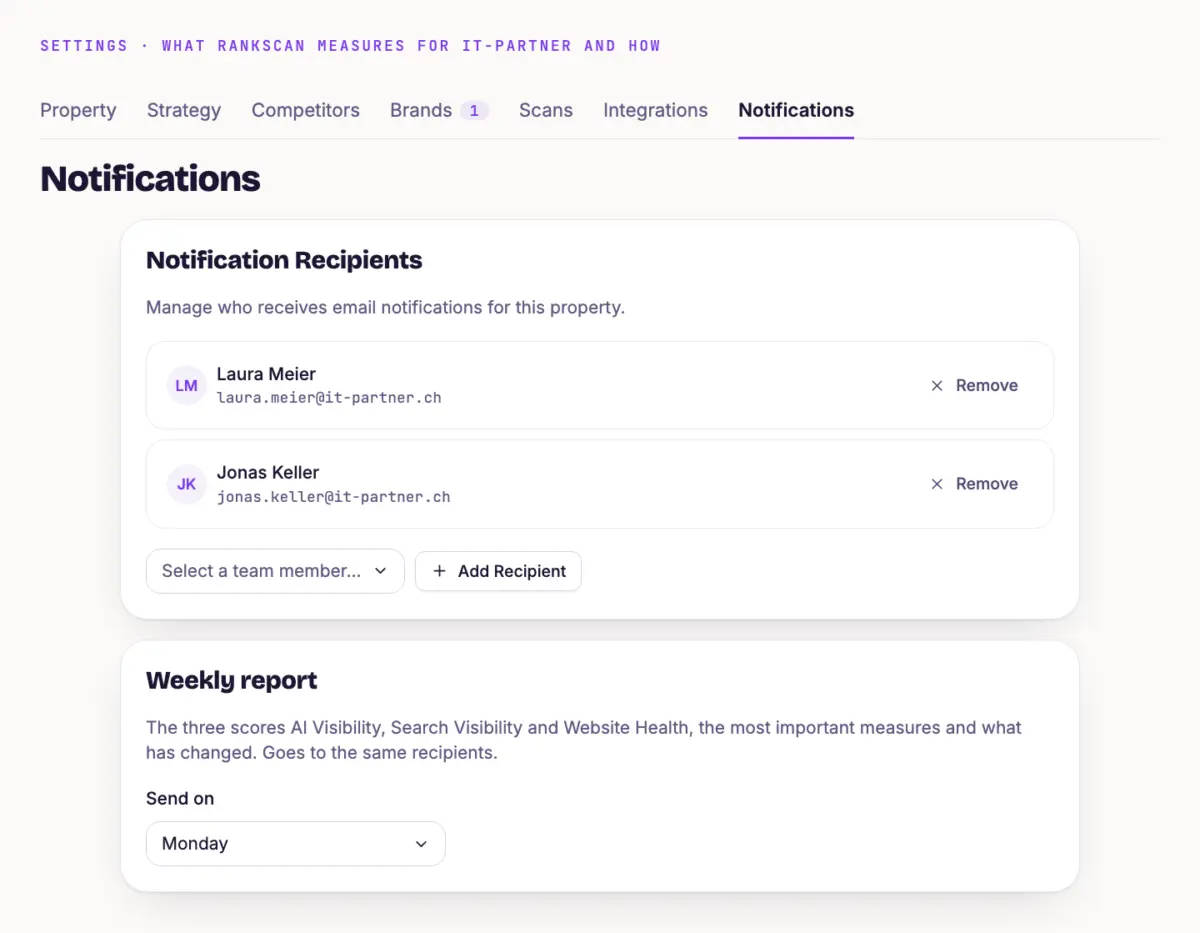
Open “Settings” and the “Notifications” tab.
In the “Notification Recipients” card, click “Add Recipient”.
Choose a person under “Select a team member...”. “Remove” takes them out again.
Recipients are always members of your account. If someone is not in the team yet, invite them first, see Manage Team and Roles. When a property is created, RankScan adds the person who created it.
Set up the weekly report #
In the “Weekly report” card, choose a weekday under “Send on”. The default is Monday. If you do not want a report, choose “No weekly report”.
The weekly report goes to all recipients and contains:
- a TL;DR stands for "Too Long; Didn't Read" and refers to a short summary at the start of a longer text that delivers the key message immediately.Open glossary entry → of the situation and focus, if RankScan can create one for the week
- the three scores with their change
- the biggest gains and losses on Google, and A keyword is the search term users enter into a search engine to find information, products or providers. Keywords are the basis against which rankings and visibility are measured.Open glossary entry → that entered or left the top 10
- the prompts with the biggest movement
- up to three suggested measures
- open disruptions
If nothing happened in a week, there is no report.
Disruption emails #
RankScan reports three disruptions by email straight away: the Crawling is the process by which a search engine bot fetches a URL and downloads its content. It is the first step before a page can be indexed.Open glossary entry → failed, there are new critical errors, or PageSpeed refers to the loading time and responsiveness of a website. PageSpeed optimisation covers measures that improve loading time, responsiveness and visual stability.Open glossary entry → has slipped into “poor”. Once the disruption is fixed, you get an all-clear. Read Website Health and Fix Findings explains what a disruption means.
Important #
- Disruption emails go to the same recipients as the weekly report. There is no separate switch. Anyone who leaves the list gets neither.
- If a property has no recipients, RankScan sends neither the weekly report nor disruption emails. So always add at least one person.
- The “Your first scan is ready” email goes to the recipients. If there are none, the account owner gets it.
Tip #
Add at least two people. If one is on holiday, the other still sees a disruption on the same day.
Next step #
The same recipients also get shared reports. Share a Report shows how to send one.