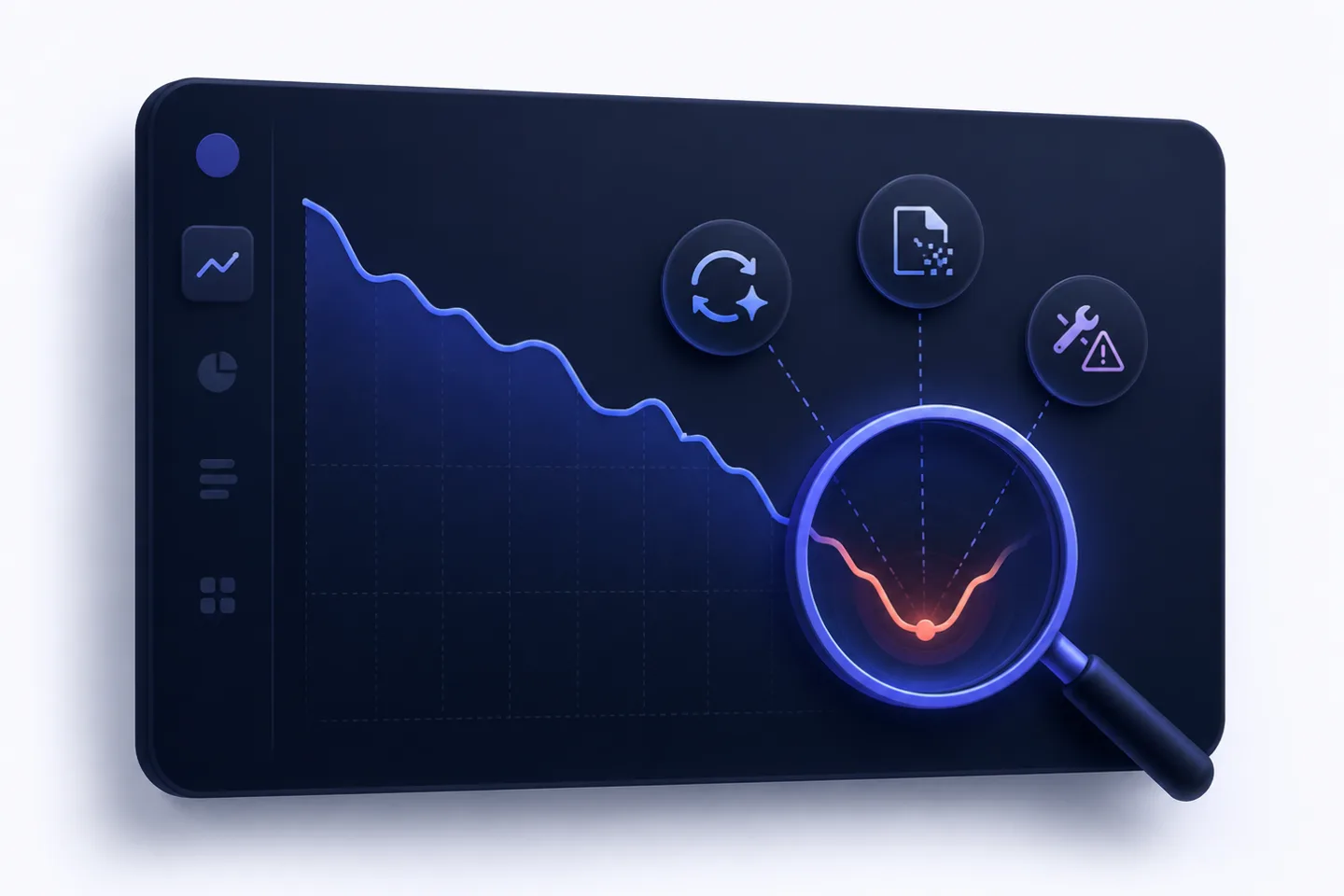
When an important suddenly drops, it can quickly feel like an emergency in . The most common reaction is hectic action: change the title, extend the copy, add keywords, set new .
That is often exactly the wrong response.
Declining rankings rarely have only one cause. A drop can be caused by a , technical errors, , stronger competitors, lost backlinks, or changed search results.
The RankScan insight “Declining Rankings” helps you look at ranking losses not as isolated keyword movements, but as a diagnostic case:
- Which keywords are dropping?
- Which URLs are affected?
- Since when has the ranking been declining?
- Is the drop sudden or gradual?
- Does it affect one page, one directory or the entire domain?
- Were there technical changes, content updates or Google updates?
- Have clicks dropped even though rankings are stable?
In this article, you will learn how to analyze ranking losses, prioritize causes and improve your Google ranking without optimizing blindly.
- Declining rankings require diagnosis first, not immediate optimization.
- Always analyze the scope, speed and timing of the drop.
- A sudden drop often points to technology, , migration or manual actions.
- A slow decline more often indicates content decay, competition or changed .
- Stable rankings with falling clicks can point to features, or lower demand.
- Google Core Updates are not an individual penalty, but reassessments of relevance and quality.
- Technical errors take priority over content optimization.
- A good check connects ranking losses with website health, content and SERP signals.
- The goal is not only ranking recovery, but better prioritization: which page needs which intervention?
What Does “Declining Rankings” Mean? #
The insight “Declining Rankings” means: RankScan detects that a keyword, a URL, a topic area or a directory has lost positions over a relevant period of time.
This can mean:
- a keyword drops from position 3 to 9,
- a URL loses many rankings,
- an entire declines,
- a directory loses visibility,
- rankings fluctuate strongly between several URLs,
- clicks fall more sharply than positions,
- competitors overtake your page.
Important: Not every movement is critical. Rankings fluctuate daily. What matters is whether the decline is stable, relevant and important to the business.
Diagnose First, Optimize Later #
In its own documentation, Google explains that a drop in search traffic can have different causes and is not always easy to interpret. Google recommends analyzing performance data, time periods and trends before deriving measures.
Source: Google Search Central – Debugging drops in Google Search traffic
For RankScan, this means:
A ranking loss is a symptom, not a diagnosis.
Before changing anything, you should answer three questions:
- How large is the drop?
- How quickly did it happen?
- What happened at the same time?
Step 1: Determine the Scope of the Drop #
First, you need to check whether a single keyword, a URL or the entire website is affected.
| Scope | Likely direction |
|---|---|
| single keyword | search intent, SERP, competition |
| single URL | content, technical URL problems, cannibalization |
| several URLs in one topic | topic cluster, internal linking, |
| entire directory | template, indexing, relaunch, technical barrier |
| entire domain | Core Update, Spam Update, technical problems, demand change |
Example:
Only /blog/improve-google-ranking drops → check content or SERP
Entire /blog/ drops → check template, internal linking or Core Update
Entire domain drops → check technical problem, update or demand
Step 2: Analyze the Speed of the Decline #
The speed gives important clues.
Sudden Drop #
A sharp drop within a few days is more likely to indicate:
- error,
- blockage,
- wrong canonicals,
- server errors,
- relaunch problems,
- missing ,
- manual action,
- Spam Update,
- removal of important pages,
- tracking or data problem.
Gradual Decline #
A slow loss over weeks or months is more likely to indicate:
- content decay,
- stronger competitors,
- changed search intent,
- declining demand,
- better competing content,
- weaker internal linking,
- lost backlinks,
- outdated data,
- lack of .
Step 3: Compare the Timing with Changes #
Overlay the ranking curve with a calendar.
Check:
- official Google updates,
- your own deployments,
- relaunch,
- or plugin updates,
- changes to robots.txt,
- new noindex rules,
- migrations,
- content changes,
- internal link changes,
- server outages,
- template changes,
- consent or tracking changes.
For Core Updates, Google recommends waiting at least one week after the update has completed and then comparing appropriate periods in Search Console.
Source: Google Search Central – Google Search's core updates
For RankScan, a change log is central. Without a change log, it often remains unclear whether a ranking loss was triggered by Google, technology or your own changes.
Step 4: Check the Data Source #
Not every apparent ranking loss is a real SEO loss.
Check:
- rank tracking,
- Google Search Console,
- analytics,
- log files,
- SERP screenshots,
- visibility trend,
- keyword set,
- device type,
- country,
- language,
- search volume,
- brand vs. non-brand,
- desktop vs. mobile.
Example:
If rank tracking drops but clicks in Google Search Console (GSC) remain stable, it may be a SERP change or a tracking anomaly.
If clicks drop but positions remain stable, the problem is more likely related to , the click rate in the search result, the SERP layout or search demand.
Common Causes of Declining Rankings #
1. Technical Errors #
Technical problems are the first priority because they can directly prevent Google from , indexing or understanding a page.
Typical causes:
- noindex accidentally set,
- robots.txt blocks important pages,
- canonical points to the wrong URL,
- 404 after relaunch,
- redirect chains,
- server errors,
- slow or unstable pages,
- problems,
- contains wrong URLs,
- conflicts,
- internal links removed.
Technical problems can affect rankings quickly and severely. They should always be checked first.
2. Google Core Updates #
A Core Update is not a manual penalty. Google describes Core Updates as larger changes to the ranking systems that are intended to better deliver helpful and reliable results.
Source: Google Search Central – Google Search's core updates
After a Core Update, rankings can drop because Google evaluates other content as more helpful, relevant or trustworthy.
Important:
- Do not react frantically during the rollout.
- Compare data after completion.
- Do not check only individual keywords.
- Compare top pages and top queries before/after the update.
- Review content quality, experience, and user intent.
3. Spam Updates or Policy Violations #
Spam Updates target manipulative practices.
These may include:
- link spam,
- large-scale automatically generated content without added value,
- cloaking,
- doorway pages,
- misleading redirects,
- scraping,
- thin affiliate content,
- expired domain abuse,
- site reputation abuse.
Google describes spam policies as rules against practices intended to deceive users or manipulate search systems. Violations can cause pages or websites to rank lower or be removed from Search.
Source: Google Search Central – Spam Policies for Google Web Search
If the decline correlates with a Spam Update, you should not only improve content, but actively check for possible policy violations.
4. Content Decay #
Content decay means: content loses relevance over time.
Typical reasons:
- data is outdated,
- examples no longer fit,
- screenshots are old,
- sources are no longer current,
- search intent has changed,
- new competitors provide better content,
- internal links have become weaker,
- the SERP now requires different formats.
Example:
An article called “Improve Google Ranking 2023” loses visibility in 2026 if it has not been updated.
The solution is not just a new date. The content must be substantially updated.
5. Changed Search Intent #
Sometimes a page does not drop because it became worse, but because Google interprets the search intent differently.
Example:
A keyword used to be informational. Today, Google mainly shows:
- product pages,
- comparison tables,
- videos,
- local results,
- forums,
- AI Overviews,
- tools,
- recent news.
Then your content may no longer match the dominant SERP type.
That is why you should always check the current top 10.
6. SERP Features and AI Overviews #
Sometimes clicks decline even though rankings remain stable.
Possible reasons:
- above the organic results,
- ,
- Shopping box,
- Local Pack,
- video carousel,
- ,
- more ads,
- Knowledge Panel,
- sitelinks or from competitors.
Google describes AI Overviews and AI Mode as Search features where content from the web can be used and websites can continue to appear in these experiences.
Source: Google Search Central – AI features and your website
Important: AI Overviews do not automatically mean that SEO becomes worthless. But they can change CTR, click distribution and visibility.
7. Keyword Cannibalization #
Keyword cannibalization occurs when several URLs on your website compete for the same search intent.
Signs:
- rankings jump between two URLs,
- several pages receive for the same keyword,
- no page stabilizes,
- similar content has been published in parallel,
- internal links point inconsistently to different pages.
Solution:
- merge pages,
- define a clear main page,
- consolidate internal links,
- check canonicals,
- differentiate title and ,
- sharpen search intent per URL.
8. Lost Backlinks or Authority #
If important backlinks disappear, a page can lose authority.
Check:
- lost referring domains,
- changed ,
- removed articles from public relations (PR),
- changes,
- lost internal links,
- competitors with new strong backlinks.
Backlinks are not always the cause, but they are often an important factor for highly competitive keywords.
Diagnostic Matrix: Symptom, Cause, First Check #
| Symptom | Likely cause | First check |
|---|---|---|
| Domain drops sharply overnight | Technology, manual action, spam | GSC, noindex, robots.txt, server, manual actions |
| Directory loses visibility | Template, internal links, indexing | Crawl, sitemap, canonical, internal links |
| Single URL declines slowly | Content decay, competition | SERP comparison, content audit |
| Keyword drops, URL otherwise stable | Search intent changed | check current top 10 |
| Clicks fall, position remains stable | CTR, SERP features, AI Overview | GSC CTR, SERP screenshot |
| Rankings jump between URLs | Cannibalization | GSC query-URL analysis |
| Decline after relaunch | Redirects, 404, canonicals | Redirect map, crawl, GSC |
| Decline after Core Update | Quality reassessment | Compare top pages/queries |
| Decline in specific countries | hreflang, , language | country filter, hreflang, local SERPs |
| Decline only on mobile | mobile user experience (UX), (CWV; Google’s central web performance metrics), rendering | Mobile crawl, Page Experience, rendering |
Prioritization: What Should Be Fixed First? #
Not every measure is equally urgent.
| Problem | Priority | Why |
|---|---|---|
| noindex on important pages | High | page can drop out of the index |
| robots.txt blocks important areas | High | crawling is prevented |
| wrong canonical | High | wrong URL is preferred |
| 404 on ranking pages | High | users and signals run into a dead end |
| relaunch without redirects | High | existing rankings are at risk |
| manual action | High | policy problem |
| strong cannibalization | Medium to high | rankings are unstable |
| content decay on important pages | Medium to high | relevance declines gradually |
| SERP feature lowers CTR | Medium | requires /content adjustment |
| lost backlinks | Medium | depends on strength and competition |
| normal daily fluctuation | Low | do not overreact |
The most important rule:
Technology first, then structure, then content, then authority.
What to Do After a RankScan Finding #
When RankScan reports “Declining Rankings”, you should not optimize immediately, but proceed systematically.
Step 1: Group Affected Keywords and URLs #
Check:
- Which keywords are losing?
- Which URLs are losing?
- Is there a shared topic?
- Is there a shared directory?
- Are brand or non-brand keywords affected?
- Is it mobile, desktop or both?
Step 2: Define the Time Period #
Compare meaningful periods:
last 28 days vs. previous 28 days
last 3 months vs. previous 3 months
after update vs. before update
after relaunch vs. before relaunch
Pay attention to seasonality, holidays, campaigns and demand changes.
Step 3: Run Technical Checks #
Check first:
- indexability,
- noindex,
- robots.txt,
- canonicals,
- status codes,
- 404,
- redirects,
- sitemap,
- internal links,
- server errors,
- rendering.
If technology is broken, content work will not help much.
Step 4: Check SERP and Search Intent #
Search for the keyword manually or with SERP tracking.
Check:
- Which page types rank?
- Is there an AI Overview?
- Is there a Featured Snippet?
- Is there a Local Pack?
- Are there videos?
- Are competitors more up to date?
- Are the top results shorter, longer, more practical, more product-oriented?
Step 5: Evaluate Content #
Check the affected page:
- Is the content current?
- Does it answer the search intent?
- Does it include own examples, data or experience?
- Are author and visible?
- Are internal links useful?
- Are there clear headings?
- Is the page better than the current top 10?
- Is there or redundancy?
For Core Update drops, Google recommends improving content overall and creating helpful, reliable, user-focused content instead of looking for a single technical fix.
Source: Google Search Central – Creating helpful, reliable, people-first content
Step 6: Choose the Measure #
Depending on the cause:
| Cause | Measure |
|---|---|
| noindex/robots/crawl problem | remove technical block |
| wrong canonical | correct canonical |
| 404 after relaunch | set |
| content outdated | update substantially |
| search intent changed | adapt format and content to SERP |
| cannibalization | consolidate or differentiate pages |
| backlinks lost | strengthen internal links and digital PR |
| AI Overview lowers CTR | improve snippet, structure and |
| spam/policy risk | remove policy violations |
Step 7: Set Up Monitoring #
After the measure:
- crawl again with RankScan,
- observe GSC performance data,
- mark affected URLs,
- compare SERP screenshots,
- document the change in the log,
- do not overreact daily,
- reassess after 2–6 weeks.
Improve Google Ranking: Measures by Cause #
Technical Cause #
Measures:
- remove noindex,
- correct robots.txt,
- check canonicals,
- repair redirects,
- fix 404s,
- update sitemap,
- correct internal links,
- check rendering.
Expectation: Improvement can become visible relatively quickly after recrawling, often within days to weeks.
Content Decay #
Measures:
- update data,
- renew examples,
- add sections,
- remove outdated recommendations,
- recheck search intent,
- add own experience or cases,
- update sources,
- create a better .
Important: Simply changing the date is not enough.
Core Update Decline #
Measures:
- compare top pages and top queries,
- strengthen ,
- check thin or redundant content,
- improve authorship and trust signals,
- consolidate topic clusters,
- check UX and page structure,
- improve quality in the long term.
For Core Updates, Google recommends analyzing larger changes based on affected top pages and search queries and checking content for helpful, reliable, user-focused quality.
Source: Google Search Central – Google Search's core updates
SERP Feature or AI Overview #
Measures:
- sharpen title and ,
- add clear answer sections,
- use structured headings,
- make sources and data visible,
- use Frequently Asked Questions (FAQ) only where real questions exist,
- check ,
- adapt content format to the SERP.
The goal is not to “trick” AI Overviews, but to build your own page as a clear, trustworthy and citable source.
Cannibalization #
Measures:
- define main page,
- merge similar content,
- redirect weak pages,
- consolidate internal links on the main page,
- differentiate Title/H1,
- check canonicals,
- structure topic clusters cleanly.
Realistic Recovery Times #
SEO recovery takes time. The period depends strongly on the cause.
| Cause | Possible period after fix |
|---|---|
| noindex/robots error | days to a few weeks |
| 404/redirect problems | 1 to 4 weeks |
| canonical error | 2 to 6 weeks |
| cannibalization | 2 to 8 weeks |
| content update | 4 to 12 weeks |
| Core Update decline | several weeks to months |
| backlink/authority loss | several months |
These values are guidelines, not guarantees.
What a Good Ranking Check Looks At #
A good check does not only report ranking losses, but connects them with causal signals.
A good check includes:
- affected keywords,
- affected URLs,
- ranking trend,
- clicks and impressions from GSC,
- CTR change,
- period and update correlation,
- directory or topic cluster,
- indexability,
- noindex,
- robots.txt,
- canonicals,
- status codes,
- 404 and redirects,
- internal links,
- content freshness,
- signals for Experience, Expertise, Authoritativeness, Trust (), as well as additional trust signals,
- SERP features,
- AI Overview presence,
- cannibalization,
- competitor comparison,
- change log.
This turns “Declining Rankings” into a diagnostic workflow instead of just an alert.
Example: Ranking Loss After Relaunch #
Starting Point #
A SaaS company loses many rankings for important guide keywords within two weeks.
The marketing team suspects a Google update.
RankScan reports:
“Declining Rankings”
“ (404)”
“Missing ”
Analysis #
The decline began two days after a website deployment.
A crawl shows:
- old URLs return 404,
- several canonicals point to staging URLs,
- internal links still point to old paths,
- some blog categories are noindex.
Solution #
- remove noindex,
- correct canonicals,
- complete redirect map,
- update internal links,
- regenerate sitemap,
- request recrawling of important pages,
- observe ranking trend for 4 weeks.
Result #
The ranking loss was not a content problem, but a technical relaunch problem. Content optimization would have been the wrong first measure in this case.
Common Mistakes with Ranking Losses #
Mistake 1: Rewriting Text Immediately #
Without diagnosis, you may solve the wrong problem.
Mistake 2: Changing Everything at Once #
If technology, content, internal links and titles are changed at the same time, it is no longer clear later what helped or hurt.
Mistake 3: Treating a Core Update as a Penalty #
Core Updates are usually not penalties, but reassessments. The solution is usually long-term quality improvement.
Mistake 4: Confusing CTR Loss with Ranking Loss #
If positions are stable but clicks decline, the problem is often the SERP layout or demand.
Mistake 5: Overvaluing Normal Fluctuations #
Rankings move. Not every position change is a problem.
Mistake 6: Checking Technology Too Late #
Technical errors should always be ruled out first.
Checklist: Analyze Declining Rankings #
Use this checklist:
- Which keywords dropped?
- Which URLs are affected?
- Since when have the rankings been declining?
- Is the drop sudden or gradual?
- Does it affect one page, one directory or the entire domain?
- Are there simultaneous Google updates?
- Were there internal changes or deployments?
- Are noindex, robots.txt and canonicals correct?
- Are there 404 or redirect problems?
- Do clicks, impressions and CTR show the same trend?
- Has search intent changed?
- Are there new SERP features or AI Overviews?
- Is there cannibalization?
- Have competitors published better content?
- Is the content current and helpful?
- Are there lost internal or external links?
- Was every measure documented?
In addition, 404 errors, PageSpeed optimization, duplicate content and content updates help narrow down the cause cleanly and prioritize the next SEO measures.
FAQ About Declining Rankings #
Why has my Google ranking dropped?
Common reasons are technical errors, Google updates, content decay, stronger competitors, changed search intent, cannibalization or SERP features.
How can I improve my Google ranking?
Analyze the cause first. Then fix technical errors, update content, match search intent better, strengthen internal links and improve trust signals.
What does “Declining Rankings” mean in RankScan?
The insight means that rankings for relevant keywords, URLs or topic areas have declined over a period of time and a root-cause analysis is needed.
Is a ranking loss after a Core Update a penalty?
No. Core Updates are usually reassessments of relevance and quality. The solution is usually better user focus, quality and trustworthiness.
Why are clicks declining even though my ranking is stable?
Possible reasons are AI Overviews, Featured Snippets, more ads, Local Packs, other SERP features or declining demand.
How do I recognize content decay?
If a page slowly loses rankings over months, contains outdated data or is overtaken by more current competitors, this points to content decay.
What should I do about keyword cannibalization?
Define a main page, consolidate similar content, set suitable redirects or canonicals and strengthen internal linking to the most important URL.
How long does it take to regain rankings?
That depends on the cause. Technical errors can become visibly corrected after days or weeks. Content and Core Update recoveries often take significantly longer.
Should I immediately write new content when rankings drop?
Not necessarily. It is often better to improve existing important pages, fix technical errors or consolidate content.
Conclusion: Ranking Losses Are Diagnostic Cases #
Declining rankings are not a reason for blind action. They are a signal that technology, content, search intent, competition or the SERP environment has changed.
The RankScan insight “Declining Rankings” should therefore always be understood as the starting point for structured analysis.
The best approach is:
- determine scope, speed and timing,
- check data sources,
- rule out technical errors,
- analyze SERP and search intent,
- evaluate content and trust signals,
- check cannibalization and internal linking,
- prioritize suitable measures,
- document changes,
- observe development over several weeks.
This allows you to improve your Google ranking without optimizing blindly — and build more stable in the long term.
Sources and Further Information #
- Google Search Central – Debugging drops in Google Search traffic
- Google Search Central – Google Search's core updates
- Google Search Central – Creating helpful, reliable, people-first content
- Google Search Central – Spam Policies for Google Web Search
- Google Search Central – AI features and your website