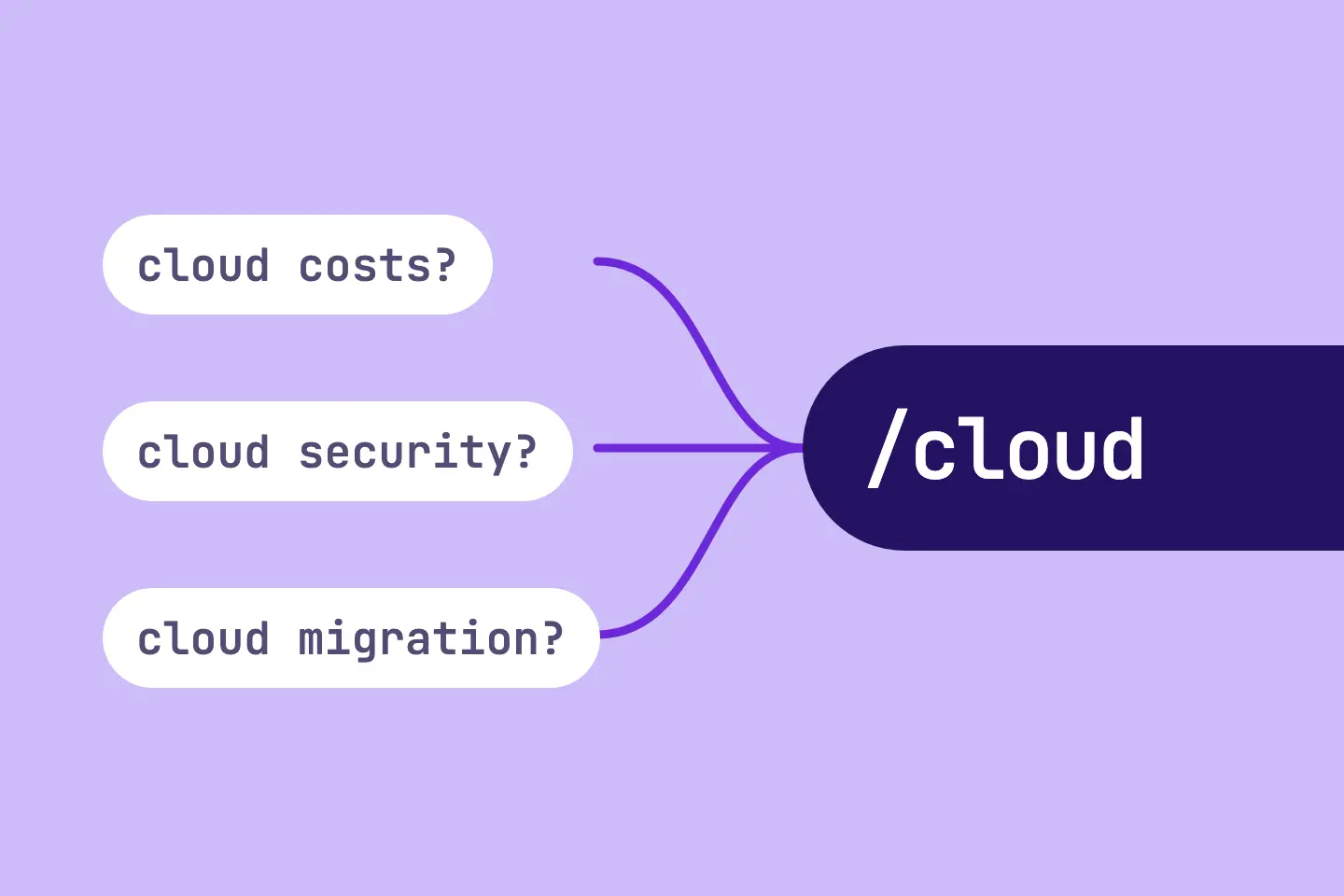
Every offer has a topic. People who search for this topic should land on a page that covers it clearly. In content marketing, such a page is often called a A pillar page is the central overview page of a topic cluster. It covers a subject broadly and links to in-depth detail pages, which in turn link back to it.Open glossary entry → or topic page.
A clear topic page can bundle relevant information and make the assignment easier. Missing AI mentions can also stem from the source landscape, competition, the prompt set or model behaviour. AI assistants also name brands based on third-party sources, product pages or other content of your own.
This article explains three RankScan measures that revolve around the same page:
- “Topic page missing” (Website Health): No page is chosen for a topic yet.
- “Page for AI answers missing” (AI Visibility describes whether and how visible a brand, website or person is in AI-generated answers. It measures mention, position, description and source linking across multiple platforms and prompts.Open glossary entry →): The page exists, but AI answers on the topic hardly name your brand.
- “Questions without a matching section” (AI Visibility): Some questions have no section of their own on any page of the topic.
A good page for a topic answers the questions that prospects and AI assistants ask about this topic. And it names your brand as the answer.
- In RankScan, every topic has a “Page for this topic”. You choose it in the topic settings.
- “Topic page missing” means: no page is chosen for the topic, and RankScan finds no matching one. This is first a finding about configuration or content planning. Search for an existing page first, before you build a new one.
- “Page for AI answers missing” means: your brand appears in at most 10 % of the AI answers on the topic. RankScan suggests a comparison page or a section on the service page.
- “Questions without a matching section” means: for some questions, no AI answer names you, and no page of the topic has a subheading for them.
- Rating in RankScan: “Topic page missing” and “Page for AI answers missing” have medium severity · high effort · work type Editorial. “Questions without a matching section” has medium severity · medium effort · work type Editorial.
- You mark “Page for AI answers missing” as done with the address of the page. The next Crawling is the process by which a search engine bot fetches a URL and downloads its content. It is the first step before a page can be indexed.Open glossary entry → checks the page. Only the AI measurement sets “Fixed”, once your brand appears in more than 20 % of the answers. This often takes several weeks.
- Never build a second page on the same topic. It competes with the first one.
What Is a Page for a Topic? #
A pillar page is a page that covers a topic comprehensively and links to pages that go deeper. For a company, this is usually a service, product or course page. For a specialist portal, it can be a guide.
In RankScan, a topic is a subject with its A keyword is the search term users enter into a search engine to find information, products or providers. Keywords are the basis against which rankings and visibility are measured.Open glossary entry → and prompts. Prompts are the questions that RankScan asks the AI assistants. Every topic has a “Page for this topic”. Measures for the topic refer to this page, for example the link to a new comparison page.
A topic needs exactly one such page. Two pages on the same topic share rankings and citations. The article on keyword cannibalization explains more.
How a Clear Page Can Help AI Answers #
RankScan explains the measure “Page for AI answers missing” like this: “AI answers name brands whose pages answer the question directly. Such a page gives the AI a source with your brand.” This explanation is an assumption. Such a page is an aid, not a precondition for a mention. AI answers can also name your brand based on third-party sources or other pages of your own. If your brand is missing, the source landscape, competition, the prompt set or model behaviour can also be the cause.
For its AI features, Google names no additional requirements. The usual Search Engine Optimization (SEO) covers all measures that help a website become more visible in unpaid (organic) search results.Open glossary entry → fundamentals apply.
Source: Google Search Central, AI Features and Your Website
For Helpful content refers to content created primarily for people that delivers a clear answer and shows substance, originality and trust, rather than being optimized mainly for search engines.Open glossary entry →, Google asks, among other things, whether a page provides substantial value when compared to other pages in search results.
Source: Google Search Central, Creating Helpful, Reliable, People-First Content
There is no guarantee. A clear page increases the chance that search and AI assistants find your answer and name your brand. The article on Generative Engine Optimization explains how RankScan measures visibility in AI answers.
The Order: First the Page, Then the Answers #
The three measures build on each other:
| Stage | Situation in the topic | Measure |
|---|---|---|
| 1 | No page chosen, RankScan finds no matching one | “Topic page missing” |
| 2 | Page chosen, your brand is missing from almost all AI answers | “Page for AI answers missing” |
| 3 | Page chosen, some questions without a section | “Questions without a matching section” |
“Page for AI answers missing” and “Questions without a matching section” only appear when the topic has a chosen page. While “Page for AI answers missing” is open, no “Questions without a matching section” appears for the same topic.
If the crawl finds pages that could match the topic, the task “Choose the page for ‹Topic›” appears instead of a measure. There you choose one of the suggested pages.
What Does “Topic page missing” Mean? #
The RankScan measure “Topic page missing” means: no page is chosen for the topic. You choose the page yourself. RankScan only suggests pages whose path or title carries a word from the topic name or its keywords. This suggestion is a simple word match without a A Large Language Model (LLM) is an AI model that learns from large amounts of text and generates formulated answers from it. LLMs form the core of generative answer systems such as ChatGPT, Perplexity or Gemini.Open glossary entry →. If the word match finds no page, the finding appears. Often the page exists anyway, just under a different name.
The finding is therefore first a finding about configuration or content planning. It does not explain why AI answers name your brand or not. Check your existing pages first, before you build a new pillar page.
Rating in RankScan: medium severity · high effort · work type Editorial.
If you chose “No matching page” in the topic, RankScan shows: your website has no matching page yet. Then the steps start with creating the page.
Procedure #
- Check whether the subject of the topic fits your offering.
- If it does not, rename or deactivate the topic.
- Search your website for a page that covers the subject, such as a service or course page.
- If you find one, choose it as the topic page. Do not create a second page on the same subject.
- If you find none, create a page on the subject and choose it as the topic page.
- Mark the measure as done.
If you chose “No matching page”, steps 3 and 4 do not apply.
How RankScan checks it: RankScan checks the measure with the next new data. If a page is chosen in the topic, the finding is gone, and RankScan reports “Fixed”. The finding also goes away if the crawl finds matching pages and you have not chosen “No matching page”. Then the task “Choose the page for ‹Topic›” appears instead. Otherwise the measure stays reported.
What Does “Page for AI answers missing” Mean? #
The RankScan measure “Page for AI answers missing” means: your brand is missing from most AI answers on the topic. Specifically, at most 10 % of the answers name your brand. RankScan only evaluates the topic from five answers onwards. RankScan does not check a topic without an active prompt for finding providers.
Rating in RankScan: medium severity · high effort · work type Editorial.
What RankScan Shows #
Under “Questions without your brand”, you find the questions whose answers do not name your brand. If the crawl has captured the subheadings of the pages, RankScan shows an addition for each question. It says whether a page of the topic already has a section for it: “section on /path” or “no section yet”.
The measure comes in two variants. RankScan chooses the variant based on the answers.
Comparison Page Variant #
RankScan chooses this variant when the most frequently named other brand is a competitor and appears in at least half of the answers. The measure is then called “Create a comparison page ‹Brand vs. Competitor› for ‹Topic›”. RankScan states in how many answers the competitor appears and in how many your brand appears.
- Read the AI answers that name the competitor.
- Compare your brand and the competitor on one page: offer, price and strengths.
- Stay factual and show the comparison as a table. Also name where the competitor is stronger.
- Add a link to the new page on the page for this topic.
- Mark the measure as done with the address of the new page.
Service Page Variant #
In all other cases, the measure sharpens your service page. It is then called “Answer the questions on ‹Topic› on your service page”. RankScan states in how many questions your brand is missing.
- Read the questions in which your brand is missing.
- Add a section to the page for this topic that answers exactly these questions.
- If the page does not fit these questions, create a dedicated service page. Add a link to it on the page for this topic.
- Start the section with a sentence that names your brand as the answer: service, audience and region.
- Name the scope of services, references and a contact person with contact details.
- Mark the measure as done with the address of the page.
Reporting and Checking #
When you mark the measure as done, you enter the address of the page. This is the new page or the extended page of the topic.
How RankScan checks it: The next crawl checks the reported page: reachable, Indexing is the step in which a search engine processes crawled content and decides whether a URL is added to the search index. Only indexed pages can appear in search results.Open glossary entry → and linked. After that, every AI run measures whether the AI answers name your brand. RankScan reports “Fixed” only once your brand appears in more than 20 % of the answers. Until then, the measure stays reported. This often takes several weeks.
If the crawl finds a problem, RankScan names it at the reported page:
| Crawl finding | What you do |
|---|---|
| Page not found | Link it from an existing page. |
| Address A redirect forwards users and search engines from one URL to another. It can be permanent (301) or temporary (302) and transfers signals to the target URL.Open glossary entry → | Mark the measure as done again with the target address. |
| Error when fetching | Check whether the page is online. |
| Page set to noindex is a robots directive telling search engines that a page should not appear in search results. The page must remain crawlable for it to work.Open glossary entry → | Remove noindex. Otherwise search engines and AI will not find it. |
| No page links to it | Link it from the page for this topic. |
| Comparison page without a table | Show the comparison as a table. |
The article on noindex explains how noindex works.
What Does “Questions without a matching section” Mean? #
The RankScan measure “Questions without a matching section” means: for some questions, no AI answer names you. And no page of the topic has a The title tag is an HTML element in the page <head> that defines the page title. It appears in the browser tab and can be used as the clickable title in search results.Open glossary entry →, an The H1 is a web page's main heading. It names the central topic, is visible to users and should generally appear only once per page.Open glossary entry → or a subheading that matches the question. RankScan lists up to five such questions.
Rating in RankScan: medium severity · medium effort · work type Editorial.
You also need the approach below for the questions from “Page for AI answers missing”. They list the same questions without your brand.
Procedure #
- Read the questions in the list. They come from your prompts.
- Check whether an existing page already answers the question, just without a subheading.
- Add one subheading per question with its key words, in the language of your customers.
- Write the answer in two sentences below it and name your brand as a provider.
- Publish the page and mark the measure as done.
How RankScan checks it: In the next crawl, RankScan checks the subheadings and then the AI answers to these questions. RankScan reports “Fixed” when, on average across the listed questions, your brand appears in more than 20 % of the answers.
The article on questions with a direct answer explains how you write a question as a subheading with a direct answer.
How to Build the Page for a Topic #
The steps of the measures set the building blocks. The order below is general editorial know-how. Of these, RankScan only measures whether the page is reachable, indexable and linked, and for comparison pages also the table. On top of that come the subheadings for the questions and the mention of your brand in the AI answers.
| Building block | Content |
|---|---|
| Opening sentence | Your brand as the answer: service, audience and region in one sentence |
| Scope of services | What exactly you offer, with concrete details |
| Questions | One subheading with a short answer for each question from the AI answers |
| Evidence | References, projects, prices or price ranges |
| Contact | A contact person with name and way to get in touch |
| Links | From the page for this topic and from related pages |
An opening sentence can look like this. The example is made up:
Muster Holzbau AG plans and builds prefabricated timber element houses for families
in the Canton of Lucerne, from the building application to moving in.
The sentence names the brand, service, audience and region. An AI answer can take it over almost word for word.
Concrete details make the page citable. The article on high-quality content and fact density explains more. The article on internal linking shows how you strengthen the page internally.
Comparison Page: Factual and as a Table #
A comparison page puts your brand and a competitor side by side. The steps ask for three things: stay factual, use a table, name the strengths of the competitor.
From editorial experience, an honest comparison seems more credible than advertising.
A table can be built like this. The example is made up:
| Criterion | Muster Holzbau AG | Beispiel Bau GmbH |
|---|---|---|
| Construction method | Prefabricated timber element construction | Timber-frame and solid construction |
| Region | Canton of Lucerne | all of German-speaking Switzerland |
| Planning | own architecture office | with partner offices |
| Strength | short on-site assembly time | larger choice of house models |
Only name details you can back up. Check details about the competitor on the competitor's own website.
Common Mistakes #
Mistake 1: Building a Second Page on the Same Topic #
The page often exists already under a different name. A second page shares rankings and citations with the first one. Search first and choose the existing page in the topic.
Mistake 2: Keeping a Topic That Does Not Fit #
If a topic does not fit your offer, no new page helps. Rename or deactivate the topic.
Mistake 3: Not Linking the New Page #
If the crawl does not find the page, RankScan reports that it did not find it. If the crawl finds it, but no page links to it, RankScan reports “No page links to the reported page”. Add the link on the page for this topic.
Mistake 4: Writing the Comparison as Body Text #
Without a table, RankScan reports “The page is online, but has no comparison table”. Show the criteria as a table.
Mistake 5: Running Down the Competitor #
A comparison without a single strength of the competitor seems like advertising. Also name where the competitor is stronger.
Mistake 6: Giving Up After a Week #
The AI measurement sets “Fixed”, and AI answers change slowly. Expect several weeks.
Example: Topic “Prefabricated timber element construction” of a Timber Builder #
The example is made up and shows the process.
Initial Situation #
A timber builder creates the topic “Prefabricated timber element construction” in RankScan. RankScan reports “Topic page missing”. On the website, the service page is called “Building with prefabricated elements” and does not carry the keyword in its title.
Stage 1: Choosing the Page #
The timber builder finds the page and chooses it as the page in the topic. The builder does not build a second page. The finding is gone.
Stage 2: AI Answers #
After a few AI runs, RankScan reports “Page for AI answers missing” in the service page variant. Under “Questions without your brand”, there are questions like “Which timber builder in Lucerne builds element houses?”.
Solution #
- Add a section with the subheading “Prefabricated timber element construction in the Canton of Lucerne”.
- Start the section with a sentence that names the brand, service, audience and region.
- Add the scope of services, three reference projects and a contact person with a phone number.
- Mark the measure as done with the address of the service page.
Result #
The next crawl confirms the page. After that, every AI run measures the answers. Whether and when the AI assistants name the brand more often is up to these systems.
Checklist: Page for a Topic #
RankScan checks the first five points. The rest is a general editorial checklist.
- Is a page chosen in the topic?
- Is the reported page reachable and not set to noindex?
- Does at least one page link to the reported page?
- Does a comparison page have a table?
- Do more than 20 % of the AI answers on the topic name your brand?
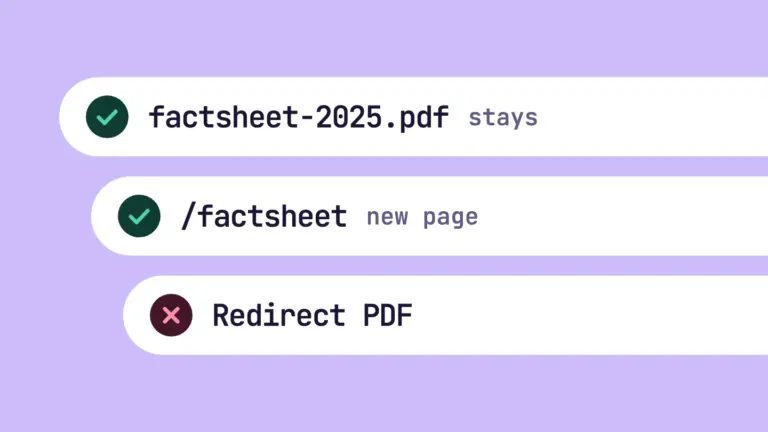
- Have you marked the measure as done with the correct address, without a redirect?
- Does the page for this topic link to the new page?
- Does the subject of the topic fit your offer?
- Is there only one page on this topic?
- Does the first sentence name your brand with service, audience and region?
- Does the page answer the questions from “Questions without your brand”?
- Does the page name the scope of services, references and a contact person?
- Does a comparison stay factual and also name strengths of the competitor?
- Have you marked the measure as done?
In addition, cited pages and brand mentions, mentions in AI answers, AI monitoring and share of voice and the SEO competitor analysis against the leader help you move a topic forward in search and AI.
FAQ About the Page for a Topic #
What is a pillar page?
A pillar page is a page that covers a topic comprehensively and links to pages that go deeper. In RankScan, it is called “Page for this topic” and belongs to a topic.
Where do I choose the page for a topic?
You choose it in the topic settings as “Page for this topic”. If RankScan suggests pages, the task “Choose the page for ‹Topic›” appears for this.
Why does RankScan not find my page?
RankScan suggests pages whose path or title carries a word from the topic name or its keywords. The suggestion is a simple word match. If your page has a different name, you choose it yourself in the topic.
Should I build a new page or extend an existing one?
Extend an existing page first if it covers the topic. A second page on the same topic competes with the first one.
When does RankScan suggest a comparison page?
RankScan suggests it when the most frequently named other brand is a competitor and appears in at least half of the AI answers on the topic. Otherwise RankScan suggests a section on the service page.
Why does the measure still show “Reported as done” after I reported it?
The crawl only confirms the page. Only the AI measurement sets “Fixed”, once your brand appears in more than 20 % of the answers. This often takes several weeks.
Does the page need special markup for AI answers?
No. For its AI features, Google names no additional requirements. What matters is a clear, visible text that answers the questions.
What do I do if the topic does not fit my offer?
Rename or deactivate the topic. A page on an unrelated topic helps neither in search nor in AI answers.
Conclusion: One Topic, One Page, Clear Answers #
Every topic needs a page that covers its subject clearly. RankScan checks this in three stages.
“Topic page missing” makes sure the page is chosen. “Page for AI answers missing” aligns it with the questions of the AI answers. “Questions without a matching section” adds individual questions as sections of their own.
The process:
- check the topic and choose an existing page,
- only if none fits, build a new page,
- answer the questions without your brand, with your brand in the first sentence,
- link the page and mark the measure as done with its address,
- give the AI measurement several weeks.