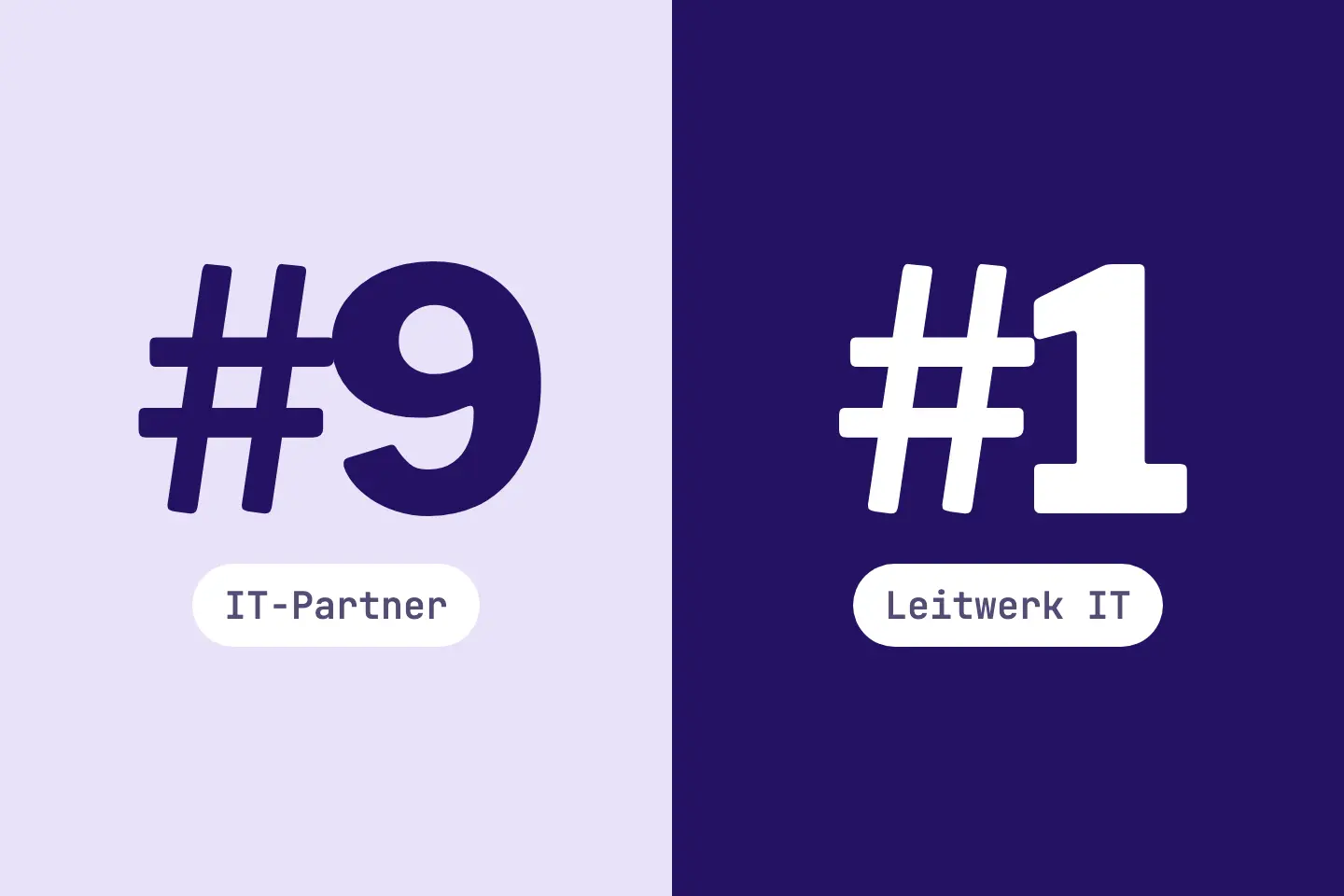
You search Google for your most important topic. The strongest provider in your market is on the first page. You find your own page only far back, or not at all.
RankScan treats this not as a loss, but as a state. It is a gap: the leader serves searchers better than your page does today. A targeted Search Engine Optimization (SEO) covers all measures that help a website become more visible in unpaid (organic) search results.Open glossary entry → competitor analysis shows what gives the leader this lead.
This article explains the RankScan measure “Gap to the leader” in the Search visibility describes how present and findable a website is in the organic search results. It is not the same as traffic, but reflects theoretical findability.Open glossary entry → category. For each A keyword is the search term users enter into a search engine to find information, products or providers. Keywords are the basis against which rankings and visibility are measured.Open glossary entry →, it names the leader, both positions and the path that fits your situation.
A good competitor analysis does not copy the leader. It finds out what searchers want and then shows your own strengths.
- “Gap to the leader” means: the leader of your topic is in the top 10 for a keyword. Your website ranks worse than position 20 or is not among the measured results.
- The leader is the provider with the best Search Score in the topic, the same one as in the RankScan comparison table.
- Keywords with your own brand name do not count.
- Rating in RankScan: high severity · high effort · work type Editorial.
- RankScan chooses one of three paths: build out the page, build relevance and links, or find a matching page.
- The core of every path is the comparison with the leader's page and the top three results.
- How RankScan checks it: The next ranking measurement checks the keyword. RankScan reports “Fixed” when your position is in the top 20 in two valid measurements in a row.
What Is the Leader? #
RankScan calculates a Search Score for every topic. It shows how visible you are in Google Search with the keywords of the topic, compared with your competitors. The leader is the provider with the best value in the topic. Platforms and directories are never the leader. The leader is the same one as in the comparison table of the topic.
If the best value of a provider is below the reference value of the score, the topic has no leader. Then no “Gap to the leader” is created either. The article on the visibility index explains how the score comes about.
So the leader is not the strongest provider per keyword, but the strongest in the whole topic. For a single keyword, another provider can rank ahead of the leader.
When Is “Gap to the leader” Created? #
The RankScan measure “Gap to the leader” is created per keyword when all conditions apply:
- The keyword belongs to a topic and does not contain your own brand name.
- The current ranking measurement of the keyword is valid and has a results list.
- The leader of the topic is at position 1 to 10 in this measurement.
- Your position is worse than 20, or you are not among the measured results.
- RankScan has measured enough keywords of the topic to calculate the Search Score.
- There is a page the measure can refer to: the page of the topic or a ranking page.
Rating in RankScan: high severity · high effort · work type Editorial.
One measurement is enough. The measure describes a state, not a change.
What RankScan Does Not Report as a Gap #
- Lost rankings: If a keyword has the measure “Lost ranking”, no new “Gap to the leader” is created there. The loss is the more precise statement. The article on Lost ranking explains more.
- Near-miss positions: If you rank at position 11 to 20, this is not a gap to the leader. The article on striking distance keywords helps with this situation.
How Many Measures Are Open #
RankScan keeps at most three “Gap to the leader” measures open per website. “Lost ranking”, “Gap to the leader” and “Missing backlink” are open at most five times together.
What RankScan Shows #
The measure names the keyword, the leader, the leader's position and your position. Under “Leader's page”, you find the page with which the leader ranks in the top 10. RankScan also names your page for the keyword.
The Three Paths #
RankScan chooses the path based on your situation. The title of the measure shows it. If no page carries the keyword in its address or title, Path 3 always applies, even if your page ranks.
| Situation | Title of the measure | Core |
|---|---|---|
| Your page ranks, but worse than 20 | “Build out /path for ‹keyword›” | Add content for the Search intent is the goal behind a search query: does the user want to learn something, buy something or reach a specific page? Content only ranks well if it matches this intent.Open glossary entry → |
| Your page is not among the measured results | “Build out /path for ‹keyword›” | Build relevance and links |
| No page carries the keyword in the address or title | “Find or build a page for ‹keyword›” | Find or build a matching page |
Whether RankScan suggests Path 3 is based on matching the keyword's words with address and title. Path 1 and Path 2 depend on whether your page is among the measured results. The choice of path is a suggestion, not a diagnosis of search intent. Before any path, check search intent, page type, conversion goal, content and ranking history of your page.
Path 1: Build Out the Page #
RankScan explains this path like this: when the leader is in the top 10 and you are far behind, your page usually lacks content for the search intent. Search intent is what searchers want to achieve with the keyword.
- Open the top three Google results for the keyword and the leader's page.
- Determine the search intent: do searchers want to compare, buy, book or learn?
- Compare your page with these pages: page type, headings, questions answered, offer, prices and proof.
- Add what your page lacks and show your own strengths instead of copying competitors.
- Link to your page from related pages with the keyword in the Anchor text is the clickable, visible text of a link. It gives users and search engines clues about what the linked target page is about.Open glossary entry →.
- Mark the measure as done.
Path 2: Build Relevance and Links #
RankScan chooses this path when you are not among the measured results and your page carries the keyword in the address or title. RankScan explains it like this: outside the measured results, more content alone rarely helps. The page often lacks relevance for the keyword or authority, meaning links from other websites. Plan for several months.
- Open the top three Google results for the keyword and the leader's page.
- Determine the search intent: do searchers want to compare, buy, book or learn?
- Check that the title and headings of your page serve exactly this search intent.
- Link to your page from related pages with the keyword in the link text.
- Win links from relevant websites, for example from the list “Missing backlinks”.
- Mark the measure as done.
You find the list “Missing backlinks” in RankScan on the “Backlinks” page. It names domains that link to several providers in your market, but not to you.
Path 3: Find a Matching Page #
RankScan chooses this path when the keyword appears neither in the address nor in the title of your page. RankScan explains it like this: building it out there dilutes the page and misses the search intent. The page is probably not about the keyword. This is a suggestion from the word match. A fitting page can also cover the topic with other words. The steps are based on the measure in RankScan and add a check of search intent and need.
- Search for the keyword on Google and open the leader's page. Note the page type and structure.
- Find a page on your website that serves the search intent of the keyword. It can also use other words in its address and title.
- If there is none and the need is clear, build a new page. Name the keyword in the title and the The H1 is a web page's main heading. It names the central topic, is visible to users and should generally appear only once per page.Open glossary entry →.
- Answer there the questions the leader's page answers.
- Add your own evidence: references, prices and contact.
- In the topic settings, choose the page as “Page for this topic”.
- If it only fits this keyword, split the topic.
- Link to the page from related pages, with the keyword in the link text.
- Mark the measure as done.
The article on the page for a topic explains how you choose a page for a topic. The article on the title tag shows how the title and the H1 work together.
Determining the Search Intent #
The search intent is the most important part of the analysis. The top three results give you a hint about which kind of page is in demand for the keyword.
For Helpful content refers to content created primarily for people that delivers a clear answer and shows substance, originality and trust, rather than being optimized mainly for search engines.Open glossary entry →, Google asks, among other things, whether a page provides substantial value compared with other pages in the search results. And whether it provides original information instead of only rewriting other sources.
Source: Google Search Central, Creating Helpful, Reliable, People-First Content
The steps name four kinds of search intent:
| Searchers want to | Typical results | What your page needs |
|---|---|---|
| compare | Comparison pages, guides with tables | Criteria, differences, your strengths |
| buy | Product and category pages | Offer, price, availability |
| book | Service pages with an appointment or inquiry | Process, prices, contact |
| learn | Guides and explainer pages | Clear answers, examples |
The examples in the table are general know-how. RankScan does not measure the search intent. You determine it yourself from the results.
If the results show guides and your page is a pure offer page, the page type does not fit. Then more text on the same page helps little. The article on keyword cannibalization explains more about the role of search intent.
Comparing the Pages #
The steps name six criteria for the comparison. A table helps you keep track:
| Criterion | Question for each page |
|---|---|
| Page type | Is it a service page, a guide, a comparison or a product? |
| Headings | Which topics structure the page? |
| Questions answered | Which questions of searchers does it answer? |
| Offer | What exactly does the provider offer? |
| Prices | Does the page name prices or a price range? |
| Proof | Are there references, reviews, figures or certificates? |
Add one column each for your page, the leader's page and the top three results. Whatever all the others have and you lack is a candidate for building out.
Only add what you can back up. Concrete details make a page stronger than long texts. The article on high-quality content explains more.
How RankScan Checks It, and Patience #
The next ranking measurement checks the keyword. RankScan decides only once the keyword is validly measured.
RankScan reports “Fixed” when your position is in the top 20 in two valid measurements in a row. The leader's position does not count for this. So you do not have to overtake the leader.
Rankings do not change overnight. Especially on the path “Relevance and links”, RankScan expects several months. If the measure stays reported, check after a few measurements whether Google has already recrawled the page.
Common Mistakes #
Mistake 1: Copying the Leader #
A copy gives you no value of your own. Show your own strengths, projects and figures.
Mistake 2: Building Out the Wrong Page #
If your page is not about the keyword, building it out dilutes the page. If the keyword appears neither in the address nor in the title, RankScan chooses Path 3. Still check yourself whether the page fits the search intent.
Mistake 3: Only Adding Text When the Page Type Does Not Fit #
If the results show comparisons and your page is a pure service page, more text helps little. Check the page type first.
Mistake 4: Forgetting Internal Links #
The steps ask for links from related pages with the keyword in the link text. According to general SEO know-how, these links show search engines which page you intend for the keyword. The article on internal linking explains more.
Mistake 5: Building a Second Page on the Same Topic #
If a matching page already exists, build it out. A second page competes with the first one.
Mistake 6: Giving Up Too Early #
Outside the measured results, the path usually takes several months. Plan the work in stages.
Example: Language School with a Gap for a Course Keyword #
The example is made up and shows the process.
Initial Situation #
A language school has the topic “English courses”. For the keyword “english course for adults”, the leader of the topic is at position 4. The language school is at position 34. RankScan reports “Gap to the leader” with the path “Build out the page”.
Analysis #
- The top three results and the leader's page are course pages with levels, dates and prices.
- The searchers want to book.
- The page of the language school describes the school, but names neither levels nor prices.
- Two results answer the question of how a placement test works.
Solution #
- Add sections on levels, course duration and prices.
- Write a section on the placement test with the school's own process.
- Show reviews from participants and the certification of the teachers.
- Link from the home page and from the course overview with “English course for adults” in the link text.
- Mark the measure as done.
Result #
The next ranking measurements check the keyword. If the page is in the top 20 in two valid measurements in a row, RankScan reports “Fixed”. Google itself decides when it evaluates the changes.
Checklist: Gap to the Leader #
The first point is what RankScan measures. The rest is a general checklist.
- Is your page in the top 20 in two valid measurements in a row?
- Have you opened the top three results and the leader's page?
- Do you know the search intent: compare, buy, book or learn?
- Does the page type of your page fit the search intent?
- Have you compared headings, questions, offer, prices and proof?
- Does your page show your own strengths instead of copied content?
- Do related pages link to your page with the keyword in the link text?
- Does the page carry the keyword in the title and H1 if you built it new?
- Is the page chosen in the topic as “Page for this topic”?
- Have you marked the measure as done?
In addition, the pillar page for every topic, Lost ranking, striking distance keywords and off-page signals help you move a topic forward in search.
FAQ About the Gap to the Leader #
What is an SEO competitor analysis?
An SEO competitor analysis compares your page with the pages that rank ahead of you for a keyword. It shows what these pages offer searchers and your page lacks.
Who is the leader in RankScan?
The leader is the provider with the best Search Score in the topic. The leader is the same one as in the comparison table of the topic.
Why does RankScan only report the gap from position 21?
The measure targets large distances: the leader is in the top 10, you are worse than 20. For positions 11 to 20, there is the approach of Striking-distance keywords are search terms for which a page already ranks just outside the top results, typically at average positions 5 to 20. They already earn impressions but few clicks, and count as quick wins because small optimizations often produce noticeable click gains.Open glossary entry →.
Do keywords with my brand name count?
No. Keywords with your own brand name do not trigger a “Gap to the leader”.
Do I have to overtake the leader?
No. RankScan reports “Fixed” when your position is in the top 20 in two valid measurements in a row. The leader's position does not count for this.
What is the difference from a lost ranking?
A lost ranking is a loss: the page used to rank better. The gap to the leader is a state: your page is far behind the leader today. If a keyword has a lost ranking, no gap to the leader is created there.
How long does it take until the measure is fixed?
That depends on the situation. Outside the measured results, RankScan expects several months, because relevance and links take time.
Why does RankScan suggest a new page?
RankScan suggests a new page when the keyword appears neither in the address nor in the title of your page. This is a suggestion from the word match, not a diagnosis. First check whether an existing page serves the search intent. Build a new page only if there is a clear need.
Conclusion: Understand What Searchers Want #
The gap to the leader is not a loss, but a distance. For each keyword, RankScan shows you where the strongest provider in your topic is ahead and you are far behind.
The process:
- open the top three results and the leader's page,
- determine the search intent,
- compare page type, headings, questions, offer, prices and proof,
- add what is missing, with your own strengths,
- link to the page internally and, if needed, win links from other websites,
- mark the measure as done.
The next ranking measurements then check whether your page gets into the top 20.